웹기술 도감
브라우저에서 지금 쓸 수 있는 웹 기능 1,648개 — Baseline 지원 상태와 Chrome 신기술 단계를 한눈에. “이렇게까지 된다.”
🔥 이렇게까지 된다
브라우저에서 실제로 돌아가는 감탄 데모 — 매주 갱신현재 위치의 하늘을 CSS 그래디언트로 표현한다.
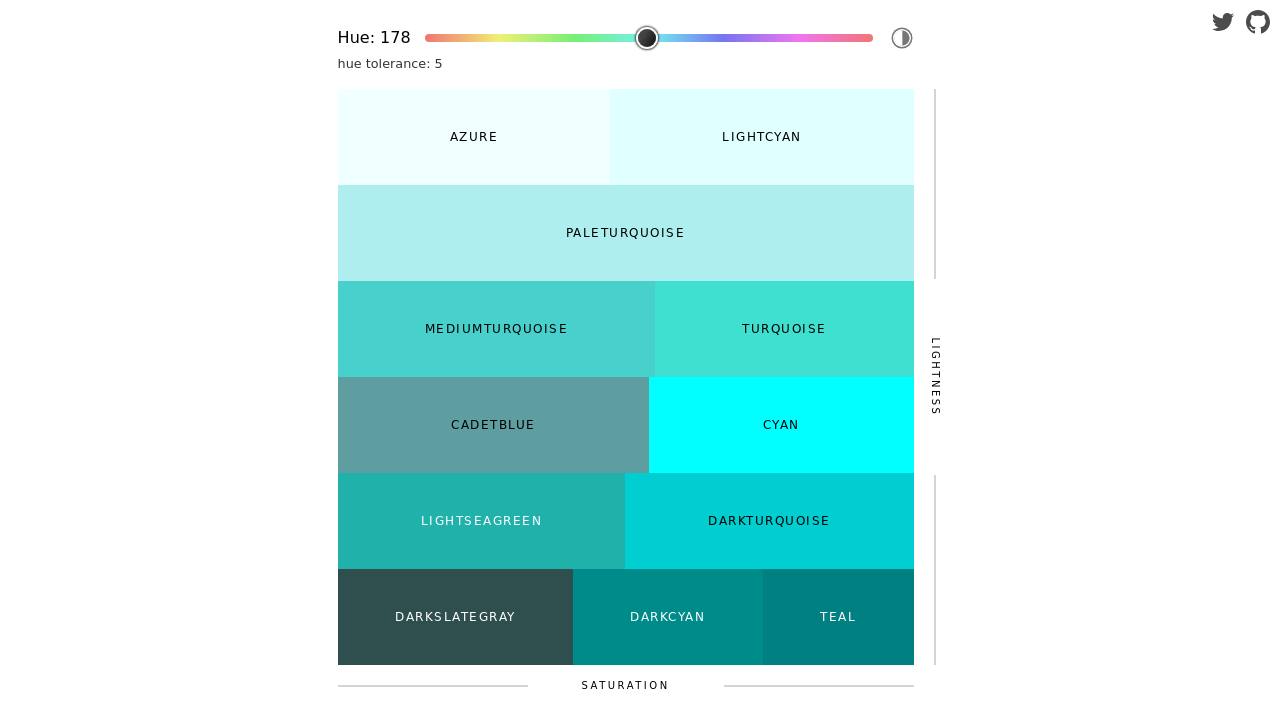
Show HN: The current sky at your approximate location, as a CSS gradient
3D 책 이미지를 CSS만으로 생성한다.
Show HN: 3D Book Image CSS Generator
글래스 모피즘 효과를 CSS 제너레이터로 만든다.
Show HN: CSS generator for a high-def glass effect
실시간 3D 가우시안 스플래팅을 WebGL로 구현했다.
Show HN: Real-Time 3D Gaussian Splatting in WebGL
WASM과 WebGL로 파이썬·AI 스프레드시트를 만들었다.
Show HN: Quadratic – Open-Source Spreadsheet with Python, AI (WASM and WebGL)
푸리에 변환을 WebGL로 인터랙티브하게 시각화한다.
Show HN: Fourier Transform Visualized via WebGL
WebGPU로 브라우저에서 로컬 LLM이 돌아간다.
Show HN: WebGPU enables local LLM in the browser – demo site with AI chat
슈퍼 패미컴에서 파이썬이 실행되는 인브라우저 데모다.
Show HN: Python running on the Super Nintendo (in-browser demo)
브라우저만으로 필체처럼 손글씨를 생성한다.
Show HN: A realistic handwriting generator, directly in the browser [demo]
CSS와 Canvas로 레트로 그래픽 스타일을 구현했다.
Show HN: Retro Looking Graphics in the Browser (feature demo only)
음악에 반응하는 데모씬 비주얼라이저가 브라우저에서 돈다.
Show HN: BeatCanvas – A browser-based demoscene visualizer for SoundCloud
브라우저에서 50개 노드의 바이오스웜 OS를 시뮬레이션한다.
Show HN: CombOS – 50-node bio-inspired swarm OS (browser demo)
1,648개 표시
:state()
The :state() CSS pseudo-class matches custom elements based on their custom state, set through the ElementInternals.states API.
<input type="file" webkitdirectory>
The <input type="file" webkitdirectory> HTML element shows a file picker from which users can choose a folder to upload with the form.
AbortSignal.any()
The AbortSignal.any() static method combines an iterable of abort signals into a single signal, with the abort reason taken from the first signal to abort.
AbortSignal.timeout()
The AbortSignal.timeout() static method returns an abort signal that automatically aborts after a specified duration.
Active view transition
The :active-view-transition CSS pseudo-class matches the root element when a view transition is active. The :active-view-transition-type() CSS pseudo-class matches only when the active view transition was started with the specified type.
Async clipboard
The navigator.clipboard API asynchronously reads and writes to the system clipboard.
Branch hinting (WebAssembly)
Branch hints in WebAssembly allows a browser to optimize performance when a branch is a likely to take a specific path.
CSP violation reports
CSP violation reporting sends a report to a URL nominated by the Reporting-Endpoints header or the ReportingObserver API when a page violates its content security policy.
ClipboardItem.supports()
The ClipboardItem.supports() static method checks if the browser supports writing data types such as "image/svg+xml" or other custom formats to the system clipboard.
Color management for WebGL
The drawingBufferColorSpace and unpackColorSpace properties of WebGLRenderingContext sets the color representation for the buffer and imported textures, such as "srgb" or "display-p3".
Color management for WebGL2
The drawingBufferColorSpace and unpackColorSpace properties of WebGL2RenderingContext sets the color representation for the buffer and imported textures, such as "srgb" or "display-p3".
Custom highlights
Custom highlights style arbitrary text ranges, without adding extra elements to the DOM.
EXT_texture_compression_rgtc WebGL extension
The EXT_texture_compression_rgtc extension for WebGL 1.0 and 2.0 contexts adds RGTC compressed texture formats. RGTC is a block-based texture compression format suited for unsigned and signed red and red-green textures. Also known as Red-Green Texture Compression.
Event timing
The event and first-input performance entries and the PerformanceEventTiming API measures the latency of user input events, such as mouse clicks or keypresses. They're used to calculate Interaction to Next Paint (INP), a common metric for perceived responsiveness.
Exception references with exnref (WebAssembly)
When caught, an exception is reified into an exception reference, a value of the new type exnref.
Extended constant expressions (WebAssembly)
The i32.add, i32.sub, i32.mul, i64.add, i64.sub, and i64.mul operations extend constant expressions to include arithmetic.
Fetch priority
The fetch() priority option and the fetchpriority HTML attribute give hints to the browser about which requests to do before other requests of the same type.
Garbage collection (WebAssembly)
Garbage collection tracks references for better memory management with garbage-collected languages running in WebAssmbly.
Invoker commands
The command and commandfor attributes for the <button> HTML element dispatch an action to an element when the button is invoked (by click or keystroke), as a declarative alternative to addEventListener() calls or onclick attribute handlers.
JavaScript modules in service workers
The navigator.serviceWorker.register() method accepts { type: "module" } to load scripts that use import and export. Also known as ECMAScript modules or ESM in service workers.
JavaScript modules in shared workers
The SharedWorker() constructor accepts { type: "module" } to load scripts that use import and export. Also known as ECMAScript modules or ESM in shared workers.
Largest contentful paint (LCP)
The largest-contentful-paint performance entry and the LargestContentfulPaint API measures the time it takes for the largest image or text to appear. Largest contentful paint (LCP) is a common metric for perceived loading times.
Navigation API
The navigation API initiates, intercepts, or modifies browser navigation actions. Not to be confused with the navigator API.
Readable byte streams
A ReadableStream constructed with { type: "bytes" } reads bytes from a stream without making extra copies, improving efficiency for streams of large chunks. Also known as BYOB or bring your own buffer.
Registered custom properties
The CSS.registerProperty() static method and the @property CSS at-rule register custom properties for which types and behaviors can be defined.
Reporting API
The Reporting-Endpoints HTTP header and ReportingObserver() API send selected reports, such as Content Security Policy (CSP) violation reports or crash reports, to a nominated URL or callback function.
Screen wake lock
The navigator.wakeLock.request("screen") API prevents the device's screen from dimming or being turned off.
Scroll to text fragment
Text fragments are URL fragments on the form #:~:text=snippet and link to a snippet of text within a page. The browser may scroll, highlight, or otherwise bring that text to the reader's attention.
Selection composed ranges
The window.getSelection().getComposedRanges() method returns ranges that represent the current user selection, even if the selection spans across shadow tree boundaries.
Shared worker
The SharedWorker() constructor runs a script in its own thread, which can send and receive messages with other scripts running at the same origin.
Tail call optimization (WebAssembly)
Tail call optimization discards a caller frame and replaces the call with a jump instruction.
Trusted types
Trusted types allow you to lock down insecure parts of the DOM API and prevent client-side cross-site scripting (XSS) attacks.
Typed function references (WebAssembly)
A typed function reference can be called directly.
URLPattern
The URLPattern API creates patterns that can be matched against URLs or URL components.
Unsanitized HTML parsing methods
The Document.parseHTMLUnsafe() static method parses HTML into a DOM tree, while the setHTMLUnsafe() method of Element and ShadowRoot parses and inserts HTML into an existing tree. No sanitization applies to these methods, so never call them with user-provided HTML strings.
View transitions
View transitions allow you to create animated visual transitions between different states of a document.
WebRTC encoded transform
The WebRTC encoded transform API allows you to modify audio and video streams in WebRTC connections. For example, it can be used for visual effects or custom codecs.
WebTransport
The WebTransport API transmits data between a client and a server, by using the HTTP/3 protocol.
checkVisibility()
The checkVisibility() method checks if an element is potentially visible, with optional parameters for the kinds of visibility to check. For example, it checks whether the element has the style display: none, but can also check for visibility: hidden.
contenteditable="plaintext-only"
The contenteditable="plaintext-only" global HTML attribute allows the user to edit the content of an element, but prevents rich-text formatting.
cookieEnabled
The navigator.cookieEnabled property is a boolean for whether the browser accepts or ignores attempts to write cookie data.
document.caretPositionFromPoint()
The document.caretPositionFromPoint() method finds an insertion point, represented by a DOM node and an offset within that node, for given coordinates in the viewport.
getHTML()
The getHTML() method of Element and ShadowRoot objects serializes an element's DOM to an HTML string.
requestVideoFrameCallback()
The requestVideoFrameCallback() method for <video> schedules a function that runs with the next video frame. It is similar to requestAnimationFrame(), but for video.
scrollend
The scrollend event fires when an element or document has finished scrolling.
willReadFrequently
The optional willReadFrequently parameter of a canvas's getContext() method permits the browser to optimize for frequent getImageData() calls by avoiding hardware acceleration. Also known as multiple readback.
::details-content
The ::details-content pseudo-element selects the expandable content of a <details> element, excluding the <summary>.
::target-text
The ::target-text pseudo-element allows you to style text highlighted by a URL text fragment such as #:~:text=snippet.
:open
The :open CSS pseudo-class matches elements that have open states, like <details>, <dialog>, or <select>, based on their state.
@scope
The @scope CSS at-rule sets the scope for a group of rules.
@starting-style
The @starting-style CSS at-rule sets the starting values for properties that are transitioning when the target element's style is first updated.
Alt text for generated content
The / notation in content CSS property values adds alternative text to generated content. For example, the content: url('upvote-icon.svg') / 'Upvote' declaration adds accessible 'Upvote' text to the SVG icon. Also known as alternate text.
Container style queries
Container style queries with the @container at-rule apply styles to an element based on the values of custom properties of its container.
Gradient interpolation
Gradient interpolation controls how the colors between gradient stops are calculated in CSS. For example, linear-gradient(to right in oklch longer hue, red, red); calculates in the oklch color space, with the hue going all the way around the hue circle from red back to red.
Math font family
The font-family: math CSS declaration uses the browser default font face for displaying mathematical expressions.
Page setup
The @page CSS at-rule sets the page-specific dimensions and margins for content such as printed documents, ebooks, or slides.
Relative colors
The from keyword for color functions (color(), hsl(), oklch(), etc.) creates a new color based on a given color by modifying the values of the input color. Also known as relative color syntax (RCS).
Spelling and grammar text decorations
The text-decoration-line: spelling-error and text-decoration-line: grammar-error CSS declarations apply the browser's marking for spelling and grammatical mistakes. This is typically a wavy underline in red or green.
Vertical form controls
The writing-mode CSS property orients form elements (such as radio buttons, progress bars, or select menus) vertically when the writing mode is vertical-lr or vertical-rl. The direction CSS property sets whether inputs flow from top to bottom or bottom to top.
abs() and sign()
The abs() and sign() CSS functions compute the absolute value or the sign of the input.
align-content in block layouts
The align-content property vertically aligns content in block layouts, like it does in flex or grid layouts.
backdrop-filter
The backdrop-filter CSS property applies graphical effects such as blurring or color shifting to the area behind an element.
baseline-shift
The baseline-shift CSS property sets the position of an element relative to its dominant baseline.
content-visibility
The content-visibility CSS property delays rendering an element, including layout and painting, until it is needed.
contrast-color()
The contrast-color() CSS function picks a color that has guaranteed contrast against a specified foreground or background color.
crisp-edges
The image-rendering: crisp-edges CSS declaration scales images to preserve lines without blurring.
field-sizing
The field-sizing CSS property allows form controls such as <textarea> to be sized based on their content.
font-size-adjust
The font-size-adjust CSS property preserves apparent text size, regardless of the font used, by scaling fonts to the same size with respect to a specific metric, such as x-height. This can help make fallback fonts look the same size.
light-dark()
The light-dark() CSS function accepts two colors and uses one depending on the current color scheme.
paint-order
The paint-order CSS property sets the z-order of strokes, fills, and (in SVG content) markers. For example, paint-order: markers stroke fill; draws the markers, then stroke on top of markers, then fill on top of both markers and stroke.
print-color-adjust
The print-color-adjust CSS property sets whether styles of printed pages should be adjusted to use less ink, in cases such as light text on a dark background.
rcap unit
The rcap CSS length unit is a font-relative length equal to the value of the cap unit on the root element. Cap-height is approximately equal to the height of a capital Latin letter.
rch unit
The rch CSS length unit is a font-relative length equal to the value of the ch unit on the root element. ch length is based on the width of the zero (0) character.
rex unit
The rex CSS length unit is a font-relative length that is equal to the x-height of the root element.
ric unit
The ric CSS length unit, or root international character, is a font-relative length equal to the width of CJK character relative to the root element.
round(), mod(), and rem()
The round(), mod(), and rem() CSS functions compute rounded values and the remainder after division.
ruby-align
The ruby-align CSS property sets the spacing and alignment of ruby annotation text when it does not fill its available space.
ruby-position
The ruby-position CSS property sets the position of a ruby annotation in relation to its base text. Annotations can display over, under, or interleaved with the base text.
scrollbar-color
The scrollbar-color CSS property sets the color of the scrollbar track and thumb.
scrollbar-gutter
The scrollbar-gutter CSS property reserves space for the scrollbar, preventing unwanted layout changes as the scrollbar appears and disappears.
scrollbar-width
The scrollbar-width CSS property sets the width of the scrollbar.
shape()
The shape() CSS function creates shapes with a series of commands like line, move, and curve. It can be used with clip-path and shape-outside.
sibling-count() and sibling-index()
The sibling-count() and sibling-index() CSS functions return integers that are useful to style elements based on their positions among siblings or on the number of siblings, for example as part of a calc() expression.
text-decoration-skip-ink: all
The text-decoration-skip-ink: all CSS declaration forces interruptions in underlines and overlines where the line would cross a glyph. This contrasts with auto, which does not skip for CJK glyphs.
text-indent: each-line
The text-indent: each-line CSS declaration indents text after forced breaks as well as to the first line of a block.
text-indent: hanging
The text-indent: hanging CSS declaration indents all lines except the first.
text-wrap
The text-wrap CSS property sets how lines break in text that overflows the container. It is a shorthand for text-wrap-style and text-wrap-mode.
text-wrap: balance
The text-wrap: balance CSS declaration balances the length of each line when text is broken into multiple lines. Also known as headline balancing.
transform-box
The transform-box CSS property sets the position and dimensions of the reference box relative to which an element's transformations are calculated.
transition-behavior
The transition-behavior: allow-discrete CSS declaration allows transitions for properties whose animation behavior is discrete. Such properties can't be interpolated and swap from their start value to the end value at 50%.
view-transition-class
The view-transition-class CSS property sets a name that can be used to apply styles to multiple named view transition pseudo-elements.
white-space-collapse
The white-space-collapse CSS property sets whether new line characters are shown as line breaks, and whether multiple consecutive spaces are all displayed or combined.
zoom
The zoom CSS property scales the size of an element. Unlike the transform property, a zoomed element affects page layout.
<link rel="dns-prefetch">
The rel="dns-prefetch" attribute for the <link> HTML element is a hint to the browser that the page or user is likely to request resources from another domain, so the browser should preemptively resolve DNS for the href value's domain.
Mutually exclusive <details> elements
Multiple <details> elements which use the same name attribute are mutually exclusive. When one member of the group is opened, all other members are closed.
Popover
The popover HTML attribute creates an overlay to display content on top of other page content. Popovers can be shown declaratively using HTML, or using the showPopover() method.
ToggleEvent source
The source property of a ToggleEvent object is the element which triggered the toggle event to fire for a popover, <dialog>, or <details> element, if applicable.
dialog.requestClose()
The requestClose() method of a <dialog> HTML element closes the dialog, firing a cancel event first, which listeners can use to prevent the dialog from closing. This differs from the close() method, which only fires the non-cancelable close event.
HTTP/3
HTTP/3 is a major revision of the HTTP network protocol, providing improved performance and efficiency by using QUIC as the underlying transport protocol.
Zstandard compression
Zstandard or zstd is a fast lossless compression algorithm. When used as a content encoding, it is often faster and offers better compression than brotli.
Array grouping
The Object.groupBy() and Map.groupBy() static methods group values of arrays and iterables based on a function that returns a key for each value.
Atomics.pause()
The Atomics.pause() static method gives a hint to the CPU that the code calling the method is in a short-duration wait for shared memory, known as spinning or a spinlock.
Atomics.waitAsync()
The Atomics.waitAsync() static method waits for a value in a shared memory location, providing a promise when the expected value is not yet in memory. The waitAsync() method is a non-blocking alternative to Atomics.wait().
Float16Array
Float16Array is a typed array of 16-bit floating point numbers.
Intl.DurationFormat
The Intl.DurationFormat API creates a locale-aware formatter that turns an object representing a duration (such as days, hours, and minutes) into a string.
Intl.Locale info
The getter methods of the Intl.Locale API provide supplemental information about a Unicode locale, such as the locale's calendar (for example, the first day in a week or the weekend start day), writing direction, 12- or 24-hour cycles, and numbering system.
Intl.Segmenter
The Intl.Segmenter API creates a locale-aware text splitter that can separate a string into meaningful graphemes, words, or sentences.
Iterator methods
The Iterator object is an abstract base for objects that implement the iterator protocol. It provides methods common to built-in iterators, such as filter(), find(), map(), and reduce(). You can also use the static method Iterator.from() to convert an existing iterable into an Iterator.
Iterator.concat()
The Iterator.concat() JavaScript method returns an iterator that yields values from a sequence of iterators, exhausting each iterator before moving on to the next.
JSON import attributes
Module import … with { type: "json" } statements load JSON data. Also known as JSON module scripts.
JSON source text access
To serialize and parse JSON in a lossless way, JSON.stringify() handles rawJSON values and JSON.parse()'s reviver callback takes a source context parameter.
Map getOrInsert()
The getOrInsert() and getOrInsertComputed() methods of Map objects get a value, setting and getting a default value if needed.
Math.sumPrecise()
The Math.sumPrecise() static method returns the sum of an iterable of numbers. It avoids the precision loss of intermediate partial sums, as found using reduce() or a loop to add together an array of values.
Promise.try()
The Promise.try() static method returns a promise that takes a callback of any kind (returns or throws, synchronously or asynchronously) and wraps its result in a Promise.
Promise.withResolvers()
The Promise.withResolvers() static method is an alternative to the Promise() constructor that returns both the promise and resolution functions. You can use this to access resolve and reject outside the scope of the executor function.
RegExp.escape()
The RegExp.escape() static method takes a string and replaces any characters that are potentially special characters of a regular expression with equivalent escape sequences. For example, RegExp.escape("[abc]") returns "\\[abc\\]".
Resizable buffers
The resize() method of an ArrayBuffer and the grow() method of a SharedArrayBuffer, constructed with the maxByteLength option, changes the size of the buffer in place.
Set methods
The difference(), intersection(), isDisjointFrom(), isSubsetOf(), isSupersetOf(), symmetricDifference(), and union() methods of the JavaScript Set object performs operations between two sets.
Transferable ArrayBuffer
The transfer() and transferToFixedLength() methods of ArrayBuffer move a buffer from one context to another (for example, to a worker).
Uint8Array base64 and hex conversion
The static Uint8Array.fromBase64() method and the Uint8Array instance methods toBase64() and setFromBase64() convert to and from base64 strings. Similarly, the static Uint8Array.fromHex() method and the instance methods toHex() and setFromHex() convert to and from hex strings.
2D canvas
The CanvasRenderingContext2D API is the "2d" rendering context for the <canvas> element. It represents a flat, two-dimensional space for drawing graphics and animations.
2D canvas opacity
The optional alpha parameter of a 2D canvas's getContext() method sets whether the canvas has an alpha transparency channel. If set to false, then this permits the browser to optimize compositing for an opaque canvas.
<audio>
The <audio> element plays sound such as audio effects or music, optionally with controls provided by the browser.
<button>
The <button> HTML element represents a button that triggers some action, such as submitting a form or opening a dialog, styled as a labeled rectangular box by default.
<canvas>
The <canvas> HTML element is a space to draw graphics in, using the 2D canvas API, WebGL, or WebGPU.
<datalist>
The <datalist> element sets recommended values for an <input> element. Browsers may show a dropdown menu of all values or match values as the user types.
<fencedframe>
The <fencedframe> element embeds another HTML page into the current page in a more secure and privacy-preserving way than <iframe> elements.
<fieldset> and <legend>
The <fieldset> and <legend> elements group several form control elements within a web form.
<form>
The <form> element contains interactive controls for submitting information.
<input type="checkbox">
The <input type="checkbox"> HTML element represents a tickable box with two states, checked and unchecked.
<input type="file" multiple>
The <input type="file" multiple> HTML element shows a file picker from which users can choose one or more files to upload with a form.
<input type="file">
The <input type="file"> HTML element shows a file picker from which users can choose a file to upload with the form.
<input type="image">
The <input type="image"> HTML element is an image that can be used to submit a form, like the <input type="submit"> element.
<input type="number">
The <input type="number"> HTML element represents numeric input data.
<input>
The <input type="text"> HTML element allows the user to enter information into a form. By default, an <input> element is a text input.
<install>
The <install> HTML element represents a button that, upon activation, prompts the user to choose whether to install a progressive web app.
<label>
The <label> HTML element represents a caption for a form field.
<link rel="prefetch">
The rel="prefetch" attribute for the <link> HTML element is a hint to the browser that the user is likely to navigate to a resource, so the browser should preemptively fetch and cache the resource.
<meta name="application-title">
The name="application-title" attribute for the <meta> HTML element sets an installed web application's title bar text.
<meter>
The <meter> element represents a scalar value within a known range or a fractional value, typically shown as a progress bar.
<output>
The <output> element represents the result of a calculation, user action, or form entry.
<progress>
The <progress> element displays an indicator showing the completion progress of a task, typically displayed as a progress bar.
<select>
The <select> element provides a menu of options for a user to pick from, typically rendered as a dropdown list.
<source>
The <source> element sets a media resource for the <picture>, <video>, and <audio> elements.
<template for>
The <template for="…"> HTML element replaces the content at a named range or insertion point, marked by the processing instructions <?start name="…"> and <?end> or <?marker name="…">. You can use this to stream or "patch" partial updates into the document out of order.
<textarea>
The <textarea> element represents an editing control that allows users to enter multi-line, free-form, plain text.
<video>
The <video> element plays videos or movies, optionally with controls provided by the browser.
@counter-style
The @counter-style CSS at-rule sets custom counter styles for list items. For example, you can use a sequence of specific symbols instead of numbers for an ordered list.
@font-face
The @font-face CSS at-rule creates a custom font-family value. The at-rule's descriptors set the font's name, source, and various display settings.
@supports (compatibility prefix)
The @supports (-webkit-transform-3d) CSS media query is a standardized compatibility alternative to @supports (transform-style).
ANGLE_instanced_arrays WebGL extension
The ANGLE_instanced_arrays extension for WebGL 1.0 contexts draws the same object multiple times or groups of similar objects multiple times, if the group shares the same vertex data, primitive count and type.
ARIA attribute reflection
WAI-ARIA attributes have corresponding properties on Element and ElementInternals objects.
AbortController and AbortSignal
The AbortController and AbortSignal APIs allow you to cancel an ongoing operation, such as a fetch() request.
Abortable fetch
If you construct a fetch request with an AbortSignal, you can cancel the request.
Accelerometer
The Accelerometer, LinearAccelerationSensor and GravitySensor APIs read the acceleration applied to a device in three dimensions, either including the effect of gravity, without its effect, or only its effect, respectively.
Alerts
The window.alert(), window.confirm(), and window.prompt() methods open modal dialogs for notifying the user, asking for confirmation, or entering text.
Ambient light sensor
The AmbientLightSensor API returns the current light level in lux of the ambient light level around the device.
Anchor positioning
Anchor positioning places an element based on the position of another element. For example, you can place a tooltip next to the content it references.
Anchors (WebXR)
An XRAnchor object keeps track of a pose that is fixed relative to the real world. Anchors build an illusion that the placed objects are really present in the user's environment.
Animations (CSS)
The animation CSS property animates an element's style over time, using keyframes described in @keyframes rules.
Application shortcuts
The shortcuts web app manifest member registers common actions of an installed web app with the device. The device can present these actions to the user in contextually appropriate locations, such as jump lists on Windows or the app launcher on Android.
Asynchronously iterable streams
Asynchronous iteration of a stream allows you to use for await … of loops to iterate through a stream's incoming data.
Attribution reporting
The attribution reporting API measures when an ad click or view leads to a conversion, such as a purchase on an advertiser site.
Audio and video tracks
The audioTracks and videoTracks APIs for media elements switch audio and video tracks during playback.
Audio session
The navigator.audioSession API controls how audio playback interacts with other applications. For example, playing music can pause audio from other applications, while ambient audio can play at the same time.
AudioListener
An AudioListener object represents the virtual position and orientation of a person relative to sound sources, to spatialize audio in a Web Audio context.
AudioListener setPosition() and setOrientation()
The setPosition() and setOrientation() methods of the AudioListener API set the virtual position and orientation of a person relative to sound sources, to spatialize audio in a Web Audio context.
AudioWorklet
The AudioWorklet API runs module code in a separate thread, specifically for non-blocking, low latency audio processing.
Augmented reality
The "immersive-ar" value for navigator.xr.requestSession() starts an augmented reality WebXR session that renders content aligned with the visible environment.
Autonomous custom elements
Autonomous custom elements are HTML elements with a hyphenated tag name (like <example-element>) that have behaviors you define.
Back/forward cache blocking reasons
The notRestoredReasons property of a PerformanceNavigationTiming object explains why the current document was blocked from using the back/forward cache (also known as the bfcache) on navigation.
Background fetch
Background fetch downloads data in the background even when the web page is closed.
Background sync
The background synchronization API registers a service worker callback to run only when the device is no longer offline. You can use this to let users continue using your app while offline and synchronize with a server after reconnecting.
Badging
The navigator.setAppBadge() method allows installed web applications to display an application badge, typically a dot or number shown alongside the application's icon on the device's home screen or application dock.
BarProp
The visible property of the window.locationbar, window.menubar, window.personalbar, window.scrollbars, window.statusbar, and window.toolbar APIs historically represented the visibility of a browser user interface. For privacy reasons, it now represents whether the window is a pop-up.
Barcode detector
The BarcodeDetector API recognizes various barcode formats in images.
Base64 encoding and decoding
The atob() and btoa() global functions encode and decode strings to and from base 64, respectively.
Battery status
The navigator.getBattery() API obtains information about the device's battery, including charge level and status. Also known as the Battery API.
Beacons
The navigator.sendBeacon() method asynchronously sends an HTTP POST request with a limited amount of data, typically for app state, events, and analytics data. The one-way beacon is guaranteed to be initiated before the browser unloads the page, but the sender does not get to handle the response.
BigInt to i64 conversion (WebAssembly)
Integer values pass bidirectionally between JavaScript and WebAssembly, converted to i64 values in WebAssembly or BigInt values in JavaScript.
BroadcastChannel
The BroadcastChannel API allows you to send messages between same-origin browsing contexts, such as between the same page loaded in multiple tabs.
Bulk memory operations (WebAssembly)
Bulk memory operations, such as copy and init, mirror the efficiency of native memcpy and memmove operations.
COEP violation reports
COEP violation reporting sends a report to a URL nominated by the Reporting-Endpoints header or the ReportingObserver API when a page violates its Cross-Origin-Embedder-Policy policy.
CPU compute pressure
The PressureObserver API monitors CPU load, allowing you to adjust workloads in response to available computing resources. Also known as the Compute Pressure API.
Canvas createConicGradient()
The createConicGradient() methods draw a conic gradient to a 2D canvas.
Canvas reset()
The reset() method clears a canvas to its initial state.
Canvas roundRect()
The roundRect() methods draw a rounded rectangle to a 2D canvas.
Capture Handle
The capture handle API allows you to share a custom handle (a string) from a web application being captured by getDisplayMedia() to the capturing web application.
Change event
The change event for <input>, <select>, and <textarea> elements fires when the user modifies the element's value. Unlike the input event, the change event does not necessarily fire on every alteration to an element's value.
Channel messaging
Channel messaging communicates one-to-one between browsing contexts on the same origin, such as between <iframe> elements or two documents using a shared worker.
Clipboard events
The "copy", "cut", and "paste" events fire on elements when the user starts an action with the clipboard.
CloseWatcher
The CloseWatcher API listens and responds to close requests on in-page components, such as modals, popovers, and sidebars.
Color management for 2D canvas
The optional colorSpace parameter of a 2D canvas's getContext() method chooses the color representation, such as "srgb" or "display-p3".
Composition events
The compositionstart, compositionupdate, and compositionend events fire when an input method editor adds characters that might not be commonly available on keyboards. Examples of these characters are emoji, logograms in Asian languages, or input from speech recognition processors.
Compression streams
The CompressionStream and DecompressionStream APIs compress and decompress data using the gzip or deflate formats.
Connection allowlists
The Connection-Allowlist HTTP response header limits which requests a page may initiate using fetch and other APIs.
Constraint validation API
Methods that validate form controls before submission, such as checkValidity(), reportValidity() and setCustomValidity().
Constructed stylesheets
The CSSStyleSheet constructor creates a new stylesheet which can be shared between a document and multiple shadow roots using adoptedStyleSheets.
Contact picker
The navigator.contacts API allows you to ask users to share limited details about entries in their contact list with your application.
Container queries
Container size queries with the @container at-rule apply styles to an element based on the dimensions of its container.
Content Index
The Content Index API allows developers to register their offline enabled content with the browser.
Content Security Policy (CSP)
Content Security Policy (CSP) helps to mitigate certain security threats, including cross-site scripting (XSS) and clickjacking attacks. It consists of a set of directives from a website to a browser, which instruct the browser to restrict the things that the site is allowed to do.
Cookie store
The CookieStore API is an asynchronous and promise-based API for managing cookies. It does not rely on document and so is available to service workers as well.
Cookies
The Set-Cookie HTTP header stores limited amounts of data that persist across request and response, creating shared state between the browser and server.
Crash report storage
The window.crashReport object is a key-value store to record information about your application's state. If there's a crash, then the data in the key-value store is sent to your crash reporting endpoint, to help you pinpoint the cause of the crash.
Credential management
The navigator.credentials API provides generic storage for authentication credentials. Other credential APIs represent specific kinds of credentials, such as password or public key credentials, that the credential management API stores.
Credentialless iframes
The credentialless attribute for the <iframe> HTML element loads third-party content in an ephemeral context and does not send any credentials such as cookies. When using cross-origin isolation, this allows you to embed content that does not send Cross-Origin-Embedder-Policy headers.
Cross-document view transitions
The @view-transition CSS rule sets whether a document opts-in to transitions between documents in a multi-page application. Both the old and new document must opt-in for a transition to be triggered.
Custom formats for clipboard items
The web prefix for ClipboardItem data types (also known as MIME types) allows reading and writing unsanitized custom data from the device clipboard.
Custom highlights from point
The CSS.highlights.highlightsFromPoint() method returns an array of Highlight objects at a specified point.
Custom media queries
The @custom-media CSS at-rule names a media query, which you can reuse in multiple @media rules.
Customized built-in elements
Customized built-in elements are HTML elements that extend built-in elements using the is attribute, to add new behaviors that you define.
DOM
The DOM (Document Object Model) API represents HTML and XML documents as trees of nodes. You can use the API to inspect and modify the structure and content of a document.
DOM Geometry
The DOMMatrix, DOMPoint, DOMQuad and DOMRect APIs represent points, rectangles, quadrilaterals and transformation matrices within JavaScript. They can be used in transformations in CSS, <canvas>, and SVG.
DOM overlays for WebXR
A DOM overlay shows 2D DOM content as an interactive, transparent layer on top of a WebXR application's WebGL content and camera image.
DOMParser
The DOMParser API parses XML or HTML source code from a string into a DOM Document.
Dataset
The dataset API attaches and accesses custom data on elements, using either the dataset property of HTMLElement or attributes prefixed with data-.
Date and time <input> types
The <input type="date"> and <input type="time"> HTML elements show date and time pickers.
Dedicated workers
The Worker() constructor runs a script in its own thread, which can send and receive messages with the script that created it. Also known as web workers.
Deprecation reports
Deprecation reporting sends a report to a URL nominated by the Reporting-Endpoints header or the ReportingObserver API when a page uses a deprecated API or other browser feature.
Depth sensing
An XRDepthInformation object represents a measurement of the distance from the user's device to the real-world geometry in the user's environment.
Desynchronized 2D canvas
The optional desynchronized parameter of a canvas's getContext() method permits the browser to draw a 2D canvas independently of the event loop. This can reduce drawing latency.
Desynchronized WebGL canvas
The optional desynchronized parameter of a canvas's getContext() method permits the browser to draw a WebGL canvas independently of the event loop. This can reduce drawing latency.
Desynchronized WebGL2 canvas
The optional desynchronized parameter of a canvas's getContext() method permits the browser to draw a WebGL2 canvas independently of the event loop. This can reduce drawing latency.
Device media queries
The device-aspect-ratio, device-height, and device-width media features describe physical properties of the displaying output device.
Device memory
The navigator.deviceMemory property is the approximate amount of device memory, in gigabytes.
Device orientation events
The DeviceMotion and DeviceOrientation events report the movement and orientation of the browser's device in physical space. Note that coordinates can differ noticeably between platforms and devices.
Device posture
The device posture API and the device-posture CSS media feature reflect the physical posture of a device, such as whether a foldable device is folded or unfolded.
Digital credentials
The digital credentials API issues and requests digital credentials, such as driver's licenses or ID cards, with the browser or operating system. Digital credentials extend the navigator.credentials credential management API.
Digital goods
The window.getDigitalGoodsService API connects to stores or billing services for in-app products and subscriptions.
Document colors
A document's bgColor, fgColor, alinkColor, linkColor, and vlinkColor properties get and set the background, foreground, active link, link, and visited link colors of that document.
Document picture-in-picture
The document picture-in-picture API creates an always-on-top window from arbitrary HTML content.
Drag and Drop
The Drag and Drop API lets users drag and drop elements and external files such as images onto web pages. Developers can customize which elements can become draggable, the type of feedback the draggable elements produce, and the droppable elements.
EXT_blend_minmax WebGL extension
The EXT_blend_minmax extension for WebGL 1.0 contexts adds two blend equations, the minimum and maximum color components of the source and destination colors.
EXT_color_buffer_float WebGL extension
The EXT_color_buffer_float extension for WebGL 2.0 contexts adds color-renderable floating point formats to renderbufferStorage().
EXT_color_buffer_half_float WebGL extension
The EXT_color_buffer_half_float extension for WebGL 1.0 and 2.0 contexts renders 16-bit floating-point color buffers.
EXT_disjoint_timer_query WebGL extension
The EXT_disjoint_timer_query extension for WebGL 1.0 contexts measures the duration of a set of GL commands, without stalling the rendering pipeline.
EXT_float_blend WebGL extension
The EXT_float_blend extension for WebGL 1.0 and 2.0 contexts adds 32-bit floating-point components to blending and draw buffers.
EXT_frag_depth WebGL extension
The EXT_frag_depth extension for WebGL 1.0 and 2.0 contexts adds setting the depth value of a fragment from within the fragment shader.
EXT_sRGB WebGL extension
The EXT_sRGB extension for WebGL 1.0 contexts adds sRGB support to textures and framebuffer objects.
EXT_shader_texture_lod WebGL extension
The EXT_shader_texture_lod extension for WebGL 1.0 and 2.0 contexts adds texture functions to the OpenGL ES Shading Language such that the shader writer explicitly controls the level of detail (LOD).
EXT_texture_compression_bptc WebGL extension
The EXT_texture_compression_bptc extension for WebGL 1.0 and 2.0 contexts adds the BPTC compressed texture formats to compressedTexImage2D() and compressedTexSubImage2D().
EXT_texture_filter_anisotropic WebGL extension
The EXT_texture_filter_anisotropic extension for WebGL 1.0 and 2.0 contexts adds anisotropic filtering (AF). AF improves the quality of mipmapped texture access when viewing a textured primitive at an oblique angle.
EXT_texture_norm16 WebGL extension
The EXT_texture_norm16 extension to WebGL 2.0 contexts adds 16 bit signed normalized and unsigned normalized fixed-point texture, renderbuffer, and texture buffer formats.
EditContext
The EditContext API allows you to build rich text editors that support advanced text input, such as Input Method Editor (IME) composition, an emoji picker, or other platform-specific editing UI.
Element capture
The restrictTo() method on screen capture media tracks limits capture to a specific element, excluding content which might occlude the element itself, such as video conferencing controls.
Element timing
The element performance entry and the PerformanceElementTiming API measures the time to render elements that have the elementtiming attribute.
Element-scoped view transitions
The startViewTransition() method of an Element object starts a view transition that affects only that element's DOM tree. You can use this to run separate elements' transitions concurrently.
Encrypted media extensions
The mediaKeys property of HTMLMediaElement and the navigator.requestMediaKeySystemAccess() method control the playback of content subject to digital rights management. Also known as EME.
Events
The Event API and the addEventListener() method on objects that receive events (event targets) represent and handle significant things happening on a page. Many APIs fire events for a wide range of situations relating to those APIs, such as an image loading, a user clicking, or a value changing.
Exception handling (WebAssembly)
Exceptions break the normal control flow of execution to represent exceptional behavior, such as an error. You can respond to the exception in JavaScript code.
Eyedropper
The EyeDropper API opens an eyedropper tool, a color picker that allows users to select a color from their screen.
Feature policy
The Feature-Policy response header sets whether a policy-controlled feature, such as an API, may be used in a document. Not to be confused with permissions policy.
Federated credential management
The IdentityCredential API delegates authentication to a third-party identity provider, instead of using third-party cookies. Also known as FedCM.
Federated credentials
The FederatedCredential API represents the details required to authenticate a user using a third-party identity provider. Not to be confused with federated credential management (FedCM).
Fetch
The fetch() method makes asynchronous HTTP requests.
Fetch form data
The Request.formData() and Response.formData() methods read a request or response body and return a FormData promise. You can use it to access the fields of a form submission.
Fetch upload streams
The fetch() method and Request() constructor accept a ReadableStream object as the request's body option, to stream upload data to the server.
File API
The File API represents and reads from file data and metadata. Typically, you get files through other APIs, such as the <input type="file"> element or drag-and-drop events. You may also send file data to other APIs, such as creating images or drawing on canvases.
File handlers
The file_handlers web app manifest member registers an installed web app as a handler for files with specific file extensions or MIME types.
File system access
The showOpenFilePicker(), showDirectoryPicker(), and showSaveFilePicker() methods request access to files and directories on the user's device and returns a handle for reading and writing to them.
Fixed-width SIMD (WebAssembly)
128-bit SIMD (Single Instruction Multiple Data) performs one instruction on multiple units of data, when running on hardware that supports such instructions. Also known as vector instructions.
Focus events
Focus events, such as focus and blur, fire when an element gets or loses focus.
Font loading
The document.fonts API dynamically loads custom fonts and tracks when fonts are loading or ready to use.
Font metric overrides
The ascent-override, descent-override, and line-gap-override descriptors adjust the display of a font declared in an @font-face statement. This can help make fallback fonts look the same size.
Form-associated WebMCP attributes
The toolname, tooldescription, and toolautosubmit HTML form element attributes register actions that can be called by in-browser AI agents or browser extensions. Also known as declarative WebMCP.
Form-associated custom elements
Custom elements may act like built-in form elements, via the attachInternals() method of HTMLElement and the ElementInternals API.
Fullscreen API
The fullscreen API makes a specific element fill the whole screen and hides most browser UI.
Gamepad
The navigator.getGamepads() API accesses and responds to signals from game controllers.
Gamepad (WebXR)
The gamepad attribute of an XRInputSource represents an XR input device, such as a motion controller, that reports data from physical inputs (such as buttons, touch pads, and triggers).
Gamepad VR hands and poses
The hand and pose properties of a Gamepad object represent the position in space and the hand that WebVR controllers are held in.
Gamepad haptic feedback
The gamepad.vibrationActuator property represents a gamepad's haptics hardware, which allows you to control the vibration motors in a gamepad.
Gamepad touch buttons
The touched property of a GamepadButton object indicates whether a button capable of detecting touch is currently touched.
Geolocation API
The navigator.geolocation API requests the user's latitude, longitude, heading, and speed.
Global privacy control
The Sec-GPC request header indicates that the user does not consent to a website or service selling or sharing their personal information with third parties.
Gyroscope
The Gyroscope API reads the angular velocity of a device in three dimensions.
HTML media capture
The capture HTML attribute for <input type="file"> elements allows the user to capture media using the device's camera or microphone.
HTML processing instructions
An HTML processing instruction is text enclosed by <? and >, which marks a target for further processing. They may appear anywhere in a document. They are ignored like comments when they're not recognized for a specific purpose.
Hand input
An XRHand object, from the hand attribute of an XRInputSource object, represents a WebXR session's fully-articulated hand tracking model.
History
The window.history API manipulates the browser session history, from navigations to state management, in the tab or frame that the current page is loaded in.
Hit test
The getHitTestResults() method of an XRFrame object helps place objects in an augmented reality session by finding where cast rays intersect with real-world geometry.
Idle detection
The IdleDetector API is used to notify a webpage of the user's idle, active, and locked state.
ImageBitmapRenderingContext
The ImageBitmapRenderingContext API is the "bitmaprenderer" rendering context for the <canvas> element. It is commonly used to transfer frames from an OffscreenCanvas to a user-visible <canvas> element.
Imperative slot assignment
The assign() method for <slot> elements assigns nodes to the slot, as an alternative to using the slot and name HTML attributes. The nodes must be children of a shadow host and the shadow root must be created with the slotAssignment set to "manual". Also known as manual slot assignment.
Import and export of mutable globals (WebAssembly)
Mutable global variables are importable and exportable.
IndexedDB
The IndexedDB API is a local storage transactional object database.
IndexedDB getAllRecords()
The getAllRecords() method of IDBObjectStore and IDBIndex return records and their primary keys from an IndexedDB store or index. The records can be read in batches and in reverse order. The getAllRecords() methods speed up read operations on large datasets.
Ink
The navigator.ink API uses the system compositor to draw to a <canvas> element ahead of pointer events, reducing the delay between moving a stylus or cursor and a pen stroke appearing on screen.
Insertable streams for MediaStreamTrack
The MediaStreamTrackProcessor and MediaStreamTrackGenerator APIs modify the contents of a media track for merging streams, applying real-time effects like funny hats, and content overlays.
Integrity violation reports
Subresource integrity violation reporting sends a report to a URL nominated by the Reporting-Endpoints header or the ReportingObserver API when a resource request violates an integrity check.
Interaction contentful paint
The interaction-contentful-paint performance entry, which returns an InteractionContentfulPaint instance, is emitted when an interaction causes one or more contentful paints. Use it to measure LCP for soft navigations in single page apps or to measure contentful paints due to an interaction.
Interaction media queries
The pointer, any-pointer, hover, and any-hover CSS media queries set styles based on the presence of pointing devices and their ability to hover over elements. For example, most smartphones match the (hover: none) and (pointer: coarse) media query.
Intersection observer
The IntersectionObserver API asynchronously observes changes in the intersection of a target element with an ancestor element or with a top-level document's viewport.
Intervention reports
Intervention reporting sends a report to a URL nominated by the Reporting-Endpoints header when the browser has not honored an application's request, contrary to specified behavior, such as for security or privacy reasons.
JavaScript modules
JavaScript modules allow code to be organized into reusable units. Modules use import to load other modules and export to declare what is available to import from other modules. In HTML, modules are loaded with <script type="module">.
JavaScript modules in workers
The Worker() constructor accepts { type: "module" } to load scripts that use import and export. Also known as ECMAScript modules or ESM in workers.
JavaScript promise integration (WebAssembly)
The JavaScript promise integration (JSPI) suspends a WebAssembly module when it calls a JavaScript method that returns a promise. The module resumes when the promise is resolved. You can use this to call asynchronous Web APIs from synchronous WebAssembly.
KHR_parallel_shader_compile WebGL extension
The KHR_parallel_shader_compile extension for WebGL 1.0 and 2.0 contexts checks the status of shader compilation without blocking the runtime.
Keyboard events
The keydown and keyup events fire for each key press (or, with modifier keys, a combination of key presses) on a keyboard.
Keyboard lock
The navigator.keyboard.lock() API allows you to capture keys that are normally reserved by the operating system. It can be used to provide an immersive fullscreen experience such as games.
Keyboard map
The navigator.keyboard.getLayoutMap() API returns a map from key codes to human readable key names. It can be used to describe buttons to the user when using the keyboard as a set of buttons, such as in games.
Language
The navigator.language property is a string representing the preferred language of the user, usually the language of the browser UI. The navigator.languages property is an array of strings representing the user's preferred languages.
Language detector
The LanguageDetector API identifies the likely natural language that some text is written in. You can use this API to supplement machine translation when the source source language is not known.
LanguageModel
The LanguageModel API prompts an on-device language model. Also known as the Prompt API.
Launch handler
The launch_handler web app manifest member, with the client_mode property, configure how web app launches behave when an instance of the app is already open. For example, you can choose to focus the existing app instance instead of launching a new one.
Layers (WebXR)
WebXR layer types, such as XRCylinderLayer, XRCylinderLayer, XREquirectLayer, XRProjectionLayer or XRQuadLayer, are managed by the system compositor, to reduce latency or resampling.
Layout instability
The layout-shift performance entry and LayoutShift API measures the layout stability of web pages based on movements of the elements on the page. They're used to calculate Cumulative Layout Shift (CLS), a common metric for perceived stability.
Lazy-loading images and iframes
The loading="lazy" attribute for <img> and <iframe> elements blocks loading the external resource until the user scrolls to that element's part of the page.
Lazy-loading media
The loading="lazy" attribute for <video> and <audio> elements defers loading the media resource until the element is near the viewport. This matches the lazy-loading behavior for <img> and <iframe> elements.
Lighting estimation
The XRLightProbe and XRLightEstimate objects represent real-world environmental lighting conditions during a WebXR session.
Local fonts
The window.queryLocalFonts() method returns an array of locally-installed fonts, each represented by a FontData object.
Local network access
The "local-network-access" user permission (and certain actions that imply this permission, such as a fetch() request with { targetAddressSpace: "local" }) allows a site to send requests to servers on a user's local network.
Location
The location global object represents the current page's address. You can use it to get the parts of the address (such as location.hostname or location.pathname) or navigate to another URL.
Locks
The navigator.locks API coordinates work with shared resources through mutually exclusive ownership of a resource's name. Also known as web locks.
Long animation frames
The long-animation-frame performance event type and the PerformanceLongAnimationFrameTiming API provide information about rendering updates that take longer than 50 milliseconds. Also known as LoAFs.
Long tasks
The longtask performance event type and the PerformanceLongTaskTiming API provides information about tasks that occupy the UI thread for 50 milliseconds or more, a metric for input latency, delayed animations, and other sources of "jank."
Magnetometer
The Magnetometer API reads magnetic field sensor data from the device's magnetometer.
Managed media source
The ManagedMediaSource API is a MediaSource where the browser manages the memory of source buffers and may evict data if needed.
MathML
MathML, or the Mathematical Markup Language, describes mathematical notation, such as expressions and formulas. Also known as MathML Core.
Media capabilities
The navigator.mediaCapabilities API queries the encoding and decoding abilities of the device, such as supported codecs, resolutions, and bitrates.
Media capture
The navigator.mediaDevices.getUserMedia() API requests access to devices that produce audio or video streams, such as microphones or video cameras.
Media element pseudo-classes
The :playing, :paused, :seeking, :buffering, :stalled, :muted, and :volume-locked CSS pseudo-classes match <audio> and <video> elements based on their state.
Media playback quality
The getVideoPlaybackQuality() method of HTMLVideoElement returns metrics that can be used to determine the playback quality of a video, such as how many frames were dropped.
Media queries
The @media CSS rule conditionally applies styles based on the output device type, its capabilities, and the user's preferences. Media queries are composed of an optional media type such as screen or print, and one or more mandatory media features, such as prefers-reduced-animations.
Media query range syntax
The range syntax of CSS media queries allows you to use mathematical comparison operators such as <, >, <=, and >= to define a range of values for a media query. For example, (400px < width < 1000px) returns true if the viewport width is between 400px and 1000px.
Media session
The navigator.mediaSession API integrates with platform UI for media playback. It can be used to set metadata such as title and artwork, and to handle user actions like playing, pausing, or seeking.
Media source
The MediaSource API is a custom data source for media elements commonly used for adaptive streaming. Also known as Media Source Extensions (MSE).
MediaController
The playback of multiple <video> or <audio> elements can be coordinated by a MediaController instance, for example to synchronize a sign-language interpreter track with the main video track.
MediaStream recording
The MediaRecorder API captures data generated by MediaStream or HTMLMediaElement objects for analysis, processing, or saving to disk. Also known as the Media Recording API.
Memory measurement
The measureUserAgentSpecificMemory() method estimates the memory usage of a web application including all its iframes and workers.
Memory64 (WebAssembly)
Instructions accept 64-bit memory indexes.
Mouse events
Mouse events, such as click, mousedown, or mousemove, fire when users interact with an input or pointing device such as a mouse, trackpad, or touchscreen.
Multi-memory (WebAssembly)
A single module in WebAssembly can have multiple memories.
Multi-value (WebAssembly)
Instructions and blocks can produce multiple result values.
Mutation events
Mutation events like DOMSubtreeModified, DOMNodeInserted, or DOMNodeRemoved fire when DOM changes occur.
MutationObserver
The MutationObserver API watches for changes to the DOM tree and calls a callback function when DOM changes occur.
Navigation precommit handlers
The precommitHandler callback option to NavigateEvent's intercept() method returns a promise that defers navigation until the promise resolves. You can use this to change the navigation's URL, state, and history before navigation occurs.
Navigation timing
The navigation performance entry and the PerformanceNavigationTiming API measures navigation events, such as loading time or the number of redirects.
Navigation timing confidence
The confidence property of a navigation timing entry describes whether the navigation metric is likely to be representative the page's performance (high confidence) or affected by transient conditions, such as browser startup (low confidence).
Navigator
The window.navigator API is a generic global object, under which many other, more interesting APIs are located. It doesn't do anything interesting on its own.
Network Information
The navigator.connection API provides information about the network connection a device is using and fires events when the connection type changes.
Non-cookie storage access
Non-cookie storage access extends the requestStorageAccess() API to let content in cross-site iframes request access to first-party data beyond cookies.
Non-trapping float-to-int conversion (WebAssembly)
Saturating floating-point to integer conversion operators return the maximum or minimum integer value on overflow instead of trapping.
Notifications
The Notification() constructor shows a message to the user, typically using the notification system of the host operating system.
OES_draw_buffers_indexed WebGL extension
The OES_draw_buffers_indexed extension for WebGL 2.0 contexts allows you to control blending on a per-color basis when writing to multiple color buffers simultaneously.
OES_element_index_uint WebGL extension
The OES_element_index_uint extension for WebGL 1.0 contexts adds support for gl.UNSIGNED_INT types to WebGLRenderingContext.drawElements().
OES_fbo_render_mipmap WebGL extension
The OES_fbo_render_mipmap extension for WebGL 1.0 contexts attaches any level of a texture to a framebuffer object.
OES_standard_derivatives WebGL extension
The OES_standard_derivatives extension for WebGL 1.0 contexts adds the GLSL derivative functions dFdx, dFdy, and fwidth.
OES_texture_float WebGL extension
The OES_texture_float extension for WebGL 1.0 contexts adds floating-point pixel types for textures.
OES_texture_float_linear WebGL extension
The OES_texture_float_linear extension for WebGL 1.0 and 2.0 contexts adds linear filtering with floating-point pixel types for textures.
OES_texture_half_float WebGL extension
The OES_texture_half_float extension for WebGL 1.0 contexts adds texture formats with 16-bit (also known as half float) and 32-bit floating-point components.
OES_texture_half_float_linear WebGL extension
The OES_texture_half_float_linear extension for WebGL 1.0 contexts adds linear filtering with half floating-point pixel types for textures.
OES_vertex_array_object WebGL extension
The OES_vertex_array_object extension for WebGL 1.0 contexts adds vertex array objects (VAOs) which encapsulate vertex array states. These objects keep pointers to vertex data and names for different sets of vertex data.
OVR_multiview2 WebGL extension
The OVR_multiview2 extension for WebGL 2.0 contexts renders into multiple views simultaneously. This especially useful for virtual reality (VR) and WebXR.
Observable
The when() method on a event target returns an Observable object, which provides a declarative API for subscribing to and operating on events. It's an alternative to addEventListener() callbacks.
OfflineAudioContext
The OfflineAudioContext API represents an audio processing graph that writes to an AudioBuffer instead of an output device.
Offscreen canvas
The OffscreenCanvas API provides a canvas that can be drawn to off screen, with no dependencies on the DOM, which can be used to run heavy rendering operations inside a worker context.
Online status
The navigator.onLine property is a boolean for whether the browser is connected to some network (though not necessarily the internet). The online and offline events fire when the connection state changes.
Orientation Sensor
The AbsoluteOrientationSensor and RelativeOrientationSensor APIs describe the physical orientation of a device in three-dimensional space, either in relation to the Earth's coordinate system or in relation to the device's own orientation, respectively.
Origin
An Origin object represents an origin, as in a scheme, hostname, and port. You can use it to make same-site and same-origin comparisons.
Origin private file system
The navigator.storage.getDirectory() method returns a FileSystemDirectoryHandle that is restricted to a specific origin and invisible to the user's actual file system for faster file-based applications, such as SQLite databases.
Overflow media queries
The overflow-block and overflow-inline CSS media queries set styles based on the way a device displays content that's larger than the viewport or page area. For example, a laptop lets users scroll to reveal content, while a printer displays overflowing content on additional pages.
Page lifecycle
The page lifecycle API helps you safely handle page suspensions or discards from memory. The freeze and resume events fire when the browser suspends or resumes a page from memory while the document.wasDiscarded property reports whether the page was reloaded after being dropped.
Page transition events
The pageshow and pagehide transition events fire when a document loads or unloads due to a navigation, such as clicking on a link on a page or the back button in a browser.
Page visibility
The document.visibilityState and document.hidden properties tell you whether the page is visible to the user (for example, it's not minimized or in a background tab).
Page visibility state
The visibility-state performance entry and the VisibilityStateEntry API measure the timing of page visibility state changes, such as when a tab is no longer visible or the user has switched to another app.
Paint timing
The paint performance entry and the PerformancePaintTiming API measures the duration of "paint" (also called "render") operations as a page loads. The API measures the time to First Paint (FP) and First Contentful Paint (FCP), common metrics for perceived loading times.
Partitioned cookies
Partitioned cookies allow you to opt a cookie into partitioned storage, with a separate cookie jar per top-level site. Also known as Cookies Having Independent Partitioned State or CHIPS.
Password credentials
The PasswordCredential API represents a username and password.
Payment handler
The payment handler API registers a web application as a payment handler and responds to payment requests in the browser's user interface, rather than redirecting users to a separate site to complete a payment.
Payment request
The PaymentRequest API prompts the user to make a payment through the browser's user interface.
Performance
The performance global object and the PerformanceObserver API provide access to performance-related information for the current execution context.
PerformanceTiming and PerformanceNavigation
The window.performance.timing and window.performance.navigation APIs report performance timing information for events that occur during the loading and use of the current page.
Periodic background sync
The periodic background synchronization API fires a recurring periodicsync event in a service worker. You can use this to update data in the background at regular intervals.
Permissions
The navigator.permissions API checks whether a permission, such as access to geolocation data, has been granted.
Permissions policy
The Permissions-Policy response header and the allow attribute for <iframe> elements sets whether a policy-controlled feature, such as an API, may be used in a document.
Permissions policy violation reporting
Permissions policy violation reporting sends a report to a URL nominated by the Reporting-Endpoints header or the ReportingObserver API when a page violates a policy. You can also use the Permissions-Policy-Report-Only header to receive reports of what might break under a given policy.
Picture-in-picture (video)
The picture-in-picture API allow websites to create a floating, always-on-top video window. Also known as PiP or pop-out video.
Pointer Events
Pointer events, such as pointerdown, and the PointerEvent API, represent general pointing inputs, from a wide range of devices, such as a mouse, pen or stylus, or touch with one or more fingers. Not to be confused with the pointer-events CSS property.
Pointer lock
Provides access to raw mouse movement by locking the target of mouse events to a single element and hiding the mouse cursor.
Preloading responsive images
The imagesrcset and imagesizes attributes with the rel="preload" attribute for the <link> HTML element starts fetching responsive images before they're found in the body of the document.
Presentation API
The Presentation API shows or controls content on another display, such as a network-connected TV or projector.
Print events
An alternative to @media print queries, the beforeprint and afterprint events allow you to change the page for printing and restore the page after printing.
Private click measurement
The attributionsourceid and attributiondestination attributes for <a> elements measure clicks across websites without associating a click to a specific session. Not to be confused with attribution reporting. Also known as PCM.
Profiler
The Profiler API records data about the execution of a page, which you can send to a server for later analysis. Also known as self-profiling.
Protected audience
The protected audience API facilitates advertisement sales by allowing sites to register users as part of an interest group or to choose which ads appear based on those interest groups, while minimizing the ability of advertisers to track specific members of the interest group. Also known as FLEDGE.
Protocol handlers
The protocol_handlers web app manifest member registers an installed web app as a handler for a specific protocol. When a user follows a link with the specified protocol, the installed app opens the link.
Push messages
The Push API subscribes to and receives server-initiated messages. Subscribers receive pushed messages in the background, even after periods inactive or offline.
Raw camera access for WebXR
The XRView.camera property provides direct access to pose-synchronized camera images within a WebXR session.
Read unsanitized clipboard data
The optional formats.unsanitized parameter of the navigator.clipboard.read() method reads unsanitized text/html data from the system clipboard.
ReadableStream.from()
The ReadableStream.from() static method converts an iterable or async iterable object, such as an array or async generator function, into a readable stream.
Reference target
The referenceTarget property of a ShadowRoot object forwards attributes such as for and aria-labelledby to elements inside a shadow DOM. You can use this to, for example, link a <label> to its <input> even if the <input> is in the shadow DOM of a web component.
Reference types (WebAssembly)
The externref type can be both a value type and a table element type, while funcref can be a value type.
Referrer policy
The Referrer-Policy HTTP header and referrerpolicy HTML attributes control whether requests have the Referer header and what information the header contains.
Region capture
When using navigator.mediaDevices.getDisplayMedia() to capture a browser tab as a video stream, the region capture API allows you to crop the video to the bounding box of a given element. In contrast to the element capture API, any content that overlays that element is also captured.
Related apps
The related_applications web app manifest member lists operating system-specific applications that are related to the current web app, such as an Android app that provides similar functionality. The getInstalledRelatedApps() method lists which of those are installed on the current device.
Related website sets
Related website sets declares relationships between sites so the browser allows cookie and storage access between them through methods such as document.requestStorageAccessFor().
Relaxed-width SIMD (WebAssembly)
Relaxed SIMD (Single Instruction Multiple Data) introduces local non-determinism, where the results of the instructions may vary based on hardware support.
Remote playback
The Remote Playback API initiates and controls playback of media on connected remote devices, such as smart TVs with AirPlay or Chromecast capabilities.
Resize observer
The ResizeObserver API observes and reacts to changes in the size of DOM elements.
Resource size
The decodedBodySize, encodedBodySize, and transferSize properties of the PerformanceResourceTiming API reports the size of resources loaded.
Resource timing
PerformanceResourceTiming entries report when network events happen while loading a resource, such as when connections start and end. You can use this information to measure loading times.
Responsive iframes
The frame-sizing CSS property sets the size of an <iframe> element to that of it contents, to avoid scrolling in the iframe. Embedded documents allow this with the <meta name="responsive-embedded-sizing"> element and request resizing in the embedding page by calling window.requestResize().
SMIL SVG animations
The <animate>, <animateMotion>, and <animateTransform> SVG elements declaratively animate SVG elements. Also known as SMIL.
SVG
The SVG image format, represented by the <svg> element, creates two-dimensional vector graphics with declarative or scripted interaction and animation.
SVG 1.1
The SVG 1.1 image format has several components that were excluded from SVG 2, such as fonts, alternate glyphs, and the xlink namespace.
SVG clipboard items
The image/svg+xml data type (also known as the MIME type) for ClipboardItem objects represents SVG data written to or read from the clipboard.
SVG filters
The <filter> SVG element applies custom effects such as color manipulation, blurring, or morphing to SVG elements.
Sandboxed iframes
The sandbox attribute for the <iframe> HTML element sets many security restrictions on the iframe, such as preventing form submissions or opening modal dialogs. Optional allow- values relax specific restrictions.
Sanitizer API
The Document.parseHTML() static method and the setHTML() method of Element and ShadowRoot objects parse and insert HTML into the DOM in a way that can prevent cross-site scripting attacks. The Sanitizer API can customize the sanitization process.
Save-Data
Browsers send the Save-Data HTTP request header when the user turns on a data-saving mode. It is a hint to reduce data sent to the browser. Servers should respond with alternative content, such as smaller images and videos, or different markup and styling.
Scheduler API
The scheduler API provides a way to prioritize all tasks belonging to an application.
Scoped custom element registries
The CustomElementRegistry() constructor creates a new custom element registry that's separate from the global window.customElements registry. Creating more than one registry is useful for multiple custom elements that have the same tag name to coexist.
Screen
The window.screen property contains information about the screen of the output device that the referenced window is being rendered on.
Screen capture
The navigator.mediaDevices.getDisplayMedia() method asks the user to choose a screen or portion of a screen (such as a window) to capture as a media stream.
Screen orientation
The screen.orientation API gets information about the orientation of the viewport, such as landscape or portrait. With this API, you can adapt an application's layout or behavior in response to changes in orientation.
Screen orientation lock
The screen.orientation.lock() method prevents changes to the screen orientation, typically in fullscreen applications such as games. For example, while locked, rotating a phone to the side won't change the screen orientation from landscape to portrait.
Scroll method promises
The scroll(), scrollBy(), scrollTo(), and scrollIntoView() methods on the Element and Window interfaces return Promises that resolve when scrolling completes.
Scroll methods on elements
The scroll() and scrollBy() methods change the scroll position of overflow content within an element. Similar to setting scrollTop and scrollLeft properties, but with options setting whether the scroll should animate smoothly or jump. Note that scrollTo() is an alias for scroll().
Scroll snap events
The scrollsnapchanging and scrollsnapchange events fire when a scroll gesture changes the selected scroll snap target.
Scroll-driven animations
The animation-timeline, scroll-timeline, and view-timeline CSS properties advance animations based on the user's scroll position.
Secure payment confirmation
The payment extension of a web authentication credential allows a relying party (such as a bank) to create a credential that can be queried by any merchant origin as part of an online checkout that uses the Payment Request API's secure-payment-confirmation payment method. Also known as SPC.
Selection
The Selection API controls and modifies user text selections within the page.
Serializable errors
The DOMException, Error, EvalError, RangeError, ReferenceError, SyntaxError, TypeError, and URIError objects are serializable. You can call structuredClone() on an error object or pass it to a worker using postMessage().
Server timing
The serverTiming property of the PerformanceResourceTiming API contains server timing information about network requests.
Server-sent events
The EventSource API creates a connection to a server and listens to a stream of events sent by the server.
Service workers
The service worker of a website is a script that runs in its own thread and which acts as local proxy that intercepts network requests from the website. Use a service worker to implement advanced caching strategies, offline support, background tasks, or push notification support on your website.
Service workers static routing
The service worker install event's addRoutes method declares resource paths that should either be fetched from the network or the cache, to bypass the service worker and improve performance.
Shadow DOM
Shadow DOM allows you to attach encapsulated "shadow" DOM trees to elements. A shadow DOM tree is a separate component, isolated from the scripts and styles in other parts of the document. This is a part of Web Components.
Shadow parts
The part and exportparts HTML attributes expose elements of a shadow DOM as named parts, which can be selected by the ::part() CSS pseudo-element for styling.
Share targets
The share_target web app manifest member registers an installed web app as a handler for shared content. When a user shares content by using the device share dialog, the installed app can be listed as an option for handling the shared content.
Shared storage
The sharedStorage API stores data to a shared space where the data can then be processed without the ability to track users across the different sites they visit. A common use case is measuring the reach of third-party ads without using user-tracking cookies.
Shared storage locks
The withLock option to set(), append(), delete(), clear(), and batchUpdate() methods of the sharedStorage API prevents duplicate reporting from cross-site race conditions.
SharedArrayBuffer in WebGL
SharedArrayBuffer objects can be used in WebGL APIs that previously only worked with ArrayBuffer objects.
Sign extension operators (WebAssembly)
Sign-extension operator instructions extend the width of 8-bit, 16-bit, and 32-bit values to 32-bit and 64-bit values.
Soft navigation performance entries
The soft-navigation performance entry, which returns a PerformanceSoftNavigation instance, is emitted when soft navigation occurs in a single page app. This is defined as when a trusted user interaction causes a URL update and a visible contentful paint to the screen.
Speculation rules
Speculation rules are hints to the browser to proactively download pages in the background so they appear instantly when the user navigates to them.
Speech recognition
The SpeechRecognition API converts audio into text using the device's speech recognition service.
Speech recognition grammar
The SpeechRecognition.grammars property of the Web Speech API represents a set of words or patterns of words that the recognition service should recognize, used for when the recognition service's accuracy is low.
Speech synthesis
The SpeechSynthesis API converts text to speech with artificial voices.
Storage access
The document.requestStorageAccess() method allows content in iframes to request storing and reading cookies and other site data, while the document.hasStorageAccess() method checks if such access is granted.
Storage buckets
The navigator.storageBuckets API allows you to organize locally stored data into groups called storage buckets. Each bucket can have different settings, allowing the browser to manage and delete buckets independently rather than applying the same treatment to all.
Storage manager
The navigator.storage API provides information about the availability and persistence of the data that a site stores on the device, by using APIs such as the Cache API or the IndexedDB API.
Streams
The streams API creates, composes, and consumes continuously generated data.
String builtins (WebAssembly)
The WebAssembly builtin string functions mirror a subset of the JavaScript String API and adapt it to be efficiently callable without JavaScript glue code.
Subresource integrity
Subresource integrity verifies that a resource, such as script served from a content delivery network, matches a known cryptographic hash. Also known as SRI.
Summarizer
The Summarizer API uses an on-device language model to summarize text.
Text encoding and decoding
The TextEncoder API transforms a stream of code points into a byte stream with UTF-8 encoding, and TextDecoder does the reverse.
Text tracks
The <track> element is used as a child of the media elements that lets you specify a timed text track to be displayed in parallel with the media element.
Threads and atomics (WebAssembly)
Threads in WebAssembly run code in parallel, while atomic memory instructions can guarantee that no two threads can read or write to shared memory at the same time.
Topics
The topics API reports a user's likely subject-matter interests (as determined by the browser, known as topics) to iframes. This allows for interest-based advertising that does not rely on user's exact browsing history, third-party cookies, or fingerprinting.
Touch events
Touch events touchstart, touchmove, touchend, and touchcancel fire when users interact with a touch-sensitive surface, such as a screen or drawing tablet. These events are similar to mouse events.
Transferable streams
Streams are transferable objects, which can be moved between contexts such as windows and workers.
TransformStream transformer cancel() method
The cancel() method of a TransformStream transformer cleans up resources when the readable side cancels or the writable side aborts.
Transitions (CSS)
The transition shorthand CSS property sets how changes to an element's styles may occur over time. Transitions can be applied to specific CSS properties, all properties, or none.
Translator
The Translator API translates some text from one natural language to another, using machine translation.
URL
A URL object represents a web address, like https://example.com/, and parts of the address, such as the domain, path, and query string (as URLSearchParams).
URL.canParse()
The URL.canParse() static method checks whether a URL can be parsed into a valid URL object. It's an alternative to calling new URL() in a try … catch statement.
Update frequency media query
The update CSS media query sets styles based on whether and how fast the user's device can modify display after it has been rendered. For example, you can avoid animations on devices that aren't fast enough to display them smoothly.
User activation
The navigator.userActivation API reveals whether the user has interacted with the page through an "activation" gesture such as a click, tap, or key press. User activation gated APIs (such as the fullscreen API) fail without user interaction, and this API allows you to predict such a failure.
User agent client hints
The Sec-CH-UA HTTP request header and the navigator.userAgentData API expose browser and platform information used to vary responses and application logic. User agent client hints are similar to user agent strings but more privacy-preserving and safer to parse.
User agent sniffing
The navigator.userAgent property and several others loosely identify a browser. Selectively showing content based on the user agent string, also known as user agent sniffing, is unreliable. Consider using feature detection or user agent client hints instead.
Vibration
The navigator.vibrate() method makes a tactile alert, if the device is equipped with a haptic motor.
Viewport segments
The viewport segment CSS environment variables and media features, and the viewport.segments API, allow you to adapt your layout to devices where the display is split, such as on foldable devices.
Virtual keyboard
The navigator.virtualKeyboard API inspects and controls on-screen virtual keyboards. You can use it to programmatically hide or show a virtual keyboard or respond to the keyboard disappearing or appearing.
Visual viewport API
The visualViewport API provides a way to query and modify the user-visible viewport of a web page.
WEBGL_color_buffer_float WebGL extension
The WEBGL_color_buffer_float extension for WebGL 1.0 contexts adds the 32-bit floating-point type RGBA32F as a color-renderable format.
WEBGL_compressed_texture_astc WebGL extension
The WEBGL_compressed_texture_astc extension for WebGL 1.0 and 2.0 contexts adds the Adaptive Scalable Texture Compression format to compressedTexImage2D() and compressedTexSubImage2D().
WEBGL_compressed_texture_etc WebGL extension
The WEBGL_compressed_texture_etc extension for WebGL 1.0 and 2.0 contexts adds many ETC2 and EAC compressed texture formats to compressedTexImage2D() and compressedTexSubImage2D().
WEBGL_compressed_texture_etc1 WebGL extension
The WEBGL_compressed_texture_etc1 extension for WebGL 1.0 and 2.0 contexts adds the ETC1 compressed texture format to compressedTexImage2D() and compressedTexSubImage2D().
WEBGL_compressed_texture_pvrtc WebGL extension
The WEBGL_compressed_texture_pvrtc extension for WebGL 1.0 and 2.0 contexts adds PVRTC compressed texture formats to compressedTexImage2D() and compressedTexSubImage2D().
WEBGL_compressed_texture_s3tc WebGL extension
The WEBGL_compressed_texture_s3tc extension for WebGL 1.0 and 2.0 contexts adds S3TC compressed texture formats to compressedTexImage2D() and compressedTexSubImage2D().
WEBGL_compressed_texture_s3tc_srgb WebGL extension
The WEBGL_compressed_texture_s3tc_srgb extension for WebGL 1.0 and 2.0 contexts adds S3TC compressed texture formats for the sRGB colorspace to compressedTexImage2D() and compressedTexSubImage2D().
WEBGL_debug_renderer_info WebGL extension
The WEBGL_debug_renderer_info extension for WebGL 1.0 and 2.0 contexts exposes information about the graphics driver for debugging purposes.
WEBGL_debug_shaders WebGL extension
The WEBGL_debug_shaders extension for WebGL 1.0 and 2.0 contexts adds the getTranslatedShaderSource() method to debug shaders from privileged contexts.
WEBGL_depth_texture WebGL extension
The WEBGL_depth_texture extension for WebGL 1.0 contexts defines 2D depth and depth-stencil textures.
WEBGL_draw_buffers WebGL extension
The WEBGL_draw_buffers extension for WebGL 1.0 contexts enables a fragment shader to write to several textures, which is useful for deferred shading, for example.
WEBGL_lose_context WebGL extension
The WEBGL_lose_context extension for WebGL 1.0 and 2.0 contexts simulates losing and restoring a WebGLRenderingContext or WebGL2RenderingContext.
WEBGL_multi_draw WebGL extension
The WEBGL_multi_draw extension for WebGL 1.0 and 2.0 contexts renders more than one primitive with a single function call.
Web Audio
The Web Audio API creates graphs of audio nodes that handle sound inputs, synthesize sounds, apply effects, create visualizations, and output to audio devices.
Web Bluetooth
The Web Bluetooth API enables selecting and communicating with nearby Bluetooth devices.
Web Cryptography
The Web Cryptography API performs low-level cryptographic operations, such as encryption, decryption, and signature verification. Also known as the Web Crypto API.
Web MIDI
The Web MIDI API enables selecting MIDI input and output devices and sending and receiving MIDI messages.
Web NFC
The NDEFReader API reads and writes messages to near-field communication (NFC) tags.
Web animations
The web animation API programmatically creates, inspects, and controls element animations, to change and synchronize appearance over time.
Web app manifest
A web app manifest file provides metadata about the site. The browser can use the metadata to install the site as a standalone application on the user's device. The metadata usually includes the app's name, icon, description, and ways in which the app wishes to integrate with the device.
Web app manifest localization
The _localized suffixed members of the web app manifest set translated names, descriptions, icons, and shortcuts. The browser automatically selects resources based on the user's language and region settings.
Web app origin migration
The migrate_to and migrate_from web app manifest members move an installed app from one origin to another, within the same site. They preserve the user's installation settings on the device, like shortcuts.
Web authentication
The web authentication API allows you to create public key-based credentials and use them for authentication, such as when signing in. Also known as WebAuthn.
Web authentication easy public key access
The getAuthenticatorData(), getPublicKey(), and getPublicKeyAlgorithm() methods of AuthenticatorAttestationResponse access credential data inside attestationObject without the need to parse it.
Web authentication signal methods
The signalUnknownCredential(), signalAllAcceptedCredentials(), and signalCurrentUserDetails() methods of PublicKeyCredential inform authenticators of the state of public key credentials, so that incorrect or revoked credentials may be updated, removed, or hidden.
Web serial
The navigator.serial API communicates with devices over serial ports, such as microcontrollers.
WebAssembly
The WebAssembly.instantiate() and WebAssembly.instantiateStreaming() global static methods load WebAssembly code (also known as Wasm), a portable binary instruction format.
WebCodecs
The WebCodecs API provides low-level access to individual video frames and chunks of audio samples, for full control over the way media is processed.
WebDriver
The WebDriver protocol allows out-of-process programs to inspect and control browsers to, for example, run tests of web applications. Also known as WebDriver classic.
WebDriver BiDi
WebDriver BiDi is a bidirectional protocol that allows a WebDriver client and a browser to communicate with each other.
WebGL
The WebGLRenderingContext API is the "webgl" rendering context for the <canvas> element. It represents a space for drawing two- and three-dimensional graphics and animations.
WebGL2
The WebGL2RenderingContext API is the "webgl2" rendering context for the <canvas> element. It represents a space for drawing two- and three-dimensional graphics and animations. It corresponds to OpenGL ES 3.0.
WebGPU
The navigator.gpu API performs operations such as rendering and computation on dedicated graphics hardware (also known as a Graphics Processing Unit).
WebGPU subgroups
The subgroups extension for the WebGPU Shading Language (WGSL) enables SIMD parallelism. Using subgroups, threads in a workgroup can efficiently communicate and perform collective operations.
WebHID
The WebHID API provides access to Human Interface Devices (HID) that are connected to the user's device.
WebNN
The WebNN API constructs and executes computational graphs of neural networks by making use of the various machine learning capabilities and hardware accelerators available on the device. Also known as Web Neural Network API.
WebOTP
The OTPCredential API represents a one-time-password (OTP).
WebRTC
The WebRTC API establishes real-time communication channels directly between browsers. It is commonly used in video conferencing applications.
WebRTC SCTP information
The sctp object on RTCPeerConnection represents the negotiated SCTP transport. SCTP (Stream Control Transmission Protocol) is the protocol that RTCDataChannel uses.
WebRTC statistics
The RTCPeerConnection.getStats(), RTCRtpSender.getStats(), and RTCRtpReceiver.getStats() methods return detailed information about the status, performance, network, and media for a given WebRTC connection.
WebSockets
The WebSocket API opens a two-way communication channel between the user's browser and a server.
WebUSB
The WebUSB API exposes USB compatible devices to web pages.
WebVR
The navigator.getVRDisplays() API represents virtual reality (VR) devices, including sensors and head-mounted displays.
WebVTT
WebVTT is a captions and subtitles format. WebVTT files are loaded using the <track> element, and the VTTCue API can be used to create or update cues dynamically.
WebVTT cue alignment
The WebVTT cue alignment settings control which part of the cue is aligned with the given line and position. Cue alignment is set using line and position settings in WebVTT files or the lineAlign and positionAlign properties of VTTCue using JavaScript.
WebVTT cue settings
The VTTCue API updates various aspects of cues dynamically, such as alignment, size and position.
WebVTT regions
WebVTT regions set the areas of the video where captions or subtitles should be rendered, such as placing roll-up captions used for live captions.
WebXR
The navigator.xr API represents the browser's virtual reality or augmented reality system. You can use to request a WebXR session.
Wheel events
The wheel event fires when the user moves a mouse wheel or similar spatially rotating input device.
Window
The window global object represents a browser tab or iframe and its relationship to the document and other tabs. It's also a generic global object, under which many other APIs are located.
Window Controls Overlay
The display_override: ["window-controls-overlay"] web application manifest member shows content in the title bar area of a progressive web app that is installed on a desktop device.
Window management
The window.getScreenDetails() method gets information about the screens on a device, which you can use to place new windows on a specific screen with window.open().
XMLHttpRequest
The XMLHttpRequest API makes HTTP requests. It's the predecessor to fetch(). Also known as XHR.
XMLSerializer
The XMLSerializer API provides the serializeToString() method to construct an XML string representing a DOM tree.
XPath
The document.evaluate() method selects elements in an HTML or XML document based on an expression of XPath, a domain specific language for querying XML documents. Also known as XML Path Language.
XSLT
The XSLTProcessor API transforms XML documents into new XML or HTML documents, using XSLT stylesheets. You can use XSLT to convert data between different XML schemas or to convert XML data into web pages or PDF documents. Also known as Extensible Stylesheet Language Transformations.
accesskey
The accesskey global HTML attribute gives a hint for generating a keyboard shortcut for the current element. The attribute value must consist of a single printable character.
alpha and colorspace attributes for <input type=color>
The ability to control the opacity of a color picked using <input type="color"> and determine the colorspace of the selected color.
ariaNotify()
The ariaNotify() method of Element and Document requests assistive technology software, if activated, to announce a message to the user. This can help make dynamic content changes more accessible to users.
autocapitalize
The autocapitalize global HTML attribute sets the virtual keyboard capitalization behavior for user input on an element, such as the first letter of sentences or all words.
autocorrect
The autocorrect global HTML attribute controls whether to automatically correct spelling or punctuation errors for user input.
autofocus
The autofocus HTML attribute gives focus to an element on page load.
beforeinstallprompt
The beforeinstallprompt event fires when a Progressive Web App (PWA) is installable. You can cancel the event and later call event.prompt() to control when the installation prompt is shown. The appinstalled event fires when the PWA is successfully installed.
beforeunload
The beforeunload event is fired when the current window is about to be unloaded. Typically this is used to display a dialog to confirm if users really want to leave the page when there is unsaved data that would be lost.
captureStream() for <audio> and <video>
The captureStream() method for <audio> and <video> elements returns a MediaStream for the media element's content. You can use this to record media or send it elsewhere, such as a canvas or WebRTC connection.
captureStream() for <canvas>
The captureStream() method for <canvas> elements returns a MediaStream which includes a CanvasCaptureMediaStreamTrack representing real-time video of the canvas image. You can use this to record the canvas, or send it elsewhere, such as another canvas or WebRTC connection.
clip-path
The clip-path CSS property and SVG attribute set the visible area of an element. Everything outside the area will be hidden.
clipboardchange
The clipboardchange event for navigator.clipboard fires when the user modifies the clipboard's contents.
color-gamut media query
The color-gamut media query sets styles based on the colors a device can display.
contenteditable
The contenteditable global HTML attribute allows the user to edit the content of an element, such as inserting or deleting text.
contextlost and contextrestored
The contextlost event for <canvas> fires when the canvas backing storage is lost, while the contextrestored event fires when it is recreated.
controlslist
The controlslist attribute for <audio> or <video> hides parts of the browser's built-in controls. For example, controlslist="nofullscreen" removes the button to play the video in fullscreen.
createImageBitmap
The createImageBitmap() global method creates an ImageBitmap object from a source such as an image, SVG, blob, or canvas. An ImageBitmap object represents pixel data that can be drawn to a canvas with lower latency than other types, such as ImageData.
devicePixelRatio
The window.devicePixelRatio property is the ratio of the size of one CSS pixel to the vertical size of one physical pixel on the current display device.
dirname
The dirname attribute of <textarea> and <input> HTML elements includes the field's writing direction as form data on submission.
display-mode media query
The display-mode CSS media query sets styles based on whether the web page is in an ordinary browser tab mode or another mode, such as fullscreen, standalone, or minimal-ui.
document.elementFromPoint() and document.elementsFromPoint()
The document.elementFromPoint() and document.elementsFromPoint() methods find the top-most element at a given point in the viewport, or all elements at a given point in the viewport, respectively.
document.modelContext
The document.modelContext API registers page actions that can be called by in-browser AI agents or browser extensions. Also known as WebMCP.
document.write()
The document.open(), document.write(), document.writeln(), and document.close() methods write content to a document, possibly while that document is still loading.
download
The download attribute for <a> elements loads the target URL as a file to be saved, instead of navigating to it. An optional attribute value sets a default file name.
dynamic-range media query
The dynamic-range CSS media query sets styles based on whether a device can display at least standard range colors or at least high range colors. Non-visual devices will match neither.
enterkeyhint
The enterkeyhint global HTML attribute sets the label for a virtual keyboard's Enter key. For example, enterkeyhint="search" may label the key with a magnifying glass icon.
execCommand()
The execCommand() method reads and writes from the clipboard and performs editing commands on editable text, such as changing the font name or style. Related methods check whether commands are supported, enabled, or applied.
fastSeek()
The fastSeek() method seeks an <audio> or <video> element as fast as possible, by seeking to a keyframe instead of exactly the requested time.
fetchLater
The fetchLater() method requests a deferred fetch sent at an unknown time. The browser chooses a reliable time to send the request, ideally when the document is unloaded, and ignores the response. This API is useful for sending beacons to a server without expecting a particular response.
font-palette
The font-palette CSS property selects a color palette from the font, optionally overriding individual colors in the @font-palette-values at-rule.
font-variant-alternates
The font-variant-alternates CSS property, along with the @font-feature-values at-rule, chooses when to use a font's alternate glyphs.
font-width
The font-width CSS property selects a font face from a font family based on width, either by a keyword such as condensed or a percentage.
getBoxQuads()
The getBoxQuads() method, when called on a document, element, pseudo-element, or text node, returns the list of DOMQuad objects that represent the CSS boxes used to render the node.
hardwareConcurrency
The navigator.hardwareConcurrency property is the number of logical processors available to run threads on the user's computer.
hashchange
The hashchange event fires when the URL fragment identifier (the part of the URL starting with #) of the current page has changed.
input (event)
The input event fires when a form control changes or an element with the contenteditable attribute changes.
inputmode
The inputmode global HTML attribute gives a hint about what type of data is to be entered into an <input> element, such as text, numeric, or email, so the browser may help the user enter data using an adapted input mechanism, such as an on-screen virtual keyboard.
inverted-colors media query
The inverted-colors CSS media query sets styles based on whether the user has inverted all colors, such as with mobile accessibility settings.
isInputPending()
The navigator.scheduling.isInputPending() method checks if there are pending input events, such as touch or mouse events. This allows you to yield from long-running scripts that might be blocking user interaction.
isSecureContext
The isSecureContext global property is a boolean for whether the current browsing context is secure. This is primarily a check that the page has been served over an HTTPS URL.
iterationComposite
The iterationComposite property of a KeyframeEffect object sets whether an animation's iterations are calculated independently ("replace") or are accumulated with the value of the previous iteration ("accumulate").
lang
The lang global HTML attribute defines the language of an element. It's used by assistive technology to correctly read the content, translation tools to select the origin language, and other applications.
localStorage and sessionStorage
The localStorage and sessionStorage APIs store data as key-value pairs. While localStorage persists across sessions, sessionStorage data is discarded when the page is closed.
matchMedia
The window.matchMedia() method checks whether a media query applies to the document.
messageerror
The messageerror event fires on a target, such as a window or worker, when an incoming message cannot be deserialized. This event can fire for many types of messages, such as cross-document messages or broadcast channel messages.
moveBefore()
The moveBefore() DOM method relocates a node while preserving its state. For example, you can move the active element without losing focus, move an animated element without resetting the animation, or move an iframe without reloading its content.
navigator.install()
The navigator.install() method triggers a request to install a progressive web app.
navigator.share()
The navigator.share() method invokes the device's native sharing mechanism and passes text, links, files, and other content to share targets. Also known as the Web Share API.
pdfViewerEnabled
The navigator.pdfViewerEnabled property is a boolean for whether the browser navigates to and shows a PDF in the browser window or downloads the PDF.
ping
The ping attribute for <a> elements sets a URL to send a POST request to when the <a> is clicked. This is typically used for outbound link reporting.
postMessage
The postMessage() global method sends cross-origin messages to windows and workers, including popups and iframes. Also known as cross-document messaging.
prefers-color-scheme media query
The prefers-color-scheme CSS media query sets styles based on the requested color scheme, light or dark.
prefers-contrast media query
The prefers-contrast CSS media query sets styles based on whether the user prefers more or less contrast, the difference between foreground and background colors.
prefers-reduced-data media query
The prefers-reduced-data CSS media query detects whether the user has a preference for using less network traffic. For example, you can use this media query to avoid loading large font files and use a system font instead.
prefers-reduced-motion media query
The prefers-reduced-motion CSS media query sets styles based on whether the user prefers to minimize the amount of non-essential animations on the device, such as scrolling, panning, zooming, and strobing.
prefers-reduced-transparency media query
The prefers-reduced-transparency CSS media query sets styles based on whether the user prefers to reduce the amount of transparent effects on their device, for example to improve contrast and legibility.
preservesPitch
The preservesPitch property for <audio> or <video> adjusts the pitch of audio to sound more natural when the playback rate is faster or slower than the default.
queueMicrotask()
The queueMicrotask() method schedules a function to run after the currently running synchronous JavaScript finishes but before returning to the event loop.
registerProtocolHandler
The navigator.registerProtocolHandler() method declares a site's ability to handle an address scheme (also known as a protocol). For example, an email site can register to open mailto: URLs or a VoIP site to open tel: URLs.
requestAnimationFrame()
The requestAnimationFrame() method schedules a function that runs before the next repaint. You can use it to animate content with JavaScript.
requestAnimationFrame() in workers
The requestAnimationFrame() method in workers schedules a function that runs before the next repaint. Together with offscreen canvas, you can animate content from a worker.
requestIdleCallback()
The requestIdleCallback() API queues a function that runs in idle browser time, either at the end of a frame or when the user is inactive. Also known as the background tasks API.
resolution media query
The resolution CSS media query sets styles based on the pixel density, or how many pixels a device uses to display a single CSS pixel.
resolution media query (compatibility prefixes)
The -webkit-device-pixel-ratio, -webkit-min-device-pixel-ratio, and -webkit-max-device-pixel-ratio CSS media queries are standardized compatibility alternatives to resolution media queries.
scripting media query
The scripting CSS media query sets styles based on whether scripting such as JavaScript is available. Values are enabled if scripting is available, initial-only if scripting is only available on page load (for example, printed content), or none.
scrollIntoView()
The scrollIntoView() method scrolls an element's ancestor containers such that the element is visible to the user.
scrollIntoView() container
The container option of the scrollIntoView() method sets which ancestor scroll container to scroll. The "nearest" value scrolls only the nearest ancestor, instead of the default "all".
setInterval
The setInterval() global function repeatedly executes provided code on a given delay, and the accompanying clearInterval() cancels the interval.
setTimeout()
The setTimeout() global function executes provided code after a given duration of time, and the accompanying clearTimeout() cancels the timer.
showPicker() for <input>
The showPicker() method for <input> elements shows the user interface for picking a value. For example, for <input type="date"> it shows the interface for picking a date.
showPicker() for <select>
The showPicker() method for <select> elements shows the dropdown menu or other user interface for picking one of the options.
spellcheck
The spellcheck global HTML attribute sets whether the browser may check an element for spelling errors.
srcdoc
The srcdoc attribute for the <iframe> HTML element sets a string of HTML to embed in the document. The value of srcdoc overrides loading a document from the src attribute.
structuredClone()
The structuredClone() global method creates a deep copy of an object. Values that cannot be cloned can instead be transferred, making the original value no longer usable.
title (attribute)
The title global HTML attribute sets information about an element, such as a name or description. The value is typically shown as a tooltip that appears on mouse over. Since it's not often available to touch-only, keyboard-only, or assistive technology users, it's not a substitute for other text.
translate
The translate HTML attribute marks whether an element's text should be translated.
video-dynamic-range media query
The video-dynamic-range CSS media query sets styles based on whether a device can display video with at least standard range colors or at least high range colors. Non-visual devices will match neither.
window.external
The window.external.AddSearchProvider() and window.external.IsSearchProviderInstalled() do nothing. Historically, they added external search providers to the browser.
window.print()
The window.print() method opens the browser's print dialog.
writingsuggestions
The writingsuggestions HTML attribute turns on or off a browser's writing suggestions. Writing suggestions vary by browser. For example, if turned on then a browser might show inline text completions accepted by pressing Tab.
2D transforms
The transform CSS property and its 2D transform functions allow rotating, scaling, skewing, and translating an element. Arbitrary 2D transforms are also possible using a transformation matrix.
3D transforms
The transform CSS property and its 3D transform functions allow rotations and other transforms in three dimensions, including perspective transforms.
::backdrop
The ::backdrop CSS pseudo-element is a box underneath an element in the top layer, such as a <dialog>. It can be used to create obscuring effects distinguishing a modal element from the elements underneath.
::before and ::after
The ::before and ::after CSS pseudo-elements select inline boxes preceding and following an element. They are often used with the content property to generate cosmetic content.
::column
The ::column CSS pseudo-element represents the individual columns of a multi-column layout container. Columns can only be styled with scroll snap CSS properties and can also have a ::scroll-marker pseudo-element, which scrolls to the column when activated.
::file-selector-button
The ::file-selector-button CSS pseudo-element selects the button of a <input type="file"> element.
::first-letter
The ::first-letter CSS pseudo-element selects the first letter in an element for styling.
::first-line
The ::first-line CSS pseudo-element selects the first line of text in an element for styling.
::marker
The ::marker CSS pseudo-element selects list item markers for styling numbers or bullets.
::placeholder
The ::placeholder CSS pseudo-element selects help text in <input> and <textarea> elements when no value is set.
::scroll-button
The ::scroll-button(<dir>) CSS pseudo-element is a focusable button which scrolls its originating scroll container element in the specified direction.
::selection
The ::selection CSS pseudo-element selects text a user has highlighted.
::spelling-error and ::grammar-error
The ::spelling-error and ::grammar-error CSS pseudo-elements match text that is highlighted as misspelled and grammatically incorrect, respectively.
:autofill
The :autofill pseudo-class matches <input> elements that have been filled in automatically by the browser.
:default
The :default CSS pseudo-class matches the default element in a group of related form controls, such as checkboxes and radio buttons with the checked attribute.
:dir()
The :dir() CSS functional pseudo-class matches elements by text direction, either right to left (rtl) or left to right (ltr).
:empty
The :empty CSS pseudo-class matches elements without child elements.
:focus-visible
The :focus-visible CSS pseudo-class selects elements that match the :focus pseudo-class and meets the browser's criteria for visually emphasizing focused elements.
:focus-within
The :focus-within CSS pseudo-class matches an element if the element or any of its children are focused.
:has()
The :has() CSS functional pseudo-class matches an element if any of the selectors passed as parameters would match at least one element.
:has-slotted
The :has-slotted CSS pseudo-class matches <slot> elements where the fallback content is not shown. The pseudo-class matches any slotted content, including white space, text nodes, or elements.
:host-context()
The :host-context() CSS pseudo-class selects the containing element of the shadow tree in which it is used if that element or an ancestor matches the provided selector.
:indeterminate
The :indeterminate CSS pseudo-class selects any form element whose state is indeterminate, such as checkboxes that have been set to an indeterminate state with JavaScript, or radio buttons which are members of a group in which all radio buttons are unchecked.
:is()
The :is() CSS functional pseudo-class takes a selector list as its argument, and matches any element that can be selected by one of the selectors in that list.
:lang()
The :lang() CSS functional pseudo-class matches elements based on their content language.
:modal
The :modal pseudo-class selects elements that put other elements into a non-interactive state, such as a fullscreen element or a <dialog> element used with showModal().
:not()
The :not() functional pseudo-class matches elements that do not match the selectors in its argument.
:nth-child()
The :nth-child() and :nth-last-child() CSS functional pseudo-classes match elements based on their index within a list of elements. The :first-child and :last-child pseudo-classes match the first and last element in a list, and the :only-child pseudo-class matches an element with no siblings.
:nth-child() of <selector>
The of syntax for the :nth-child() and :nth-last-child() CSS functional pseudo-classes match elements by the relative position of elements, counted from the first or last sibling matching a selector list.
:nth-of-type() pseudo-classes
The :nth-of-type() and :nth-last-of-type() CSS functional pseudo-classes match elements based on their position among siblings of the same type. The :first-of-type, :last-of-type, and :only-of-type pseudo-classes match the first, last, and only elements of its type.
:placeholder-shown
The :placeholder-shown CSS pseudo-element selects <input> and <textarea> elements when no value is set and the element's placeholder attribute is not empty. Not to be confused with ::placeholder, which selects the placeholder text itself.
:read-only and :read-write
The :read-only and :read-write CSS pseudo-classes match elements that are read-only or read-write, respectively. For example, :read-only matches <input> and <textarea> elements with the readonly attribute.
:root
The :root pseudo-class matches the root element of the document, usually the <html> element.
:scope (pseudo-class)
The :scope CSS pseudo-class matches the scoping root, for instance the element that querySelector() is called on, or the root of a DOM subtree specified with @scope.
:target
The :target CSS pseudo-class matches the element with an ID matching the URL fragment.
:user-valid and :user-invalid
The :user-valid and :user-invalid pseudo-classes match form controls that have been marked as valid or invalid based on their validation constraints.
:where()
The :where() CSS functional pseudo-class takes a selector list as its argument, and matches any element that can be selected by one of the selectors in that list. It is functionally equivalent to the selectors in the list, but doesn't affect the CSS rule specificity.
@charset
The @charset CSS at-rule specifies the character encoding of an external style sheet.
@function
The @function CSS at-rule defines a custom function that takes CSS values or custom properties as arguments, and returns a CSS value. It can be based on conditional logic such as by using the @media at-rule.
@import
The @import CSS at-rule loads styles from another stylesheet.
@mixin
The @mixin and @apply CSS at-rules define reusable style declaration fragments and apply them inside rules, optionally passing arguments.
@namespace
The @namespace CSS rule sets a default namespace or namespace prefix. Namespace prefixes allow CSS selectors to distinguish elements with the same name but different document types, such as the HTML <a> element and the SVG <a> element.
@supports
The @supports at-rule applies styles based on a browser's support for CSS features, such as a CSS property and value. Also known as feature queries.
Absolute positioning
The position: absolute CSS declaration removes an element from the normal flow and positions it relative to its containing block, which is often the root element, or closest positioned ancestor.
Alternative style sheets
The rel="alternate stylesheet" attribute for the <link> HTML element offers an alternative style option to users.
Anchor position container queries
Anchor position container queries with the @container anchored(fallback: …) at-rule apply styles to an element based on the element's anchor position.
Anchor positioning animations and transitions
The anchor() and anchor-size() CSS functions animate or transition on changes such as the anchor box moving or the anchor element changing.
Anchor positioning transforms
Anchor positioned elements take CSS transforms on their anchor elements into account.
Animatable clipping paths
The clip-path property can be animated using CSS transitions and animations.
Border images
The border-image CSS property draws an image around an element.
Borders
The border CSS property sets the color, style, and width of the line around an element.
COLRv0
COLRv0 is a font format that supports multi-color glyphs. COLRv0 supports only solid colors.
COLRv1
COLRv1 is a font format that supports multi-color glyphs. COLRv1 extends COLRv0 to support gradients, transforms, and blending modes.
CSS object model
The CSS object model API reads, creates, and modifies CSS stylesheets and inline styles. Also known as CSSOM.
CSS object model (DOM level 2)
The DOM level 2 style specification defined interfaces to access and modify CSS styles, such as CSSValue and CSSPrimitiveValue, that were later excluded from the CSS object model.
CSS typed object model
The CSSStyleValue and its subclasses represent CSS values as distinct types instead of only strings. Also known as typed OM.
CSS.escape()
The CSS.escape() static method escapes a string so that it can be used in a valid CSS selector.
CSS.supports()
The CSS.supports() static method returns whether the browser supports a CSS declaration (given by two arguments, a property and value) or an @supports at-rule condition string.
Cascade layers
The @layer CSS at-rule avoids specificity conflicts by providing priority levels for different groups of CSS rules, such as low-priority styles like resets, and high-priority styles like UI components.
Case-insensitive attribute selector
The i identifier in a CSS attribute selector matches attribute values case-insensitively in document languages like XML where attribute values are case-sensitive.
Case-sensitive attribute selector
The s identifier in a CSS attribute selector matches attribute values case-sensitively in document languages like HTML where attribute values are case-insensitive.
Clip path boxes
The fill-box, stroke-box, and view-box values for clip-path set an edge of the element's box to use as the clipping shape.
Color
The color CSS property sets the primary foreground color of an element, which is used for text, the default border color, and text decorations.
Column breaks
In columnar layouts (created by the columns or column-count CSS properties), the break-after, break-before, break-inside properties control where columns start or end.
Conic gradients
The conic-gradient() and repeating-conic-gradient() CSS functions create backgrounds that progress between two or more colors around a center point.
Container scroll-state queries
Container scroll-state queries with the @container scroll-state(...) at-rule apply styles to an element based on the sticky positioning, snapped, and scrollable state of the container.
Content
The content CSS property sets the content inside of an element or pseudo-element, replacing the current value. It's often used with the ::before and ::after pseudo-elements to generate cosmetic content.
Counters (CSS)
The counter-reset and counter-increment CSS properties and the counter() and counters() functions automatically number headings or ordered list items.
Cursor styles
The cursor CSS property styles the pointer, allowing you to provide hints to the user on how to interact with the hovered element.
Custom ellipses
The text-overflow CSS property with a string value sets the string representing clipped text.
Custom properties
Custom properties are CSS properties prefixed with -- that set values you can reuse with the var() function. For example, you can set a --key-color property to reuse as border-color: var(--key-color). Also known as CSS variables.
Customizable <select>
The <select> element's appearance, including the button, selected option, picker dropdown, and options, can be customized using CSS.
Display
The display CSS property sets the display behavior of an element's box within its layout and sets the layout behavior for its child elements.
Exponential functions (CSS)
The pow(), sqrt(), hypot(), log(), and exp() CSS functions compute various exponential functions.
Fixed positioning
The position: fixed CSS declaration removes an element from the normal flow and positions it relative to the viewport or page.
Flexbox
Flexbox is a one-dimensional layout system, which places content either horizontally or vertically, with optional wrapping.
Flexbox gap
The gap CSS property in a flexbox layout sets the size of the space between items.
Font shorthand
The font CSS property shorthand sets multiple font properties, including style, weight, size, and font family.
Forced colors
The forced-colors CSS @media rule detects when a user has chosen to use a forced colors mode, also known as high-contrast mode, and the forced-color-adjust CSS property sets whether forced colors apply to an element.
Form validity pseudo-classes
The form validity CSS pseudo-classes match <form> elements based on the constraints of a form field, such as validity (:valid, :invalid, :in-range, :out-of-range) and necessity (:optional or :required).
Gap decorations
The column-rule and row-rule CSS properties display decorative lines between columns and rows of a flex, grid, or multi-column layout. The rule-break, rule-outset, and rule-paint-order properties control the appearance of these lines.
Gradients
The linear-gradient() and radial-gradient() CSS functions and their repeating counterparts create backgrounds that progress smoothly between multiple colors.
Grid
CSS grid is a two-dimensional layout system, which lays content out in rows and columns.
Grid animation
Grid animation allows you to animate the grid-template-columns and grid-template-rows CSS properties.
HSL
The hsl() and hsla() CSS functions pick colors using hue, saturation, lightness, and alpha (transparency) channels.
HWB
The hwb() CSS function picks colors using hue, whiteness, and blackness channels.
Hanging punctuation
The hanging-punctuation CSS property puts punctuation characters outside of the box to align the text with the rest of the document.
Heading pseudo-classes
The :heading and :heading() CSS pseudo-classes match headings of varying levels. The :heading pseudo-class matches any heading (<h1> through <h6>). The :heading() selector matches any of the given levels. For example, :heading(1, 2) matches headings level 1 and 2.
Host
The :host CSS pseudo-class selects the containing element of the shadow tree in which it is used. The :host() CSS pseudo-class selects the that element only if it matches the provided selector.
Hyphenate character
The hyphenate-character CSS property sets the character or string to use at the end of a line before a line break.
Hyphenate limit chars
The hyphenate-limit-chars CSS property sets the number of characters in a word before it is hyphenated and the minimum number of characters on either side of the hyphen.
Hyphenation
The hyphens CSS property controls when long words are broken by line wrapping. Although called hyphens, the property applies to word-splitting behavior across languages, such as customary spelling changes or the use of other characters. Support for non-English languages varies significantly.
Individual transform properties
The translate, rotate, and scale CSS properties apply single transformations independently, as opposed to applying multiple transformations with the transform CSS property.
Inline-size containment
The contain: inline-size CSS declaration prevents the element's inline dimension from being set by the element's contents. This permits the browser to avoid slower layout calculations.
Input selectors
The :checked, :disabled, and :enabled CSS pseudo-classes match form elements based on their state.
Lab and LCH
The CIE Lab color space expresses colors in terms of lightness and how red/green and blue/yellow a color is. LCH is a variant of Lab with polar coordinates. These color spaces can be used with the CSS color(), lab(), and lch() functions. Also known as CIELAB and CIELCH.
Layout containment
The contain: layout CSS declaration isolates the inside of an element such that it cannot affect the layout of the rest of the page or be affected by the rest of the page. This permits the browser to avoid slower layout calculations.
Layout direction override
The unicode-bidi and direction CSS properties override the Unicode layout algorithm. They are intended for Document Type Definition (DTD) designers. For HTML documents, you should use the dir global HTML attribute and <bdo> HTML element instead.
Link selectors
The :link CSS pseudo-class matches unvisited links, :visited matches visited links, and :any-link matches both.
List style
The list-style shorthand CSS property and the list-style-image, list-style-position, and list-style-type longhand properties set the position and appearance of a list item's marker.
Logical properties
CSS logical properties control borders, size, margin, and padding with directions and dimensions relative to the writing mode. For example, in a left to right, top to bottom writing mode, block-end refers to the bottom. Also known as flow relative.
Masks
The mask CSS property (and several longhand properties) partially or completely hides an element according to the shape and depth of an image.
Min and max width and height
The min-width, min-height, max-width, and max-height CSS properties set the minimum and maximum size of an element.
Motion path
The offset CSS property animates an element along a defined motion path.
Multi-column layout
Multi-column layout flows an element's content across one or more columns in a single row, without affecting the display property of its children.
Named colors
Some CSS color values can be referenced by name, such as red or limegreen. They stand in for specific RGB color values.
Nesting
CSS nesting allows for shorter selectors, easier reading, and more modularity by nesting rules inside others.
Numeric factory functions
The numeric factory functions, such as CSS.px() or CSS.kHz(), return a CSSUnitValue representing a CSS number value (as in 12px or 440kHz).
Oklab and OkLCh
The Oklab color space expresses colors in terms of lightness and how red/green and blue/yellow a color is, aiming to match how humans perceive colors. OkLCh is a variant of Oklab with polar coordinates. These color spaces can be used with the CSS oklab() and oklch() functions.
Opacity (SVG)
The fill-opacity, and stroke-opacity SVG attributes and CSS properties control the transparency of a stroke or fill of an SVG element.
Outlines
The outline-color, outline-style, and outline-width and outline-offset CSS properties style a line around an element, outside of the border.
Page break aliases
The page-break-before, page-break-inside, and page-break-after CSS properties are aliases to the break-before, break-inside, and break-after properties.
Page breaks
In printed page layouts, the break-after, break-before, break-inside CSS properties control where printed pages start and end. Also known as pagination or page breaking.
Page selectors
The :first, :left, and :right pseudo-classes select pages based on their position in sequence after pagination.
Paint containment
The contain: paint CSS declaration prevents an element's descendants from being drawn outside the boundaries of the containing element, with any overflow clipped. This permits the browser to avoid slower painting calculations.
Physical properties
The physical CSS properties, top, right, bottom, and left, set the inset position of an element relative to the corresponding side of a container determined by the element's position property.
Position
The position CSS property sets the origin position of an element to an element, the element's scrollport, or the viewport.
Q unit
The Q CSS length unit is an absolute length anchored to the physical measurement of quarter-millimeters. 1Q is equivalent to 1/40 of 1 centimeter.
Quotes
The quotes CSS property sets the quotation marks inserted via the content CSS property or <q> element.
RGB
The rgb(), rgba(), and hexadecimal (as in #004488ff) notations pick colors using red, green, blue, and alpha (transparency) channels.
Range syntax for style queries
The @container style() CSS at-rule and if(style()) CSS function queries accept a range syntax, such as >, <, >=, <=, to query for inexact values.
Relative positioning
The position: relative CSS declaration offsets the position of an element relative to its position in the normal flow.
Reversed counter-reset
The reversed() CSS function for counter-reset creates a counter that counts down.
Safe area inset environment variables
The safe-area-inset- CSS environment variables represent a rectangle that cannot cut off content within a non-rectangular screen. For example, top:\ env(safe-area-inset-top); positions the top of an element below the notch on an iPhone.
Scroll marker target pseudo-classes
The :target-current CSS pseudo-class selects the active scroll marker (as in ::scroll-marker), while the :target-after and :target-before pseudo-classes select the inactive markers preceding and following the active scroll marker.
Scroll markers
A scroll marker scrolls a container to a scroll target. The ::scroll-marker CSS pseudo-element selects a scroll marker in a ::scroll-marker-group pseudo-element, generated before or after the scroll container. You can use them to navigate and style tables of contents, tab panels, and carousels.
Scroll snap
CSS scroll snap controls the panning and scrolling behavior within a scroll container.
Selectors (core)
CSS selectors match elements based on their type, attributes, and relationship to other elements. They define the specific elements to which a block of styles will be applied. This feature represents the oldest selectors of CSS.
Size containment
The contain: size CSS declaration sets an element's dimensions exclusively by its height and width properties, ignoring its contents and descendants. This permits the browser to avoid slower layout calculations.
Small, large, and dynamic viewport units
The sv*, lv*, and dv* CSS viewport units are relative to the smallest, largest, and current (dynamic) viewport size. They are used to size elements in relation to the viewport's dimensions.
Static positioning
The position: static CSS declaration positions an element in the normal flow. A statically positioned element ignores physical and logical properties such as top or inset-block-start.
Sticky positioning
The position: sticky CSS declaration positions an element in the normal flow until it crosses a specified threshold, at which points it becomes fixed (stuck) at that position.
Style containment
The contain: style CSS declaration permits the browser to avoid slower layout calculations by preventing modification to counter (counter-increment and counter-set) and quotation styles (content property quote values) beyond the element's descendants.
Subgrid
The subgrid value for the grid-template-columns and grid-template-rows properties allows a grid item to inherit the grid definition of its parent grid container.
System colors
The system color CSS keywords, such as ButtonBorder or LinkText, allow you to match default colors from the user agent.
System font
The font-family: system-ui CSS declaration uses the operating system default font for text.
Text overflow
The text-overflow CSS property sets how hidden overflow content appears to users. The property can clip content, truncate content with an ellipsis (…), or truncate with a custom string.
Text stroke and fill (compatibility prefixes)
The -webkit-text-stroke-width and -webkit-text-stroke-color CSS properties set the thickness and color of text outlines. The -webkit-text-fill-color sets the color within text character outlines. Both default to the text color.
Time-relative pseudo-selectors
The :past and :future CSS pseudo-classes match prior or upcoming text track cues during media playback.
Trigonometric functions (CSS)
The sin(), cos(), tan(), asin(), acos(), atan(), and atan2() CSS functions compute various trigonometric functions.
Two-value display property
The display CSS property accepts multiple keyword values, such as inline flex or block flow, to explicitly set an element's inner and outer layout mode. Also known as 2-value, multi-keyword, or multiple value syntax.
UI fonts
The ui-serif, ui-sans-serif, ui-monospace and ui-rounded values for the font-family CSS property use device-default user interface fonts for text.
User action pseudo-classes
The :active, :focus, and :hover CSS pseudo-classes match elements based on how users are interacting with them.
Viewport units
The vw, vh, vmin, and vmax CSS viewport units are relative to the size of the viewport, and are used to size elements in relation to the viewport's dimensions.
Widows and orphans
The widows and orphans CSS properties set the minimum lines included in a text fragment created by page, column, or region breaks.
Width and height
The width and height CSS properties set the preferred physical size of an element.
accent-color
The accent-color CSS property sets a color for checkboxes, radio buttons, and other form controls.
alignment-baseline
The alignment-baseline CSS property sets which baseline of an element is aligned with the corresponding baseline of its parent.
all
The all CSS property is a shorthand for all CSS properties, except for direction and unicode-bidi. It accepts only the keywords for explicit defaulting (such as initial and inherit), since they are the only values supported on all CSS properties.
alpha()
The alpha() CSS function computes a relative color value by adjusting the opacity of an origin color.
anchors-valid and anchors-visible
The position-visibility: anchors-valid and position-visibility: anchors-visible CSS declarations are aliases for anchor-valid and anchor-visible.
animation-composition
The animation-composition CSS property chooses how to combine animations that affect the same property.
appearance
The appearance CSS property controls the appearance of form controls. Using appearance: none disables any default native appearance and allows the elements to be styled with CSS.
aspect-ratio
The aspect-ratio CSS property controls the width-to-height ratio of elements. For <img> and <video> elements, the width and height attributes used together with height: auto control the aspect ratio while the image/video is loading.
at-rule()
The at-rule() function, when used with @supports, checks if a CSS at-rule is supported. For example @supports at-rule(@starting-style) checks if the @starting-style at-rule is supported.
attr()
The attr() CSS function, in the context of any property, returns the value of an attribute of an HTML element, with the option to return it as a specific type or unit. You can set a default value for missing or invalid attributes.
attr() (content only)
The attr() CSS function, in content property declarations, sets a ::before or ::after pseudo-element's content to the value of the specified HTML attribute.
background
The background CSS property is a shorthand that sets several background properties at once.
background-attachment
The background-attachment CSS property sets whether an element's background image or gradient moves as the element scrolls.
background-blend-mode
The background-blend-mode CSS property blends an element's background image and background color using blend modes like multiply, difference, or color.
background-clip
The background-clip CSS property sets the extent of the background: the padding box, the content box, or the default border box.
background-clip: border-area
The background-clip: border-area CSS declaration draws the background underneath only the border of an element.
background-clip: text
The background-clip: text CSS declaration draws the background underneath only the text in the element.
background-color
The background-color CSS property sets the fill color of an element, behind any content and background images or gradients.
background-image
The background-image CSS property sets the graphics to display behind the content of an element and in front of the background color. Graphics may be any combination of images or gradients.
background-origin
The background-origin CSS property sets the background starting position relative to the border and padding of an element.
background-position
The background-position CSS property offsets the initial position of background images relative to the background origin.
background-repeat
The background-repeat CSS property sets how a background image is tiled.
background-size
The background-size CSS property scales or stretches a background based on the size of the element (with the contain and cover keywords), a length, or percentage.
baseline-source
The baseline-source CSS property controls how inline-level boxes with multiple lines of text are aligned with the surrounding text. By default, which typographic baseline is used depends on the display property value.
border-radius
The border-radius CSS property rounds the corners of the border drawn around an element.
border-shape
The border-shape CSS property sets the geometry of the border box, changing the shape of any applicable border, border image, focus outline, or shadow.
box-decoration-break
The box-decoration-break CSS property sets whether box decorations, such as borders or backgrounds, of an element divided across a page, column, or region wraps each fragment or splits across the break.
box-shadow
The box-shadow CSS property applies shadow effects around an element's frame. This can create drop shadow and inner shadow effects.
box-sizing
The box-sizing CSS property sets whether an element's width and height are calculated based on the content-box, which does not count the size of borders or padding, or border-box, which does count them.
calc()
The calc() CSS function computes mathematical expressions such a calc(100%/3 - 1em).
calc() keywords
The e, pi, infinity, and NaN keywords represent well-defined constants accepted in CSS math functions such as calc().
calc-size()
The calc-size() CSS function computes mathematical expressions that include height and width keyword values, for example calc-size(fit-content, size / 2). Not to be confused with the calc() CSS function, which cannot use keyword values.
cap unit
The cap CSS length unit corresponds to the height of Latin capital letters.
caret-color
The caret-color CSS property sets the color of the text insertion pointer in a text input.
caret-shape
The caret-shape CSS property sets the shape of the insertion caret, the symbol that shows where the next character is to be inserted or deleted.
ch unit
The ch CSS length unit is a font-relative length based on the width of the zero (0) character.
clip
The clip CSS property sets the visible area of an absolutely positioned element.
color()
The color() function picks a color from a given color space. Wide gamut color spaces like display-p3 allow showing more vibrant and saturated colors than the standard srgb color space.
color-adjust
The color-adjust shorthand CSS property allows multiple performance related color adjustments to be set at once. Setting the print-color-adjust CSS property directly is preferred, as it is the only such adjustment so far defined.
color-mix()
The color-mix() function mixes two colors in a given color space and by a given amount. Commonly, lighter or darker variations of a color are created by mixing with white or black.
color-mix() with three or more colors
The color-mix() CSS function accepts three or more colors.
color-scheme
The color-scheme CSS property sets which color schemes (light or dark) an element uses and may prevent automatic dark mode adjustments by the browser.
column-fill
The column-fill CSS property sets the distribution of content across columns in a multi-column layout.
column-span
The column-span CSS property controls whether a child element extends across all columns of a multi-column parent.
contain
The contain CSS property sets limits to the scope of styles, layout, and paint rendering for speed and efficiency. The none keyword value disables containment, strict is equivalent to contain: size layout style paint, and content is equivalent to contain: layout style paint.
contain-intrinsic-size
The contain-intrinsic-size CSS property sets the intrinsic size of an element. When using size containment, the browser will lay out the element as if it had a single child of this size.
corner-shape
The corner-shape CSS property sets the shape of an element's corners when using border-radius, allowing for shapes other than rounded corners. For example, corner-shape: squircle is a shape in between a square and rounded corner.
counter-set
The counter-set CSS property creates (and optionally sets a value for) a counter, the numbers for a series of headings or ordered list items.
cross-fade()
The cross-fade() CSS function generates an image by mixing two images.
cross-origin() for url()
The url() CSS function accepts a cross-origin() modifier to control cross-origin resource sharing (CORS) when requesting the URL. For example, url("https://example.com" cross-origin(anonymous))) does not send credentials to the URL.
cubic-bezier() easing
The cubic-bezier() CSS easing function interpolates along a smooth curve, creating animations and transitions with continuous changes in speed. The ease, ease-in, ease-out, and ease-in-out keyword values are presets for common Bézier curves.
currentColor
The currentColor CSS value allows you to reuse an element's computed text color for other properties.
display animation
You can animate elements between display: none and any other display value or animate between content-visibility: hidden and any other content-visibility value. This also applies to transitions.
display: contents
The display: contents CSS declaration sets an element to display only its contents, not itself.
display: flow-root
The display: flow-root CSS declaration sets an element as the root element of a new flow layout for its children, preventing margin collapse with sibling elements.
display: list-item
The display: list-item CSS declaration renders an element with the box layout of a <li> HTML element.
display: ruby
The display: ruby CSS declaration renders an element with the box layout of a <ruby> HTML element. Child elements may use equivalents to <ruby> internal elements such as display: ruby-base for <rb>.
display: table
The display: table CSS declaration renders an element with the box layout of a <table> HTML element. Child elements may use equivalents to <table> internal elements such as display: table-row for <tr>.
dominant-baseline
The dominant-baseline CSS property sets the specific baseline used to align an elements's text and inline-level contents.
dynamic-range-limit
The dynamic-range-limit CSS property controls the peak luminance of high dynamic range content. You can use this to coordinate the apparent brightness of HDR and SDR content.
element()
The element() CSS function creates a live-updating image from an HTML element that can be used as an image or background image.
em unit
The em CSS length unit is a font-relative length equal to the specified font size. In an element with a 2 inch font, 1em equals 2 inches.
ex unit
The ex CSS length unit is a font-relative length equal to the used x-height of the first available font. X-height is often equal to the height of the lowercase x.
filter
The filter CSS property applies one or more graphic effects to an element. You can use filter functions, such as blur() and drop-shadow(), alone or combined to produce different effects. For instance, filter: blur(2px).
filter()
The filter() CSS function applies one or more graphic effects to a CSS image, such as a background image. You can use functions, such as blur() and drop-shadow(), alone or combined to produce different effects. For instance, background: filter(url(image.png), blur(2px)).
fit-content
The fit-content CSS keyword expands a box as needed to fit its contents until the maximum size is reached, preserving the content's preferred aspect ratio.
fit-content()
The fit-content() CSS function, used outside of a grid layout property, clamps a length between min-content and max-content.
flex-wrap: balance
The flex-wrap: balance CSS declaration distributes items in a multi-line flex container such that each line has about the same number of items.
float and clear
The float CSS property aligns an element to either side of its container, allowing text and inline elements to flow around it. The clear CSS property sets whether an element is moved below floating elements that proceed it.
font-display
The font-display CSS descriptor sets whether to show a substitute font or nothing while a font face loads. The property manages what's known as a flash of unstyled text or flash of invisible text.
font-family
The font-family CSS property sets the desired font face for text, along with optional fallback font faces.
font-feature-settings
The font-feature-settings CSS property sets low-level OpenType feature tags for a font. When possible, use font-variant instead.
font-kerning
The font-kerning CSS property sets whether kerning data from a font is used to adjust the space between letters.
font-language-override
The font-language-override CSS property sets which language-specific glyphs are displayed.
font-optical-sizing
The font-optical-sizing CSS property sets whether text rendering is optimized for viewing at different sizes.
font-palette animation
You can animate color fonts between two font-palette values.
font-size
The font-size CSS property sets the text height.
font-stretch
The font-stretch CSS property selects a font face from a font family based on width, either by a keyword such as condensed or a percentage.
font-style
The font-style CSS property sets the text style, with normal, italic, and oblique options.
font-synthesis
The font-synthesis CSS shorthand property disables all font synthesis except the given kinds. To disable a specific kind of font synthesis, instead use the longhand properties such as font-synthesis-style and font-synthesis-weight.
font-synthesis-position
The font-synthesis-position CSS property sets whether or not the browser should synthesize subscript and superscript typefaces when they're missing from the font.
font-synthesis-small-caps
The font-synthesis-small-caps CSS property sets whether or not the browser should synthesize small caps typefaces when they're missing from the font.
font-synthesis-style
The font-synthesis-style CSS property sets whether or not the browser should synthesize italic and oblique typefaces when they're missing from the font.
font-synthesis-weight
The font-synthesis-weight CSS property sets whether or not the browser should synthesize bold typefaces when they're missing from the font.
font-variant
The font-variant CSS property is a shorthand for font-variant-alternates, font-variant-caps, font-variant-east-asian, font-variant-emoji, font-variant-ligatures, font-variant-numeric, and font-variant-position.
font-variant-caps
The font-variant-caps CSS property sets whether text should be displayed in small caps, petite caps, or with capital letters designed for titles.
font-variant-east-asian
The font-variant-east-asian CSS property controls glyph substitution and sizing in East Asian text.
font-variant-emoji
The font-variant-emoji CSS property sets the default presentation for emoji characters.
font-variant-ligatures
The font-variant-ligatures CSS property sets how characters can be visually combined for readability or stylistic reasons.
font-variant-numeric
The font-variant-numeric CSS property sets how numeric characters are displayed. For example, you can align columns of numbers or use zeroes that have a slash.
font-variant-position
The font-variant-position CSS property sets whether to use alternate glyphs for subscript and superscript text.
font-variation-settings
The font-variation-settings CSS property sets an "axis of variability" on a variable font, such as weight, optical size, or a custom axis defined by the typeface designer. When possible, use other CSS font properties, such as font-weight: bold. Also known as variable fonts.
font-weight
The font-weight CSS property controls the thickness of a font. It is set explicitly with the keyword bold or a number, or relative to the inherited thickness with the keywords bolder or lighter.
getComputedStyle()
The getComputedStyle() global method returns an CSSStyleDeclaration object that represents all CSS declarations applied to a given element.
glyph-orientation-vertical
The glyph-orientation-vertical CSS property sets the orientation of glyphs in text rendered in a vertical writing mode.
ic unit
The ic CSS length unit corresponds to the width of CJK ideographic characters.
if()
The if() CSS function is an inline conditional value that returns a value based on a set of conditions.
image-orientation
The image-orientation CSS property corrects the rotation of an image using the image's metadata, such as EXIF.
image-rendering
The image-rendering CSS property sets how images are scaled, retaining smoothness for photos, or hard edges for pixel art and QR codes.
image-rendering: smooth
The image-rendering: smooth CSS declaration scales images while retaining a gradual color blending that is useful for photos.
image-set()
The image-set() CSS function provides a set of images at different resolutions or pixel densities, which the browser can pick from, depending on the device capabilities.
ime-mode
The ime-mode CSS property sets the state of the input method editor for text fields.
inherit
The inherit keyword resets any CSS property to the computed value of that property from the parent element.
initial
The initial keyword resets any CSS property to its initial value as defined by the specification. For example, the initial value of the display property is inline, regardless of the element being styled. Not to be confused with revert, which resets to the user or browser default style.
initial-letter
The initial-letter CSS property sets the number of lines the first letter of an element occupies. You can use the property to make a raised capital or drop cap.
integrity() for url()
The url() CSS function accepts an integrity() modifier to use subresource integrity to verify the response from the requested URL.
interactivity
The interactivity: inert CSS declaration makes an element and its descendants inert, like when using the inert HTML attribute. Inert elements can't be focused or clicked, their text can't be selected or found using the browser's find-in-page feature.
interpolate-size
The interpolate-size CSS property sets whether animations and transitions interpolate between a numeric value and a keyword value, such as from a fixed length to auto or fit-content.
isolation
The isolation CSS property creates a new stacking context, which impacts z-index ordering and blend modes.
justify-self in block layouts
The justify-self CSS property aligns an item along a container's inline axis in block layouts, like it does in grid layouts. Likewise, the justify-items property sets a default justify-self value for all items in a container in a block layout.
letter-spacing
The letter-spacing CSS property controls the amount of space between each letter in an element or block of text.
lh unit
The lh CSS length unit corresponds to the requested line height, the computed value of the line-height property. Some lines may be higher than this based on their content.
light-dark() image values
The light-dark() CSS function accepts, in addition to colors, two <image> values, such as a gradient or URL, and uses one depending on the current color scheme.
line-break
The line-break CSS property sets how strictly to apply rules for wrapping text to new lines, especially for symbols and punctuation.
line-clamp
The line-clamp CSS property limits the text in a block container to a certain number of lines. The prefixed -webkit-line-clamp is widely supported but only works with -webkit-box-orient: vertical in combination with display: -webkit-box or display: -webkit-inline-box.
line-height
The line-height CSS property sets the spacing between text baselines, oriented to the horizontal or vertical writing mode.
linear() easing
The linear() easing function for animations and transitions interpolates linearly between the control points, and can be used to approximate complex easing functions, such as a bounce effect.
margin
The margin CSS property sets space around an element. It is a shorthand for margin-top, margin-right, margin-bottom, and margin-left.
margin-trim
The margin-trim CSS property removes the margins of child elements when they meet the edges of the container.
mask-border
The mask-border CSS property sets how the edges of an element are masked. It is a shorthand for mask-border-outset, mask-border-repeat, mask-border-slice, mask-border-source, and mask-border-width.
mask-type
The mask-type CSS property on an SVG <mask> element sets whether the mask is a luminance or alpha mask.
min(), max(), and clamp()
The min() and max() CSS functions return the minimum or maximum of the arguments, while clamp() clamps a value to a given range.
min-content and max-content
The min-content and max-content CSS keywords represent the smallest and largest intrinsic sizes of an element.
mix-blend-mode
The mix-blend-mode CSS property blends an element's content with its background or parent elements using blend modes like multiply, difference, or color.
object-fit
The object-fit CSS property sets how images, videos, and other replaced elements are scaled within their container.
object-position
The object-position CSS property places images, videos, and other replaced elements within their boxes.
object-view-box
The object-view-box CSS property crops and zooms to an inset area of an image.
opacity
The opacity CSS property sets the transparency of an element.
outline
The outline CSS shorthand sets the color, style, and width of a line around an element, outside of the border.
overflow
The overflow CSS property sets the behavior for when content doesn't fit in an element.
overflow-anchor
The overflow-anchor CSS property sets an element as a possible scroll anchor, reducing unintended scrolling when document changes occur above the current scrollport. This is enabled by default where supported.
overflow-clip-margin
The overflow-clip-margin CSS property sets how far overflow content may appear outside the bounds of an element before it's clipped by effects such as overflow: clip.
overflow-wrap
The overflow-wrap CSS property breaks a line of text onto multiple lines inside the targeted element in an otherwise unbreakable place to prevent overflow. The legacy property is word-wrap.
overflow: clip
The overflow: clip CSS declaration clips an element's overflowing content to the box that's defined by the overflow-clip-margin property. Unlike overflow: hidden, it allows you to hide overflow on one axis while keeping overflow on the other axis visible.
overflow: overlay
The overflow: overlay CSS declaration is an alias to overflow: auto. Historically, it caused non-standard behavior, allowing scrollbars to overlay content without taking up layout space.
overlay
The overlay CSS property, used as an allow-discrete CSS transition, prevents a top layer element, such as a popover or a <dialog>, from being removed from the top layer before it has finished animating. You can't set the value of the overlay property; only use it as transition property.
overscroll-behavior
The overscroll-behavior CSS property disables default scrolling behaviors when the edges of a scrolling area are reached.
padding
The padding CSS property sets space between an element's edge and its contents. It is a shorthand for padding-top, padding-right, padding-bottom, and padding-left.
page-orientation
The page-orientation CSS property sets the rotation of a page after pagination. This allows pages with the same size declaration to display with different orientations.
paint()
The paint() CSS function creates a custom image, drawn using a paint worklet, for an element's background or border.
path()
The path() CSS shape function creates a shape for clip-path, shape-outside, and the SVG attribute d.
pointer-events
The pointer-events CSS property sets whether a user can interact with an element using a mouse, touch, or other pointing input device.
progress()
The progress() CSS function returns a ratio for the relative position of one value between two other values, clamped between 0 and 1. You can use it to interpolate a value for other calculations.
random()
The random() CSS function chooses a random numeric value within a specified range. This allows for dynamic, randomized styling using CSS.
reading-flow
The reading-flow CSS property sets the order in which flex or grid elements are rendered to speech or reached via focus navigation. The reading-order property overrides this order.
rect() and xywh()
The rect() CSS function creates a rectangle shape with insets from the edges of an element. The xywh() CSS function creates a rectangle shifted by an x and y distance. They can be used with clip-path and shape-outside.
referrer-policy() for url()
The url() CSS function accepts a referrer-policy() modifier to choose which referrer to send when requesting the URL. For example, `url("https://example.com" referrer-policy(no-referrer)) does not send a referrer to the URL.
rem
The rem CSS length unit is a font-relative length that is equal to the font size of the root HTML element which for most browsers is 16px.
resize (CSS property)
The resize CSS property sets whether an element can be resized by the user, and on which axes.
revert
The revert CSS keyword resets any property to its previous default, provided by either the user or browser stylesheets. For example, setting display: revert on a <div> will likely result in display: block, the browser default style. This is often confused with initial.
rlh unit
The rlh CSS length unit is a font-relative length relative to the line height of root element.
ruby-overhang
The ruby-overhang CSS property sets whether ruby annotations may overlap adjacent text.
scroll-behavior
The scroll-behavior CSS property controls whether scrolling is smooth or snaps, for scroll actions not performed by the user such as those triggered by navigation.
scroll-initial-target
The scroll-initial-target: nearest CSS declaration sets the initial scroll position of its scroll container to the top of the element, much like scrolling to a URL fragment.
scroll-target-group
The scroll-target-group CSS property sets the container where anchor links act as scroll markers. Using selectors such as :target-current, you can style elements when a target has scrolled into view. It's an alternative to the ::scroll-marker-group pseudo-element, which generates scroll markers.
shape-outside
The shape-outside CSS property, along with shape-margin and shape-image-threshold, sets the shape around which adjacent content will wrap.
shapes
The circle(), ellipse(), inset(), and polygon() CSS shape functions create shapes for use with clip-path and shape-outside.
speak
The speak CSS property sets whether or not text should be spoken.
speak-as
The speak-as CSS property sets how any element's content is spoken. Not to be confused with the speak-as descriptor of @counter-style at-rules.
steps() easing
The steps() CSS easing function divides an animation or transition into equidistant intervals, jumping from value to value. The step-start and step-end keyword values are presets with a single interval.
stretch
The stretch CSS keyword expands a box as needed to fit its contents until the maximum size is reached, without preserving the content's preferred aspect ratio.
style (attribute)
The style global HTML attribute applies inline CSS styling declarations to individual elements.
tab-size
The tab-size CSS property sets the width of the tab character.
text-align
The text-align CSS property sets the horizontal placement of the inner content of a block element.
text-align-last
The text-align-last CSS property sets the alignment of the last line of text before a forced line break.
text-autospace
The text-autospace CSS property sets whether and how to insert spaces in inter-script text (such as when mixing Latin and Chinese characters) and around punctuation.
text-box
The text-box CSS property sets the spacing above and below text based on a font's typographic features. For example, text-box: trim-both ex alphabetic trims the top to the top of the letter x and the bottom to the bottom of most letters, without descenders.
text-combine-upright
The text-combine-upright CSS property displays multiple characters in the space of a single character in vertical text. This is used in East Asian documents to display Latin-based strings such as components of a date or letters of an initialism.
text-decoration
The text-decoration CSS property sets the style and color of decorative lines including underline, overline, line-through, or a combination of lines.
text-decoration in ::selection
The text-decoration CSS property in a ::selection rule sets the underline and other text decoration styles on the text a user has highlighted.
text-decoration-line: blink
The text-decoration: blink CSS declaration flashes text between visible and invisible.
text-decoration-skip-ink
The text-decoration-skip-ink CSS property sets whether underlines and overlines may be interrupted where the line would cross a glyph.
text-emphasis
The text-emphasis CSS property sets position and style for text emphasis marks, especially for East Asian languages.
text-fit
The text-fit CSS property scales text to fill the inline size of its container. You can use this to grow or shrink headlines, captions, or pull quotes to fit a container.
text-indent
The text-indent CSS property sets the size of the empty space (indentation) at the beginning of lines in a text.
text-justify
The text-justify CSS property sets the justification method of text when text-align: justify is set.
text-orientation
The text-orientation CSS property sets the how text is typeset within a line when the writing mode is vertical.
text-shadow
The text-shadow CSS property sets the position and styles of shadow on text.
text-size-adjust
The text-size-adjust CSS property disables or modifies the browser's default text size adjustment for small screen sizes.
text-spacing-trim
The text-spacing-trim CSS property controls spacing around CJK characters, avoiding excessive whitespace when using full-width punctuation characters.
text-transform
The text-transform CSS property sets text case and capitalization.
text-underline-offset
The text-underline-offset CSS property shifts underlines on text from the initial position by a given distance. The initial position is affected by the text-underline-position property.
text-underline-position
The text-underline-position CSS property sets the position of underlines on text. For example, text-underline-position: under places the underline below the text, avoiding crossing descenders. The underline may be further adjusted by the text-underline-offset property.
text-wrap: pretty
The text-wrap: pretty CSS declaration prioritizes better layout over speed when text is broken into multiple lines.
touch-action
The touch-action CSS property sets whether an element on a touch screen can be panned or pinched to zoom.
unset
The unset keyword resets any CSS property, removing any values previously set by the author, user, or browser. Inherited properties (like color) reset to the parent element's computed value. Non-inherited properties (like display) reset to the specified initial value (inline).
user-select
The user-select CSS property controls which elements can be selected by the user.
vertical-align
The vertical-align CSS property sets the vertical alignment of inline, inline-block, and table cell elements. It has no effect on block-level elements.
visibility
The visibility CSS property sets whether an element is shown. Invisible elements still affect the document layout.
white-space
The white-space CSS property sets how white space is collapsed and how lines wrap. It is a shorthand for white-space-collapse and text-wrap-mode.
will-change
The will-change CSS property gives hints to the browser about expected changes to an element's scroll position, contents, or style. These hints allow browsers to optimize for upcoming style changes.
window-drag
The window-drag: move CSS declaration sets an element as a window drag handle, like a device's app title bar. You can use this to add click-and-drag areas to an installed progressive web app, often alongside window controls overlay.
word-break
The word-break CSS property sets how lines break within words.
word-break: auto-phrase
The word-break: auto-phrase CSS declaration specifies that wrapping should occur at natural phrase boundaries, especially in CJK languages.
word-break: break-word
The word-break: break-word CSS declaration sets word breaks to occur according to their customary rules.
word-spacing
The word-spacing CSS property sets the amount of white space between words.
writing-mode
The writing-mode CSS property sets whether text is laid out horizontally or vertically, and left to right, or right to left.
writing-mode SVG 1.1 values
The lr, lr-tb, rl, rl-tb, tb, and tb-rl keyword values for the writing-mode CSS property set the text direction for elements in SVG 1.1 documents.
z-index
The z-index CSS property orders overlapping elements, with higher values appearing in front of or on top of lower values.
<a>
The <a> element creates a hyperlink to any resource that's accessible via a URL, such as web pages, files, email addresses, or locations within the same page.
<abbr>
The <abbr> HTML element represents an abbreviation or acronym.
<address>
The <address> element represents contact information for a person or people, or for an organization.
<article>
The <article> element represents self-contained content, which is intended to be independently distributable or reusable, such as a comment, a blog post, or news article.
<aside>
The <aside> element represents a portion of a document whose content is only indirectly related to the document's main content.
<b>
The <b> HTML element draws reader's attention to text, styling text as bold by default.
<base>
The <base> element sets the base URL (the URL that relative URLs are relative to) for all relative URLs in the document.
<bdi>
The <bdi> element isolates text that may have a different text direction from its surrounding text. This prevents the browser's bidirectional text algorithm from affecting or being affected by the direction of the surrounding text.
<bdo>
The <bdo> element overrides the directionality of text, so that the text within is rendered in a different direction than the surrounding text.
<blockquote>
The <blockquote> element represents an extended quotation, styling contents as an indented block by default.
<body>
The <body> element represents the content of an HTML document.
<br>
The <br> element produces line breaks in text.
<cite>
The <cite> element represents the title of a quoted, referenced, or mentioned creative work, such as a film or book.
<code>
The <code> element displays its contents as a fragment of computer code.
<data>
The <data> element links a given piece of content with a machine-readable translation.
<del>
The <del> element represents a range of text that has been deleted from a document, styling text as strikethrough by default.
<details>
The <details> element is a disclosure widget which can be expanded to reveal additional content. When closed, only the nested <summary> element is visible.
<dfn>
The <dfn> element marks a term to be defined, styling text as italic by default.
<dialog closedby>
The closedby HTML attribute for <dialog> sets which user actions close a dialog. For example, closedby="any" allows the dialog to be closed by clicking outside of it.
<dialog>
The <dialog> HTML element represents a modal or non-modal dialog box, such as a confirmation prompt or a subwindow used to enter data.
<div>
The <div> HTML element is the generic container for content.
<em>
The <em> HTML element emphasizes or stresses the content, styling text as italic by default.
<embed>
The <embed> element represents an external resource such as a PDF or SVG document. It was historically used for plugins such as Shockwave Flash.
<figure> and <figcaption>
The <figure> and <figcaption> HTML elements represent an illustration, diagram, text, or other self-contained reference content, with an optional caption.
<geolocation>
The <geolocation> HTML element represents a button that, upon activation, prompts the user to choose whether to grant the page access to geolocation data.
<h1> through <h6>
The <h1> through <h6> HTML elements represent six levels of section headings, in order of decreasing importance.
<head>
The <head> element contains machine-readable information (metadata) about the document, such as the title, <script> and <style> elements, and <meta> elements.
<header> and <footer>
The <header> and <footer> HTML elements represent content that precedes and follows the main page content, respectively.
<hgroup>
The <hgroup> element represents a heading and related content.
<hr>
The <hr> element represents a thematic break between paragraphs, often shown as a horizontal rule.
<html>
The <html> element represents the top-level of an HTML document and is referred to as the root element.
<i>
The <i> HTML element identifies idiomatic content, styling text as italic by default.
<iframe>
The <iframe> element embeds another HTML page into the current page.
<img sizes="auto" loading="lazy">
The sizes="auto" attribute for the <img> HTML element sets the layout size for the image based on the computed layout size when choosing a source from the srcset. This attribute only applies to images with the loading="lazy" attribute.
<img>
The <img> element adds an image into the document.
<input type="button">
The <input type="button"> HTML element represents a button that triggers some action, such as submitting a form or opening a dialog, styled as a labeled rectangular box by default. Not to be confused with the <button> element, which contains HTML content.
<input type="checkbox" switch>
The switch attribute, when present on an <input type="checkbox"> HTML element, renders a switch control with an on and off state instead of a checkbox control.
<input type="color">
The <input type="color"> HTML element shows a color picker from which users can choose a color value.
<input type="hidden">
The <input type="hidden"> HTML element represents a form field that is not shown visually but is still included in the form submission.
<input type="password">
The <input type="password"> HTML element represents a field for users to enter a password. The password is hidden from view, typically replaced by dots or asterisks.
<input type="radio">
The <input type="radio"> HTML element represents one button in a group such that only one can be chosen at a time.
<input type="range">
The <input type="range"> element represents a slider for choosing an inexact value between a minimum and maximum value.
<input type="reset">
The <input type="reset"> HTML element represents a button that sets all form fields to their initial values.
<input type="search">
The <input type="search"> HTML element represents a text field for search queries.
<input type="submit">
The <input type="submit"> HTML element represents a button that triggers an action on its associated <form>, such as sending the form data to a server.
<ins>
The <ins> element represents a range of text that has been inserted into a document, styling text as underlined by default.
<kbd>
The <kbd> element represents textual user input, such as keyboard or voice input, styling text in monospaced type by default.
<link rel="expect">
The rel="expect" attribute for the <link> HTML element is a hint to the browser to block rendering until the element that the href value references is connected to the document and fully parsed.
<link rel="modulepreload">
The rel="modulepreload" attribute for the <link> HTML element indicates that a module script should be fetched, parsed, and compiled preemptively, and stored for later execution.
<link rel="preconnect">
The rel="preconnect" attribute for the <link> HTML element is a hint to the browser that the page or user is likely to request resources from another origin, so the browser should preemptively start a connection to the href value's origin.
<link rel="preload">
The rel="preload" attribute for the <link> HTML element requests resources, such as images or style sheets, that the page needs soon, so the browser may prioritize them for loading before rendering begins.
<link>
The <link> element creates a relationship between the current document and an external resource, such as a stylesheet or favicon.
<main>
The <main> element represents the dominant content of a document. It is commonly used together with <header> and <footer>.
<mark>
The <mark> element represents text which is marked or highlighted for reference or notation purposes.
<menu>
The <menu> element represents an unordered list of action items (<li>), such as a toolbar. It is a semantic alternative to the <ul> element.
<meta name="text-scale">
The <meta name="text-scale" content="scale" /> HTML element allows the browser's initial font size to be affected by the operating system text scale settings. The <meta name="text-scale" content="legacy" /> element is the default behavior that respects only browser font-size settings.
<meta name="theme-color">
The name="theme-color" attribute for the <meta> HTML element suggests a color that the browser can use to customize the display of the page or the browser user interface.
<meta>
The <meta> element represents metadata about the page used by the browser or search engines, including description, keywords, and character sets.
<nav>
The <nav> element represents a section of a page whose purpose is to provide navigation links, either within the current document or to other documents.
<object>
The <object> element represents an external resource such as a PDF or SVG document. It was historically used for plugins such as Shockwave Flash.
<ol>, <ul>, and <li>
The <ol>, <ul>, and <li> HTML elements represent ordered and unordered lists.
<p>
The <p> element represents a paragraph of text.
<picture>
The <picture> element is used for art direction in responsive images, where a different image is displayed based on the <source> element.
<pre>
The <pre> element represents a block element of preformatted text that is presented exactly as written, including all white space.
<q>
The <q> element represents a short inline quotation.
<ruby>
The <ruby> element produces small annotations that are rendered with its base text.
<s>
The <s> HTML element indicates text that is no longer relevant or accurate, styling text as strikethrough by default.
<samp>
The <samp> element represents a sample or quoted output from a computer program. Styled in a monospace font by default.
<script> and <noscript>
The <script> element contains or loads data or executable code. This is typically used to load JavaScript code. The <noscript> element represents alternative content to show when scripting is not allowed.
<search>
The <search> HTML element is a container that represents the parts of the web page with search functionality.
<section>
The <section> element is a generic standalone section of a document, which doesn't have a more specific semantic element to represent it.
<slot>
The <slot> HTML element is a placeholder inside a web component where consumers of the component can insert their own markup.
<small>
The <small> element represents side-comments and small print, like copyright and legal text, independent of its styled presentation. Styled in a reduced font size by default.
<span>
The <span> HTML element is the generic inline container for content.
<strong>
The <strong> HTML element brings attention to the content, styling text as bold by default.
<style>
The <style> element embeds an inline CSS stylesheet in a document.
<sub> and <sup>
The <sub> and <sup> elements sets inline text to be displayed as subscript or superscript for solely typographical reasons.
<template>
The <template> HTML element holds HTML fragments which you can clone and insert into the document using JavaScript.
<time>
The <time> HTML element represents a time, such as a calendar date, clock time, or duration. It may include the datetime attribute to translate dates into machine-readable format.
<title>
The <title> element sets the title of the document and exposes it to users via the UI of the browser or app they're using and through assistive technology.
<u>
The <u> HTML element makes non-textual annotations, styling text as underlined by default.
<var>
The <var> element represents the name of a variable in a mathematical expression or a programming context.
<wbr>
The <wbr> HTML element represents a word break opportunity, to explicitly mark a place within a word where a line might be broken.
Compression Dictionary Transport
Compression Dictionary Transport is a mechanism for using designated HTTP responses as an external dictionary for future HTTP responses for compression schemes that support using external dictionaries (e.g., Brotli and Zstandard)
Console
The console API logs debugging messages to the browser development tools' console.
Declarative shadow DOM
The shadowrootmode attribute on <template> creates a shadow root without the use of JavaScript. It is a declarative alternative to the attachShadow() method.
Description list
The <dl>, <dt>, and <dd> HTML elements represent a list of terms and their associated descriptions. Use a description list to create glossaries or similar list of key-value pairs.
Email, telephone, and URL <input> types
The <input type="email">, <input type="tel">, and <input type="url"> HTML elements represent email address, telephone number, and URL fields in a form.
HTML in canvas
A <canvas> HTML element with the layoutsubtree attribute can draw descendant elements in its rendering context. You can use it to style and layout text in a canvas, expose canvas content to browser features (like accessibility, translate, or find-in-page), and apply 2D and 3D effects to HTML.
Heading offset
The headingoffset HTML attribute offsets the heading level of descendant <h1>–<h6> elements. The headingreset HTML attribute prevents heading offset computation from traversing beyond the element.
Image maps
The <area> and <map> elements define a clickable area on an image.
Import maps
A <script type="importmap"> HTML element provides an import map as a JSON string. An import map controls how the browser should resolve module specifiers when importing JavaScript modules.
Interest invokers
Interest invokers, registered by the interestfor HTML attribute, trigger events and actions on a target element when a user shows interest in the element, through behaviors such as hover, focus, or long-press. Pseudo-elements apply styles to sources and targets of interest.
Meta refresh
The <meta http-equiv="refresh"> HTML element and the equivalent Refresh HTTP header trigger a page reload or redirect. They apply only when the page is fully loaded, after other HTTP redirects or scripted redirects that might execute before the page is fully loaded.
Signature-based resource integrity
Signature-based resource integrity verifies a script's provenance by checking that the resource has been signed with a trusted key given by the <script> element's integrity attribute.
Table styling
Attributes and properties of table elements, such as align, vAlign, noWrap, bgcolor, or char set various visual presentation properties of the table and its sections and cells.
Tables
The <table> HTML element, with several related elements, represents tabular data in rows and columns of cells.
blocking="render"
The blocking="render" attribute for <link>, <script>, and <style> elements blocks rendering until the external script or stylesheet has been loaded. For <link rel="expect">, rendering is blocked until a specific element is in the DOM.
focusgroup
The focusgroup global HTML attribute combines descendant elements into a single tab stop, with arrow-key navigation between them, for toolbars, tabs, menus, radio groups, and other composite controls. It's an alternative to the sequential navigation of tabindex.
hidden="until-found"
The hidden="until-found" attribute hides an element until it is found using the browser's find-in-page search or it is directly navigated to by following a URL fragment.
inert
The inert HTML attribute marks an element and its descendants as non-interactive. Inert elements don't get focus or fire click events.
popover="hint"
The popover="hint" global HTML attribute creates a popover that is subordinate to popovers with a popover="auto" attribute. You can use this to create tooltips that don't dismiss auto popovers.
srcset and sizes
The srcset and sizes attributes for <img> elements set a list of possible sources for the image and a corresponding list of size conditions for choosing a source, to show a responsive image that fits the size of the display.
tabindex
The tabindex HTML attribute make an element focusable, and sets the element's relative ordering for sequential focus navigation.
Brotli compression
Brotli is a lossless data compression algorithm. When used as a content encoding, it often provides better compression than gzip.
CORS
Cross-Origin Resource Sharing is an HTTP-header based mechanism that allows a server to indicate any origins (domain, scheme, or port) other than its own from which a browser should permit loading resources. Also known as CORS.
Clearing site data
The Clear-Site-Data header deletes browsing data (such as cookies, storage, or cache) associated with the requesting website.
Crash reporting
Crash reporting sends a report to a URL nominated by the Reporting-Endpoints header when a user is unable to continue using the page because the browser or tab crashed.
Data URLs
Data URLs are URLs that start with the data: scheme and which directly contain data rather than point to remote resources.
Device-bound session credentials
Device-bound session credentials is a protocol to request proof of possession of a private key. Regularly confirming key possession can help protect against cookie theft.
Early data
TLS 1.3 sessions may be resumed more quickly by sending so-called early data to servers before the TLS handshake has finished. Also known as zero round-trip time resumption or 0-RTT.
Fetch metadata request headers
The Sec-Fetch-Dest, Sec-Fetch-Mode, Sec-Fetch-Site, and Sec-Fetch-User HTTP headers provide extra information about the way a request was made, to help servers reject certain kinds of malicious requests.
HTTP Strict Transport Security
The Strict-Transport-Security HTTP response header informs browsers that the site should only be accessed using HTTPS, and that any future attempts to access it using HTTP should automatically be converted to HTTPS. Also known as HSTS.
HTTP authentication
The Authorization and WWW-Authenticate headers authenticate a user with a server.
HTTP/1.1
HTTP/1.1 is a network protocol used by browsers and servers. It has been superseded by HTTP/2 and HTTP/3.
HTTP/2
The HTTP/2 protocol is a major revision of the HTTP network protocol, providing improved performance and efficiency by using a single TCP connection to send multiple streams of data at once.
Mixed content handling
When a document is loaded over HTTPS, browsers ensure that none of the document's resources are loaded over an insecure protocol. Instead, resources that the document attempts to load over an insecure protocol are either loaded over HTTPS or are blocked.
Private network access
The Access-Control-Request-Private-Network: true and Access-Control-Allow-Private-Network: true HTTP request and response headers establish permission for websites to make requests to internal networks, such as to routers.
Sourcemap header
The Sourcemap HTTP response header links generated code to a source map, so the browser shows the original source in a debugger. This makes it easier to work with minified or transpiled code.
Upgrade insecure requests
The Upgrade-Insecure-Requests HTTP request header tells the server that the response should redirect to a secure (HTTPS) resource.
Accessor methods
The __defineGetter__() and __defineSetter__() methods of objects bind a function to a property, which is called on setting or reading the property.
Array (initial support)
Arrays are ordered lists of JavaScript values.
Array at()
The at() method of arrays and typed arrays returns the item at an index, including negative indices for getting items relative to the end of an array. Also known as the relative indexing method.
Array by copy
The toReversed(), toSorted(), toSpliced(), and with() methods of arrays and typed arrays return changed copies of arrays. They stand in contrast to methods such as sort() or reverse() that change arrays in place.
Array copyWithin()
The copyWithin() method of arrays and typed arrays shifts or copies items of an array to another index of the array without changing its length.
Array fill()
The fill() method of arrays and typed arrays sets all or some items of an array to a given a value.
Array find() and findIndex()
The find() and findIndex() methods of arrays and typed arrays search an array for the first item that satisfies a test function.
Array findLast() and findLastIndex()
The findLast() and findLastIndex() methods of arrays and typed arrays search an array in reverse order for the first item that satisfies a test function.
Array flat() and flatMap()
The flat() and flatMap() methods for arrays creates a new array such that each nested array item is concatenated into it.
Array includes()
The includes() method of arrays and typed arrays returns whether a given value appears in the array.
Array iteration methods
Array iterators
Arrays are iterable with the for … of statement and enumerable with the methods entries(), keys(), and values().
Array splice()
The array splice() method changes an array in-place. You can use it to delete items, overwrite items, or insert items, starting from an index.
Array.from()
The Array.from() and typed array .from() static methods copy items from an iterable or array-like object to make a new array.
Array.fromAsync()
The Array.fromAsync() static method copies items from an async iterable object to make a new array.
Array.isArray()
The Array.isArray() static method checks whether a value is an array.
Array.of()
The Array.of() and typed array .of() static methods create new arrays from the values of any number of arguments.
Async functions
The async and await keywords allow you to use the asynchronous, promise-based behavior of a function without using promise chains.
Async generators
Async generator functions (async function*) create iterators that return multiple promises, one after another, on-demand.
Async iterators and the for await..of loop
Asynchronous iterator objects, such as those returned by promises or generator functions, are iterable with the for await .. of loop.
BigInt
The BigInt JavaScript type represents integers of any size, including integers too large for the primitive Number type.
BigInt64Array
The BigInt64Array and BigUint64Array typed arrays represent 64-bit integers, signed and unsigned respectively.
CSS import attributes
Module import … with { type: "css" } statements load CSS modules as constructable stylesheets. Also known as CSS module scripts.
Classes
Classes are an object-oriented syntax for JavaScript prototypes.
Date
The Date object represents a single moment in time.
Destructuring
The destructuring assignment syntax is a JavaScript expression that unpacks values from arrays, or properties from objects, into distinct variables.
Error cause
The cause property of errors records the specific original cause of the error, particularly for errors that have been re-thrown.
Error.isError()
The Error.isError() static method checks whether a value is an Error object.
Explicit resource management
The using and await using declarations and the dispose and asyncDispose symbols manage the lifecycle of resources such as file handles and streams. The DisposableStack and AsyncDisposableStack objects can group, dispose, and coordinate dependencies between multiple disposable resources.
Exponentiation operator
The exponentiation (**) operator returns the result of raising the first operand to the power of the second operand.
Function caller and arguments
The caller and arguments properties of a non-strict mode Function object are the function that called it and the arguments it was called with. Not to be confused with the arguments variable in a function body's local scope.
Functions
Functions are series of statements that can be called and return a value. The function keyword (as in function () { }) and arrow (=>) expression create functions. The JavaScript functions protocol includes default and rest parameters and binding to this.
Generators
Generator functions (function*) create iterators that return multiple values, one after another, on-demand.
HTML wrapper methods
JavaScript built-in methods such as, String.bold() and String.italics(), wrap strings in (often historic) HTML.
Hashbang comments
The #! comment at the absolute start of a script or module is treated as a normal comment and is ignored by the JavaScript engine.
Import assertions
Module import … assert { type: "json" } and import … assert { type: "css" } JavaScript statements load JSON and CSS data.
Intl
The Intl API provides language sensitive string comparison, number formatting, date and time formatting, and more.
Intl.DisplayNames
The Intl.DisplayNames API provides localized names of language, region, script, and currency codes.
Intl.ListFormat
The Intl.ListFormat API creates a locale-aware formatter that turns iterable objects into localized strings.
Intl.Locale
The Intl.Locale API parses Unicode locale identifiers, with language, region, and script codes, such as zh-Hans-CN or en-GB.
Intl.PluralRules
The Intl.PluralRules API creates a locale-aware object that tells you which of the language's pluralization rules apply based on a given number.
Intl.RelativeTimeFormat
The Intl.RelativeTimeFormat API creates a locale-aware formatter that turns an object representing a relative time (such as '1 day ago') into a localized string.
Iterators and the for...of loop
The for...of loop operates on a sequence of values sourced from an iterable object, such as arrays, array-like objects, DOM collections, iterators, generators, and user-defined iterables. All built-in iterators inherit from the Iterator class.
JSON
The JSON API provides static methods for parsing values from and converting values to JavaScript Object Notation (JSON), a serialization format for objects, arrays, numbers, strings, Boolean values, and null.
JavaScript (initial core language support)
JavaScript is a programming language that runs in browsers, usually through the <script> element. JavaScript has changed over many years. This feature represents the oldest language features, such as built-in objects, statements, and operators. Also known as ECMAScript.
Let and const
The let and const declarations define block-scoped variables.
Logical assignments
The logical AND assignment (&&=) and the logical OR assignment (||=) operators short-circuit the respective binary logical operators.
Map (initial support)
Map objects hold key-value pairs and remember the original insertion order of the keys.
Math and numbers
The number type (and Number object) represents floating-point numbers, such as 42 or -4.201, while the Math API contains mathematical functions and constants. JavaScript can also represent boundless negative and positive values as Infinity or not-a-number as NaN (as in 0 * Infinity).
Nullish coalescing
The nullish coalescing (??) and nullish coalescing assignment (??=) operators return (or assign) its right-hand side operand when its left-hand side operand is null or undefined, and otherwise returns its left-hand side operand.
Numeric separators
To improve readability for numeric literals, underscores (_) can be used as separators. For example, 1_050.95 is equivalent to 1050.95.
Object
Objects in JavaScript are collections of key-value pairs.
Object.hasOwn()
The Object.hasOwn() static method checks whether an object has a given property. It's a more robust alternative to the Object.prototype.hasOwnProperty() method.
Optional catch binding
Omit the binding parameter of a catch clause when you don't need information about the exception in a try ... catch statement.
Promise (initial support)
A promise represents an asynchronous operation which eventually succeeds or fails.
Promise finally()
The promise finally() method executes a function when the promise settles (resolves or rejects).
Promise.allSettled()
The Promise.allSettled() static method waits for an array of promises to settle (resolve or reject).
Promise.any()
The Promise.any() static method returns a promise that fulfills as soon as the first of an iterable of promises fulfills, with that promise's value. Otherwise, it rejects with an AggregateError when all of the promises have rejected.
Proxy and Reflect
The Proxy and Reflect JavaScript built-ins intercept and define custom behavior for fundamental language operations (such as property lookup, assignment, enumeration, or function invocation).
RegExp compile()
The compile() method of RegExp objects recompiles an existing regular expression object using a new pattern and flags.
RegExp static properties
The RegExp object has several static properties to access the input and results of the most-recent regular expression match.
Regular expressions
The RegExp object represents a regular expression, a notation for matching text patterns.
Set (initial support)
Set objects store unique values of any type.
SharedArrayBuffer and Atomics
The SharedArrayBuffer object represents bytes shared between multiple workers and the main thread. The Atomics object safely accesses SharedArrayBuffer data to make sure predictable values are read and written and that operations are not interrupted.
Spread syntax
The spread (...) syntax allows an iterable, such as an array or string, to be expanded in places where zero or more arguments (for function calls) or elements (for array literals) are expected.
Stable array sort
Stable array sort() function
String (initial support)
The string type (and String object) represents a sequence of characters.
String at()
The at() method of strings returns the character (one UTF-16 code unit) at an index, including negative indices for getting the character relative to the end of the string. Also known as the relative indexing method.
String codePointAt() and fromCodePoint()
The codePointAt() method returns the numeric value of the UTF-16 code point at an index of the string. The fromCodePoint() method returns a string created from one or more code points.
String includes()
The includes() method of strings returns whether a search string appears within the string.
String isWellFormed() and toWellFormed()
The isWellFormed() method of strings returns a boolean indicating if the string contains any Unicode lone surrogates. The toWellFormed() method returns a new string where all lone surrogates are replaced by the Unicode replacement character.
String matchAll()
The matchAll() method of strings matches a string against a regular expression and returns an iterator of all results, including capturing groups.
String normalize()
The normalize() method of strings returns a Unicode normal form of a string as a new string. More than one code point sequence can represent the same characters. You can use the normalize() method to find canonically or compatibly equivalent strings.
String padStart() and padEnd()
The padStart() and padEnd() methods of strings return a string lengthened to a minimum number of characters by adding characters to the start or end of the string.
String raw()
The String.raw() static method interpolates template literal substitutions, but ignores escape sequences. It is the tag function for template literals.
String repeat()
The repeat() method of strings returns the original string repeated a number of times.
String replaceAll()
The replaceAll() method of strings returns a new string where all matches of a pattern (a string or regular expression) have been substituted with a replacement string.
String startsWith() and endsWith()
The startsWith() and endsWith() methods of strings returns whether a search string appears at the beginning or end of the provided string.
String trimStart() and trimEnd()
The trimStart() and trimEnd() methods of strings return a new string with whitespace removed from the beginning or end of the string.
Symbol
A Symbol value is a unique, non-enumerable primitive value used for encapsulation or information hiding. For example, a symbol can be a key of an object that can never collide with any other key.
Template literals
Template literals are literals delimited with backtick (`) characters, allowing for multi-line strings, string interpolation with embedded expressions, and special constructs called tagged templates.
Temporal
The Temporal API allows you to work with dates, times, time zones, and durations. It is more powerful than the Date API.
Text import attributes
Module import … with { type: "text" } statements load text data as a string value.
Top-level await
The await keyword, when used at the top level of a module (outside of an async function), delays parent module execution until after a promise fulfills.
Typed array iteration methods
Typed array iterators
Typed arrays are iterable with the for … of statement and enumerable with the methods entries(), keys(), and values().
Typed arrays (initial support)
Typed arrays are ordered lists of JavaScript values, where all values are of the same numerical type, such as 8-bit integers or 32-bit floating point numbers.
Unicode point escapes
Unicode point escapes (\\u{}) represent Unicode characters within strings.
Weak references
The WeakRef and FinalizationRegistry objects hold references to garbage-collectable objects without creating strong references that prevent their garbage collection.
WeakMap
A WeakMap object holds key-value pairs that do not create strong references to its keys, such that value data can be associated with a key without preventing garbage collection of the key.
WeakSet
A WeakSet object stores unique values of any type without creating strong references to the values, such that membership in the set does not prevent garbage collection of the value.
__proto__
The __proto__ property of objects partially exposes the prototype of an object.
arguments.callee
The callee property of the arguments variable in a non-strict function body's local scope is the function that arguments belongs to.
escape() and unescape()
The escape() and unescape() built-in Javascript methods encode and unencode strings using percent encoding, where certain characters are replaced by hexadecimal escape sequences.
getYear() and setYear()
The getYear() and setYear() methods of Date objects get and set the year as an offset to 1900.
globalThis
The globalThis property accesses the global this value (and hence the global object itself) across environments.
toGMTString()
The toGMTString() method of Date objects is an alias to the toUTCString() method.
with
The with JavaScript statement adds a given object to the chain of scopes used to evaluate names.
:target-within
The :target-within CSS pseudo-class matches the element with an ID matching the URL fragment and its ancestors.
<usermedia>
The <usermedia> HTML element represents a button that, upon activation, toggles camera or microphone streams. If needed, it may prompt the user to choose whether to grant the page access to the camera and microphone.
AVIF
AVIF (AV1 Image File Format) is an image format based on the AV1 video format.
Ad selection
The Ad Selection API facilitates advertisement sales by allowing sites to register users as part of an interest group or to choose which ads appear based on those interest groups, while minimizing the ability of advertisers to track specific members of the interest group.
BMP
The BMP image format is an uncompressed raster graphics file format. Also known as a bitmap.
GIF
The GIF (Graphics Interchange Format) image format is a raster graphics file format with animation and lossless compression.
Intersection observer visibility tracking
The trackVisibility parameter for the IntersectionObserver constructor enables tracking the visibility of an element, to detect if it may be obscured by other content or visual effects. Also known as IntersectionObserver v2.
JPEG
The JPEG image format is a raster graphics file format with lossy compression.
JPEG XL
The JPEG XL image format is a raster graphics file format that supports animation, alpha transparency, and lossy as well as lossless compression.
Masonry
The display: grid-lanes or display: inline-grid-lanes CSS declaration creates a layout where items are tightly packed, like brickwork, in parallel lanes. Items are placed one by one in the lane that has the most available space.
MathML Full
MathML specifies several elements and attributes that are not included in MathML Core. Math applications outside of browsers may implement these features, but they are discouraged for web use.
Notifications from service workers and installed apps
Notifications via service worker registration's showNotification() method, sent from installed web applications (for example, saved to the Home Screen on Safari for iOS), show a message to the user, typically using the notification system of the host operating system.
OpaqueRange
The createValueRange() for form elements, such as <textarea> or <input type="text">, gets an OpaqueRange object that represents a live span of text. You can use this for range-based operations on the input text, such as setting custom highlights or placing autocomplete popovers.
PNG
The PNG (Portable Network Graphics) image format is a raster graphics file format with animation, alpha transparency, and lossless compression.
Portals
The <portal> HTML element embeds another page into the current page as a non-interactive preview.
Rhythmic sizing
The line-height-step CSS property creates consistent vertical rhythm by setting the spacing between body text baselines. It rounds taller lines like headings up to the next multiple of the body text spacing.
Virtual pressure sources
The CreateVirtualPressureSource WebDriver command creates artificial sources of compute pressure for testing without the need real device sources of compute pressure.
Virtual sensors
The CreateVirtualSensor WebDriver command creates a virtual sensor for testing applications that use sensor APIs, without the need for real device sensors.
WebP
The WebP image format is a raster graphics file format that supports animation, alpha transparency, and lossy as well as lossless compression.
color-contrast()
The color-contrast() CSS function picks a color from a list that has the most contrast with another color.
context-fill and context-stroke
The context-fill and context-stroke CSS values are used with fill and stroke in SVG <marker> or <use> elements to match a color from where they appear.
image()
The image() CSS function creates an image similar to url() but with additional functionality. It can create a solid color as an image, provide a fallback from an image URL to a solid color, or clip a sprite image using media fragments. Not to be confused with the Image() constructor.
'pageswap' event
The `pageswap` event is fired on a Document's window object when a navigation will replace this Document with a new Document. The event provides activation info about the navigation (type, NavigationHistoryEntry for the new Document). If the navigation has a cross-document ViewTransition, the event is dispatched before capturing state for the old Document. This allows the page-author to configure the old state captured for the transition based on the navigation's activation info and the current visual state of the old Document. This feature is split out from the larger ViewTransition-on-Naviga
Baseline 미도달 · 실험/예정 단계 · 출처 Chrome Status
@page margin boxes
Add support for page margin boxes, when printing a web document, or exporting it as PDF. @page margin boxes allows an author to define the contents in the margin area of a page, for instance to provide custom headers and footers, rather than using the built-in headers and footers generated by the browser. A margin box is defined via an at-rule inside a CSS @page rule. There are 16 rules defined, one for each page margin box. There's one margin box for each of the 4 corners on the page, and three (start, middle, end) for each of the 4 sides. The appearance and the contents of a margin box are s
Baseline 미도달 · 실험/예정 단계 · 출처 Chrome Status
@scroll-timeline & animation-timeline
The @scroll-timeline rule and animation-timeline property allow authors to define ScrollTimelines declaratively.
Baseline 미도달 · 실험/예정 단계 · 출처 Chrome Status
ARIA Notify API
ariaNotify provides a JavaScript API that enables content authors to directly tell a screen reader what to read. ariaNotify improves reliability and developer control compared to ARIA live regions, allowing for announcing changes not tied to DOM updates. This enables more consistent and ergonomic accessibility experiences across dynamic web applications. Iframe usage of this feature can be controlled via a permission policy "aria-notify".
Baseline 미도달 · 실험/예정 단계 · 출처 Chrome Status
Add MediaStreamTrack support to the Web Speech API
Add MediaStreamTrack support to the Web Speech API. The Web Speech API is a web standard API that allows developers to incorporate speech recognition and synthesis into their web pages. Currently, the Web Speech API uses the user's default microphone as the audio input. MediaStreamTrack support allows websites to use the Web Speech API to caption other sources of audio including remote audio tracks.
Baseline 미도달 · 실험/예정 단계 · 출처 Chrome Status
Add bugfix version number to User-Agent string on Bling
UA strings in Chromium have been moving towards reducing or freezing information - but until WebKit allows us to implement UA client hints, we propose adding the bugfix number to the UA, for compatibility purposes.
Baseline 미도달 · 실험/예정 단계 · 출처 Chrome Status
Add frozen or active lifecycleState to ServiceWorker Client
Exposes the client's PageLifecycle state on the ServiceWorker Client API.
Baseline 미도달 · 실험/예정 단계 · 출처 Chrome Status
Add support for video frame orientation metadata to WebCodecs
Introduces "rotation: int" and "flip: bool" values to various video related interfaces in WebCodecs so that developers can work with frame sources that have orientation (E.g., Android cameras, certain media). The VideoFrame interface grows the ability to create VideoFrames with arbitrary rotation and flip as well as accessors for this information on the VideoFrame object. The VideoDecoderConfig object gains rotation and flip fields that are emitted on decoded VideoFrame objects automatically. The VideoEncoder class gains mechanisms for passing rotation and flip information from encode() to the
Baseline 미도달 · 실험/예정 단계 · 출처 Chrome Status
Add timezonechange event to Window and WorkerGlobalScope
Adds a timezonechange event and ontimezonechange event handler to Window and WorkerGlobalScope.
Baseline 미도달 · 실험/예정 단계 · 출처 Chrome Status
Add value argument to URLSearchParams's has() and delete()
This feature adds the ability to pass a `value` argument to URLSearchParams's has() and delete() methods which allow for deleting tuples stored in URLSearchParams either by the `name` parameter or by the combination of `name` and `value`
Baseline 미도달 · 실험/예정 단계 · 출처 Chrome Status
Additional Windowing Controls
Enable web applications to maximize, minimize, and restore their windows, control whether the window can be resized, and introspect the corresponding window state. The Window Management permission is required for new JS API controls (window.maximize()/minimize()/restore()/setResizable(bool)). The new CSS media features display-state and resizable are not gated behind a permission as they can follow the non-AWC API toggled states as well. This feature is an enhancement of the Window Management API: https://chromestatus.com/feature/5252960583942144
Baseline 미도달 · 실험/예정 단계 · 출처 Chrome Status
Align Timers (including DOM timers) at 125 Hz
Run all timers (with a few exceptions) with a non-zero delay on a regular 8ms aligned wake up (125 Hz), instead of as soon as their delay has passed. This affect DOM timers; On foreground pages, run DOM timers with a non-zero delay on a regular 8ms aligned wake up, instead of as soon as their delay has passed. On background pages, DOM timers already run on a regular 1s aligned wake up (1 Hz), or even less frequently after 5 minutes.
Baseline 미도달 · 실험/예정 단계 · 출처 Chrome Status
Align error type thrown for 'payment' WebAuthn credential creation: SecurityError => NotAllowedError
Correct the error type thrown during WebAuthn credential creation for 'payment' credentials. Due to a historic specification mismatch, creating a 'payment' credential in a cross-origin iframe without a user activation would throw a SecurityError instead of a NotAllowedError, which is what is thrown for non-payment credentials. This is a breaking change, albeit a niche one. Code that previously detected the type of error thrown (e.g., `e instanceof SecurityError`) would be affected. Code that just generally handles errors during credential creation (e.g. `catch (e)`) will continue to function c
Baseline 미도달 · 실험/예정 단계 · 출처 Chrome Status
Align performance API timer resolution to cross-origin isolated capability
Currently `performance.now()` and related timestamps are coarsened based on site isolation status. This change will align their coarsening based on cross-origin isolation capability, regardless of platform. That would decrease their resolution on desktop from 5 microseconds to 100 microseconds in non-isolated contexts. It would also increase their resolution on Android from 100 microseconds to 5 microseconds in cross-origin isolated contexts, where it's safe to do so.
Baseline 미도달 · 실험/예정 단계 · 출처 Chrome Status
Allow first-party SameSite=None cookies in sandboxed contexts
Enable a frame to signal the browser to include SameSite=None cookies in first-party requests if third-party cookie (3PC) restrictions are active using the sandbox 'allow-same-site-none-cookies' value.
Baseline 미도달 · 실험/예정 단계 · 출처 Chrome Status
Ambient Light Sensor API
Provides illuminance data to web pages via the AmbientLightSensor object and the "reading" event.
Baseline 미도달 · 실험/예정 단계 · 출처 Chrome Status
Android on-screen keyboard doesn't resize layout
The Android keyboard will resize only the visual viewport - not the layout viewport. This means it'll have no effect on the page layout of location of position: fixed elements.
Baseline 미도달 · 실험/예정 단계 · 출처 Chrome Status
Animation Worklet
Animation Worklet is a Houdini primitive that provides extensibility point for Web Animations and enables rich high-performance scripted animations which can (potentially) run off main rendering thread. It allows you to write rich imperative animations that run at the device's native frame rate for jank-free smoothness, make your animations more resilient to main thread jank. Future enhancement will enable such animations to also respond to user input (such as touch and scroll).
Baseline 미도달 · 실험/예정 단계 · 출처 Chrome Status
Async Clipboard API: Allow empty ClipboardItem during read
When the system clipboard is either empty or has unsupported formats, paste event returns an empty DataTransfer object, but the promise for `navigator.clipboard.read()`API is rejected. This creates interop differences and confusion among web developers as they aren’t sure why read failed. Currently in Chrome, we throw a DataError. The proposal here is to return an empty ClipboardItem when the system clipboard is either empty or there aren’t any supported formats.
Baseline 미도달 · 실험/예정 단계 · 출처 Chrome Status
Async Clipboard API: Read unsanitized HTML.
This proposal provides an `unsanitized` option in read() method to get unsanitized HTML format.. Unless sites choose to adopt the new API, reading from the clipboard will be sanitized. Currently, when we read text/html MIME types using the async API, the sanitizer is invoked to strip out contents from the HTML markup due to security concerns, and styles are inlined in the HTML, which leads to a bloated HTML payload and loss of fidelity of HTML content when read by web authors or native apps. Currently, Firefox provides access to unsanitized HTML via DataTransfer APIs, which matches Chromium's
Baseline 미도달 · 실험/예정 단계 · 출처 Chrome Status
Async Clipboard API: Read unsanitized HTML.
This proposal provides an `unsanitized` option in read() method to get unsanitized HTML format.. Unless sites choose to adopt the new API, reading from the clipboard will be sanitized. Currently, when we read text/html MIME types using the async API, the sanitizer is invoked to strip out contents from the HTML markup due to security concerns, and styles are inlined in the HTML, which leads to a bloated HTML payload and loss of fidelity of HTML content when read by web authors or native apps. Currently, Firefox provides access to unsanitized HTML via DataTransfer APIs, which matches Chromium's
Baseline 미도달 · 실험/예정 단계 · 출처 Chrome Status
Async Clipboard API: Write well-formed HTML document.
Using DataTransfer object’s setData and async clipboard write method, there are interop differences in how the HTML content is sanitized and written to the clipboard. The Async clipboard writer API uses sanitizers to strip out content such as `<head>`, `<meta>`, `<style>`, `<script>` tags from the HTML and inline styles into the markup. In this proposal, writing to the clipboard for `text/html` MIME type using the navigator.clipboard.write() API will write a higher fidelity sanitized, well-formed HTML markup instead of a more strictly sanitized HTML fragment. It will also preserve the tags suc
Baseline 미도달 · 실험/예정 단계 · 출처 Chrome Status
Async Clipboard: SVG support
Adds `image/svg+xml` standard type support to the Async Clipboard API. The current implementation of the Async Clipboard API only supports text/plain, image/png, and text/html standard types. SVG images are popular due to their ability to encode images in a space efficiently and their ability to maintain image quality even when zooming in. Note that `image/svg+xml` as a standard type is not supported in DataTransfer APIs.
Baseline 미도달 · 실험/예정 단계 · 출처 Chrome Status
Async Stack Tagging
Web developers want to be able to see breadcrumbs in the call stack in order to figure out the causal connection between events leading to an issue. However, stack traces might be sparse or incomplete because of the implementation details of third-party schedulers. To address this, with the current version of the Async Stack Tagging API, framework developers are able to provide information about the framework’s scheduling, which will be used by DevTools to enrich the UI during debugging, such as the call stack in the Sources panel, or the output for `console.trace` in the Console panel.
Baseline 미도달 · 실험/예정 단계 · 출처 Chrome Status
Audio Output Devices API: setPreferredSinkId()
Adds setPreferredSinkId() to MediaDevices, which enables a top-level frame to override the default audio output device for all audio renderers in the top-level frame and its child frames, including cross-origin child frames. Audio renderers include HTML <media> elements and web audio contexts.
Baseline 미도달 · 실험/예정 단계 · 출처 Chrome Status
Audio and video tracks
This adds the ability to get information about multiple audio and video tracks, and switch between them using the AudioTrack.enabled and VideoTrack.selected attributes.
Baseline 미도달 · 실험/예정 단계 · 출처 Chrome Status
Auto Picture-in-Picture
Video in installed Progressive Web Apps (PWAs) will enter and exit picture-in-picture automatically when a document's visibility changes. Web apps for video meetings will benefit by allowing picture-in-picture when users switch back and forth between web apps and other applications or tabs. This is currently not possible because a user gesture is required to enter picture-in-picture.
Baseline 미도달 · 실험/예정 단계 · 출처 Chrome Status
Autoplay Policy for Web Audio
Web Audio will follow the rules of the autoplay policy already followed by other parts of Chrome able to produce sound. When an AudioContext is created, it will start as suspended if it wasn’t allowed to play. Calling resume() will only start the AudioContext if it is allowed to play. Furthermore, a previously blocked AudioContext will automatically be resumed if start() is called on a connected node after the document is user activated.
Baseline 미도달 · 실험/예정 단계 · 출처 Chrome Status
Back/forward cache NotRestoredReason API
NotRestoredReason API reports the list of reasons why a page is not served from BFcache in a frame tree structure, via PerformanceNavigationTiming API.
Baseline 미도달 · 실험/예정 단계 · 출처 Chrome Status
Banning abusive notifications in Safety Hub
This feature automatically revokes notification permissions for sites on the Safe Browsing blocklist. Abusive notifications can trick users into performing harmful activities, including navigating to dangerous sites, downloading malicious software, or divulging personal information. Revoking notification permissions for these abusive sites prevents users from seeing this deceptive content, protecting them from harm.
Baseline 미도달 · 실험/예정 단계 · 출처 Chrome Status
Battery status API gated by feature policy
Battery status API gated by feature policy provides developers with a way to control the availability of this API.
Baseline 미도달 · 실험/예정 단계 · 출처 Chrome Status
Battery status API gated by permissions policy
The Battery Status API provides a way to check host device battery status. This might be important e.g. for applications which need to ensure enough power is available for completing a task. Unfortunately this kind of API can be misused for fingerprinting, profiling etc. By gating the Battery Status API using a permissions policy, developers will be able to disable this API within their applications, and in third-party components.
Baseline 미도달 · 실험/예정 단계 · 출처 Chrome Status
Blob URL Partitioning: Fetching/Navigation
As a continuation of Storage Partitioning, Chromium will implement partitioning of Blob URL access by Storage Key (top-level site, frame origin, and the has-cross-site-ancestor boolean), with the exception of top-level navigations which will remain partitioned only by frame origin. This behavior is similar to what’s currently implemented by both Firefox and Safari, and aligns Blob URL usage with the partitioning scheme used by other storage APIs as part of Storage Partitioning. In addition, Chromium will enforce noopener on renderer-initiated top-level navigations to Blob URLs where the corres
Baseline 미도달 · 실험/예정 단계 · 출처 Chrome Status
Budget API
This specification describes an API that can be used to retrieve the amount of budget an origin has available for resource consuming background operations, as well as the cost associated with doing such an operation.
Baseline 미도달 · 실험/예정 단계 · 출처 Chrome Status
CORS non-wildcard request-header
A CORS non-wildcard request header[1] is an HTTP request header which is not covered by the wildcard symbol ("*") in the access-control-allow-headers header. "authorization" is the only member of CORS non-wildcard request-header. Currently we treat the header as a usual header, which is problematic for security reasons. Implement it, and change the current behavior. 1: https://fetch.spec.whatwg.org/#cors-non-wildcard-request-header-name
Baseline 미도달 · 실험/예정 단계 · 출처 Chrome Status
CSP 'manifest-src' rule for Web App Manifest
Allows setting a CSP policy for fetching the Web App Manifest
Baseline 미도달 · 실험/예정 단계 · 출처 Chrome Status
CSP's `prefetch-src` directive.
CSP allows developers to control the set of resources which can be preloaded by specifying a `prefetch-src` directive. The directive has the same format as other fetch directives; developers write an allowlist which defines the set of hosts from which resources can be preloaded. If `prefetch-src` is not specified, `default-src` will apply.
Baseline 미도달 · 실험/예정 단계 · 출처 Chrome Status
CSS 'stretch' sizing keyword
A keyword for CSS sizing properties (e.g. 'width', 'height') that allows elements to grow to exactly fill their containing block's available space. It is similar to '100%', except the resulting size is applied to the element's margin box instead of the box indicated by 'box-sizing'. Using this keyword allows the element to keep its margins while still being as large as possible. An unprefixed version of '-webkit-fill-available'.
Baseline 미도달 · 실험/예정 단계 · 출처 Chrome Status
CSS @supports : Always non-forgiving parsing
Some functional selectors are parsed forgivingly. (e.g. :is(), :where()) If an argument of the functional selectors is unknown or invalid, the argument is dropped but the selector itself is not invalidated. To provide a way of detecting the unknown or invalid arguments in those functional selectors, this feature applies the CSS Working Group issue resolution: - @supports uses non-forgiving parsing for all selectors (https://github.com/w3c/csswg-drafts/issues/7280#issuecomment-1143852187)
Baseline 미도달 · 실험/예정 단계 · 출처 Chrome Status
CSS Anchor Positioning
CSS anchor positioning allows authors to "tether" an absolutely positioned element to one or more other elements on the page (the "anchors"), in a declarative way, without the use of Javascript. Anchor positioning works performantly when the anchors are scrollable. A common use case is to position a popover such as a tooltip next to the element that invoked it, or a select menu and its popover options list. Before the anchor positioning feature, these use cases required Javascript to dynamically position the popover, and keep it anchored as the invoking element was scrolled, which is a perform
Baseline 미도달 · 실험/예정 단계 · 출처 Chrome Status
CSS Box Alignment
CSS properties for aligning boxes within their container. Allows for true vertical centering among other features.
Baseline 미도달 · 실험/예정 단계 · 출처 Chrome Status
CSS Device Adaptation
The @viewport rule, in combination with media queries, enabled web developers to optimize the layout of sites and apps for different devices with minimal effort. It generalizes the viewport meta tag to CSS, while being much simpler to understand and without the quirks that exists with the meta tag.
Baseline 미도달 · 실험/예정 단계 · 출처 Chrome Status
CSS Gap Decorations
CSS Gap Decorations enables styling of gaps in container layouts like Grid and Flexbox, similar to ‘column-rule’ in multicol layout. This feature is highly requested by web authors who must use hacks to style the gaps in Grid and Flexbox layouts today.
Baseline 미도달 · 실험/예정 단계 · 출처 Chrome Status
CSS Layout API (Houdini)
The CSS Layout API defines a new callback which is designed to allow developers to create additional layouts algorithms in the layout phase of the rendering engine.
Baseline 미도달 · 실험/예정 단계 · 출처 Chrome Status
CSS Values Level 4 Calc Simplification and Serialization
CSS math functions are simplified and serialized per spec. CSS calc simplification is a kind of constant folding which evaluates the css calculation tree to the extent possible at parse time so that evaluation at computed/used-value time can be reduced. The simplified result is serialized according to spec.
Baseline 미도달 · 실험/예정 단계 · 출처 Chrome Status
CSS anchor positioning remembered scroll offset
Add support for the concept of "remembered scroll offset" - see https://drafts.csswg.org/css-anchor-position-1/#scroll When a positioned element has a default anchor, and is tethered to this anchor at one edge, and against the original containing block at the other edge, the scroll offset will be taken into account when it comes to sizing the element. This way a developer can use all visible space (using `position-area`) for the anchored element when the document is scrolled at a given scroll offset. In order to avoid layout (resizing the element) every time the document is scrolled (which is
Baseline 미도달 · 실험/예정 단계 · 출처 Chrome Status
CSS font-synthesis property
The font-synthesis CSS property controls whether user agents are allowed to synthesize oblique, bold and small-caps font faces when a font family lacks oblique, bold and small-caps faces, respectively.
Baseline 미도달 · 실험/예정 단계 · 출처 Chrome Status
CSS font-variant-position property
The font-variant-position CSS property controls the use of alternate, smaller glyphs that are positioned as superscript or subscript.
Baseline 미도달 · 실험/예정 단계 · 출처 Chrome Status
CSS line-clamp property
Allows clamping a block element to have at most a specific number of text lines, or to have as many lines as will fit in a certain height, showing an ellipsis at the end of the last line. This allows showing a small preview of a longer text, purely in CSS, in a simpler way than was previously possible.
Baseline 미도달 · 실험/예정 단계 · 출처 Chrome Status
CSS line-height-step property
The CSS line-height-step property provides an ability to round the heights of line boxes to the multiple of the specified length. This property allows authors to control vertical rhythm.
Baseline 미도달 · 실험/예정 단계 · 출처 Chrome Status
CSS position: sticky scroll initial position into view
For the purposes of any operation targetting the scroll position of a sticky positioned element (or one of its descendants), the sticky positioned element must be considered to be positioned at its initial (non-offsetted) position. This was discussed in https://github.com/w3c/csswg-drafts/issues/1459.
Baseline 미도달 · 실험/예정 단계 · 출처 Chrome Status
CSS pseudo-class ":picture-in-picture"
Adds a CSS pseudo-class to help web developers customize the media player when videos enter and exit Picture-in-Picture.
Baseline 미도달 · 실험/예정 단계 · 출처 Chrome Status
CacheStorage Code Cache Hint
This experiment will allow participating sites to provide hints to cache_storage that full code cache should not be generated in a service worker install event. The hint will be communicated as a header on the Response being stored. This is a change to an unspecified optimization in chrome. Full code cache generation during the install event was added in M64. It is only observable indirectly through changes in timing and disk quota usage.
Baseline 미도달 · 실험/예정 단계 · 출처 Chrome Status
Calling getDisplayMedia() without user activation
Allowing getDisplayMedia() to be triggered without a user activation could be abused by malicious websites. To protect users, the spec was changed[1] to require user activation, and we are now following through in the Chromium implementation. [1] https://github.com/w3c/mediacapture-screen-share/pull/106
Baseline 미도달 · 실험/예정 단계 · 출처 Chrome Status
Camera Effects Status: Background Blur
Exposes read-only camera effect state on VideoFrameMetadata. This allows web developers to monitor changes in platform video effects like background blur. The pattern can be extended to support additional platform effects, such as lighting adjustments and auto face framing.
Baseline 미도달 · 실험/예정 단계 · 출처 Chrome Status
Canvas focus ring
Adds APIs to the canvas 2D context that make it possible to draw a focus ring around a canvas path and notify the operating system of the bounding box of the focused object for accessibility.
Baseline 미도달 · 실험/예정 단계 · 출처 Chrome Status
CanvasRenderingContext2D.getContextAttributes()
This method allows web developers to read back the ContextAttributes consumed by the platform and compare them to what were requested. Shipping this method will allow lining up with WebGL's homonymous method. [1] https://cs.chromium.org/chromium/src/third_party/blink/renderer/modules/canvas/canvas2d/canvas_rendering_context_2d.idl?l=142
Baseline 미도달 · 실험/예정 단계 · 출처 Chrome Status
Capture all screens
Capture all the screens currently connected to the device using getAllScreensMedia(). Calling getDisplayMedia() multiple times requires multiple user gestures, burdens the user with choosing the next screen each time, and does not guarantee to the app that all the screens were selected. getAllScreensMedia() improves on all of these fronts. (As this feature has extreme privacy ramifications, it is only exposed behind the MultiScreenCaptureAllowedForUrls enterprise policy, and users are warned before recording even starts, that recording *could* start at some point. The API will only work for or
Baseline 미도달 · 실험/예정 단계 · 출처 Chrome Status
Captured Surface Control
A Web API that allows Web applications to: 1. Forward wheel events to a captured tab. 2. Read and change the zoom level of a captured tab.
Baseline 미도달 · 실험/예정 단계 · 출처 Chrome Status
CapturedSurfaceResolution
Expose pixel ratio of the captured surface while screensharing. This feature will help applications to conserve their system resources or adapt the quality/bandwidth trade-off according to the physical and logical resolutions of the captured surface.
Baseline 미도달 · 실험/예정 단계 · 출처 Chrome Status
Clients.get(id)
A method that gets a service worker's Client object matching a given id and returns a promise that resolves with it.
Baseline 미도달 · 실험/예정 단계 · 출처 Chrome Status
Clipboardchange event
The "clipboardchange" event fires whenever the system clipboard contents are changed either by a web app or any other system application. This allows web-apps like remote desktop clients to keep their clipboards synchronized with the system clipboard. It provides an efficient alternative to polling the clipboard(using Javascript) for changes.
Baseline 미도달 · 실험/예정 단계 · 출처 Chrome Status
Coalesce selectionchange events
This feature is not to fire selectionchange event when there is already one pending. For web developers, selectionchange event listeners will be called less often with this feature. Before this feature, every time the mutation of the selection on one target(input/textarea/document) would make the listener to be called once. Now with this feature, before the selectionchange event listner is finally called, multiple mutations of the selection on one target would make the listener to be called only once.
Baseline 미도달 · 실험/예정 단계 · 출처 Chrome Status
Color Management in Canvas
A set of new interfaces provides color management for canvas. This allows both developers and users to benefit from color gamuts beyond SRGB provided that the display is a high dynamic range display with a wide gamut.
Baseline 미도달 · 실험/예정 단계 · 출처 Chrome Status
Column wrapping for multicol
Add support for the `column-wrap` and `column-height` CSS properties, from multicol Level 2. https://drafts.csswg.org/css-multicol-2/#cwr https://drafts.csswg.org/css-multicol-2/#ch This allows for vertical column layout, or even 2D column layout. Columns can have an explicit constrained height, apart from being derived from the content-box height of the multicol container, and wrap to a new row of columns when all columns have been filled for one row, rather than creating overflowing columns in the inline direction.
Baseline 미도달 · 실험/예정 단계 · 출처 Chrome Status
Compute Pressure
The Compute Pressure API offers high-level states that represent the pressure on the system. It allows the implementation to use the right underlying hardware metrics to ensure that users can take advantage of all the processing power available to them as long as the system is not under unmanageable stress. “Pressure” is a generic term by design – at the moment it is calculated based on CPU load, but future plans include using signals from temperature and battery status, for example.
Baseline 미도달 · 실험/예정 단계 · 출처 Chrome Status
Consolidate standard and non-standard constraints under standard syntax
Chromium currently supports two different syntaxes for specifying video and audio constraints for the getUserMedia() function. The old syntax has support for one set of constraints, including several nonstandard ones, and the new syntax has support for a different set of constraints, all of which are standardized. The plan with the current nonstandard constraints is to encourage users to migrate to the new syntax and remove them once usage is very low.
Baseline 미도달 · 실험/예정 단계 · 출처 Chrome Status
Contacts API Addresses/Icons
Extends the Contacts API (https://www.chromestatus.com/feature/6511327140904960) to support requesting addresses/icons as well.
Baseline 미도달 · 실험/예정 단계 · 출처 Chrome Status
Container Timing
The Container Timing API enables monitoring when annotated sections of the DOM are displayed on screen and have finished their initial paint. A developer will have the ability to mark subsections of the DOM with the containertiming attribute (similar to elementtiming for the Element Timing API) and receive performance entries when that section has been painted for the first time. This API will allow developers to measure the timing of various components in their pages.
Baseline 미도달 · 실험/예정 단계 · 출처 Chrome Status
Content type in Resource Timing
Adds the contentType field to PerformanceResourceTiming to hold a string corresponding to the content type of the fetched resource as returned by the server.
Baseline 미도달 · 실험/예정 단계 · 출처 Chrome Status
ContentVisibilityAutoStateChanged event
This proposal is to add an event that would fire on a content-visibility: auto element when the rendering state of the element changes due to any of the attributes that make the element relevant to the user (https://www.w3.org/TR/css-contain-2/#relevant-to-the-user)
Baseline 미도달 · 실험/예정 단계 · 출처 Chrome Status
Controlled Frame API (available only to IWAs)
Adds a Controlled Frame API available only to Isolated Web Apps (IWAs). This work adds a new Controlled Frame API which is only available to Isolated Web Apps (IWAs). Like similarly-named APIs on other platforms, Controlled Frame allows embedding all content, even third party content that can't be embedded in <iframe>. Controlled Frame also allows controlling embedded content with a collection of API methods and events. For more info on Isolated Web Apps, see the IWA explainer: https://github.com/WICG/isolated-web-apps/blob/main/README.md
Baseline 미도달 · 실험/예정 단계 · 출처 Chrome Status
Conversion to RGB in VideoFrame: copyTo() method
VideoFrame.copyTo() can convert pixel data to RGB pixel format Converting YUV video frames to RGB is often required for processing them in libraries like TensorFlow.js and OpenCV.js. Previously the only possible way to achieve this was rendering the frame on a canvas. Specifying VideoFrameCopyToOptions.format and VideoFrameCopyToOptions.colorSpace make it possible to convert frames to RGB pixel format by calling VideoFrame.copyTo() without having to use an extra canvas.
Baseline 미도달 · 실험/예정 단계 · 출처 Chrome Status
Cookie Deprecation Labeling
This experiment exposes a temporary set of APIs which provide access to browser-determined treatment and control groups to support opt-in server side testing of the third-party cookie deprecation.
Baseline 미도달 · 실험/예정 단계 · 출처 Chrome Status
Creative scanning via BYOS/V1 trusted scoring signals
When a seller considers an ad for which a buyer is bidding, they verify that the ad meets the publisher's restrictions. Determining the subject of an ad - a process called creative scanning - can be slow. Sellers have historically relied on populating a creative scanning pipeline through a combination of pre-registration and by discovering ads through the bid stream. This process proves to be challenging in Protected Audience API because the auction runs in isolation, and so it can't send ads out to have them evaluated, since doing so would potentially leak information about the user's identit
Baseline 미도달 · 실험/예정 단계 · 출처 Chrome Status
Cross App and Web Attribution Measurement
Extends the Attribution Reporting API to allow attributing conversions that happen on the web to events that happen off the browser, within other applications. The proposal here takes advantage of OS-level support for attribution. In particular, it gives the developer an option to allow events on the mobile web to be joinable with events in Android’s Privacy Sandbox, although support for other platforms could also be implemented.
Baseline 미도달 · 실험/예정 단계 · 출처 Chrome Status
Cross-frame performance timeline
This feature enables a standard way for a page which embeds content in frames to request performance timeline entries from those frames, and for the embedded site to opt-in to permitting sharing of its performance timeline entries with its embedders. This enables developers to gather whole-page performance information, and attribute performance issues to the frames in which they occur. A document-policy-based opt-in for embedded content enables embedded content to choose to share performance data without needing to explicitly coordinate JavaScript with every potential embedder.
Baseline 미도달 · 실험/예정 단계 · 출처 Chrome Status
Custom data origin in sharedStorage.createWorklet
We add support for a creating a worklet with an arbitrary data origin for accessing shared storage data, as long as that data origin has opted in for its data to be processed by the worklet script's origin and invoking context.
Baseline 미도달 · 실험/예정 단계 · 출처 Chrome Status
DTLS ClientHello extension permutation (WebRTC)
Randomize the order of DTLS ClientHello extensions, to reduce potential ecosystem brittleness. This is a WebRTC specific follow-up to https://groups.google.com/a/chromium.org/g/blink-dev/c/bYZK81WxYBo/m/lKLrZ_P2BwAJ which launched successfully a while back. WebRTC uses DTLS (datagram TLS over UDP) multiplexed with STUN and RTP and also uses a SRTP specific extension (use_srtp defined in RFC 5764) to negotiate encryption keys. Middleboxes might expect the use_srtp flag in a certain position which changes with this feature.
Baseline 미도달 · 실험/예정 단계 · 출처 Chrome Status
Dark mode support for web apps
Add a field to the web app manifest which allows apps to specify a different theme color and background color for dark mode.
Baseline 미도달 · 실험/예정 단계 · 출처 Chrome Status
Deprecate and Remove WebSQL
The Web SQL Database standard was first proposed in April 2009 and abandoned in November 2010. Gecko never implemented this feature and WebKit deprecated this feature in 2019. The W3C encouraged those needing web databases to adopt Web Storage or Indexed Database. Ever since its release, it has made it incredibly difficult to keep our users secure. SQLite was not initially designed to run malicious SQL statements, and yet with WebsQL we have to do exactly this. Having to react to a flow of stability and security issues is an unpredictable cost to the storage team. With SQLite over WASM as its
Baseline 미도달 · 실험/예정 단계 · 출처 Chrome Status
Deprecate and remove Theora support.
Chrome will deprecate and remove support for the Theora video codec in desktop Chrome due to emerging security risks. Theora's low (and now often incorrect) usage no longer justifies support for most users. Notes: - Zero day attacks against media codecs have spiked. - Usage has fallen below measurable levels in UKM. - The sites we manually inspected before levels dropped off were incorrectly preferring Theora over more modern codecs like VP9. - It's never been supported by Safari or Chrome on Android. - An ogv.js polyfill exists for the sites that still need Theora support. - We are not removi
Baseline 미도달 · 실험/예정 단계 · 출처 Chrome Status
Deprecate download in ad frames without user gesture
We plan to prevent downloads initiated from ad frames that lack a user gesture ('drive-by downloads'). Removal is expected in Chrome 76.
Baseline 미도달 · 실험/예정 단계 · 출처 Chrome Status
Deprecate the `document.domain` setter.
The `document.domain` setter allows developers to relax the same-origin policy, complicating the fundamental security boundary we aim to maintain, and putting roadblocks in the way of post-Spectre changes to Chromium's process model. We should deprecate it, by making it opt-in via `Origin-keyed agent clusters` (https://chromestatus.com/features/5683766104162304) The setter will remain, but the origin remains unchanged. In that case the compatibility risk is low.
Baseline 미도달 · 실험/예정 단계 · 출처 Chrome Status
Deprecate unload event
A Permission-Policy for creating unload event listeners will be added. Initially the default policy will be to allow but Chrome will gradually migrate the default policy to deny creating unload event listeners until it is fully opt-in. The eventual goal is to remove support for unload event.
Baseline 미도달 · 실험/예정 단계 · 출처 Chrome Status
Deprecation of GCM-based Web Push Subscriptions
Chrome introduced Web Push Notifications in M42, based on proprietary GCM authentication that requires people to create a Google Cloud Project ID. A year later, in M52, we improved this by launching support for VAPID, a mechanism that continues to striclty associate messages with a particular sender, but no longer relies on proprietary mechanisms for obtaining that identifier. We intent to only support VAPID going forward.
Baseline 미도달 · 실험/예정 단계 · 출처 Chrome Status
Device Bound Session Credentials
To enhance user security and combat session cookie theft, Chrome is introducing [Device Bound Session Credentials (DBSC)](https://developer.chrome.com/docs/web-platform/device-bound-session-credentials). This feature allows websites to bind a user's session to their specific device, which makes it significantly more difficult for stolen session cookies to be used on other machines.
Baseline 미도달 · 실험/예정 단계 · 출처 Chrome Status
DeviceOrientation Events permission request API
Allows web developers to call Device{Motion,Orientation}Event.requestPermission() to ask the user agent for device orientation and motion data to be shared with the page. Those two static methods return a promise that resolves to either "granted" or "denied" based on whether the user has allowed the user agent to share sensor data with pages.
Baseline 미도달 · 실험/예정 단계 · 출처 Chrome Status
Digital Credentials API (presentation support)
Websites can and do get credentials from mobile wallet apps through a variety of mechanisms today (custom URL handlers, QR code scanning, etc.). This Web Platform feature would allow sites to request identity information from wallets via Android's IdentityCredential CredMan system. It is extensible to support multiple credential formats (eg. ISO mDoc and W3C verifiable credential) and allows multiple wallet apps to be used. Mechanisms are being added to help reduce the risk of ecosystem-scale abuse of real-world identity (see https://docs.google.com/document/u/1/d/1L68tmNXCQXucsCV8eS8CBd_F9FZ6
Baseline 미도달 · 실험/예정 단계 · 출처 Chrome Status
Disable Local Playback During Audio Sharing
We add a constraint key "googDisableLocalEcho" in the audio part of getUserMedia API. The parameter only works for the case the user is sharing his desktop or tab. When setting true, we will disable the local playback of the audio being shared.
Baseline 미도달 · 실험/예정 단계 · 출처 Chrome Status
Dispatch selectionchange event per element
Dispatches selectionchange event per element when this element(input/textarea) provides a text selection or its selection changes. This is to match the latest specification of selectionchange event. This also matches Safari behavior.
Baseline 미도달 · 실험/예정 단계 · 출처 Chrome Status
Dispatching click events to captured pointer
If a pointer is captured while the `pointerup` event is being dispatched, the `click` event will be dispatched to the captured target instead of the nearest common ancestor of `pointerdown` and `pointerup` events as per the UI Event spec. For uncaptured pointers, the `click` target remains unchanged.
Baseline 미도달 · 실험/예정 단계 · 출처 Chrome Status
Display and content-visibility animations
Support specifying display and content-visibility in animations. This support allows for developers to create exit animations after which the element automatically becomes display: none or content-visibility: hidden without needing to write any javascript to handle that switch after the animation is finished. This allows exit animations for elements to be added purely in CSS.
Baseline 미도달 · 실험/예정 단계 · 출처 Chrome Status
Display-Capture Capability Delegation
This feature is based on the general delegation mechanism (https://chromestatus.com/feature/5708770829139968) shipped on M100. Display-Capture Capability Delegation allows a Window to transfer the ability to call navigator.mediaDevices.getDisplayMedia() to another Window it trusts after relinquishing the transient user activation at the sender Window.
Baseline 미도달 · 실험/예정 단계 · 출처 Chrome Status
Document Policy
Document Policy is a mechanism to allow documents to configure the web platform on which they operate: restricting certain behaviors or APIs, configuring defaults, or enabling new platform features. It also includes a way for documents to require such restrictions on sub-documents embedded in iframes. (The actual capabilities are intentionally vague here; this is a framework for individual features to be defined in, rather than being a set of concrete features itself)
Baseline 미도달 · 실험/예정 단계 · 출처 Chrome Status
Document picture-in-picture: copy document mode
This makes the document picture-in-picture Document's mode (quirks mode vs no-quirks-mode) match the mode of the opener Document. Currently, the empty document is quirks mode by default, so this allows websites that rely on non-quirks mode to still function properly within a document picture-in-picture window.
Baseline 미도달 · 실험/예정 단계 · 출처 Chrome Status
Document-Isolation-Policy
Document-Isolation-Policy allows a document to enable crossOriginIsolation for itself, without having to deploy COOP or COEP, and regardless of the crossOriginIsolation status of the page. The policy is backed by process isolation. Additionally, the document non-CORS cross-origin subresources will either be loaded without credentials or will need to have a CORP header.
Baseline 미도달 · 실험/예정 단계 · 출처 Chrome Status
EXT_disjoint_timer_query WebGL extension
This WebGL extension, exposing the underlying OpenGL ES functionality, allows developers to measure the duration of the commands they submit to the graphics processor. This will allow the development of additional tools to help developers make their WebGL code run faster.
Baseline 미도달 · 실험/예정 단계 · 출처 Chrome Status
Ed25519 in Web Cryptography
This feature adds support for Curve25519 algorithms in the Web Cryptography API, namely the signature algorithm Ed25519
Baseline 미도달 · 실험/예정 단계 · 출처 Chrome Status
Element Capture
API for capturing a subtree of the DOM. Given a video MediaStreamTrack obtained through pre-existing means to initiate tab-capture, Element Capture allows mutating the track to only capture a subtree of the DOM starting at a given Element. The API bears some resemblance to the Region Capture API, but affords greater flexibility for applications, because occluding and occluded content are both excluded from the capture.
Baseline 미도달 · 실험/예정 단계 · 출처 Chrome Status
Element.computedRole and Element.computedName
Retrieve the computed accessible role and name for the element, if any.
Baseline 미도달 · 실험/예정 단계 · 출처 Chrome Status
Enable clipboard access via Async Clipboard API in event handlers
This change removes the requirement for the "clipboard-read" permission when using the Async Clipboard API from within a "paste" event handler. It also applies to writing to the clipboard inside a "copy" or "cut" event, although writing plain text to the clipboard was already permitted on ANY user gesture, so this is a less notable change. Browser vendors differ in the details of how they permit access to the Async Clipboard API, but this change brings Chromium into alignment with other vendors and the specification [1] which states that read access is to be permitted when > the current script
Baseline 미도달 · 실험/예정 단계 · 출처 Chrome Status
Enabling Web Applications to understand bimodal performance timings
Web applications may suffer from bimodal distribution in page load performance due to factors outside of the application’s control. For example, when a user agent first launches in a "cold start" scenario, it must perform many expensive initialization tasks that compete for system resources. Browser extensions can also affect performance, since some extensions run additional code on every page you visit, increasing CPU usage and slowing response times. Likewise, when a machine is already busy with intensive tasks, web pages may load more slowly as a result. In these scenarios, content the web
Baseline 미도달 · 실험/예정 단계 · 출처 Chrome Status
Enrollment for Privacy Sandbox (PSB)
As the Privacy Sandbox relevance and measurement APIs start ramping up for general availability, we want to make sure these technologies are used as intended and with transparency. The APIs include Attribution Reporting, the Protected Audience API, Topics, Private Aggregation and Shared Storage. PSB is introducing a new Developer Enrollment process for Privacy Sandbox relevance and measurement APIs. Chrome will fetch the enrolled-sites list from the enrollment server (via component updater) and use it to gate access to the Privacy Sandbox APIs.
Baseline 미도달 · 실험/예정 단계 · 출처 Chrome Status
Expose AudioBuffer to DedicatedWorker
This feature expands the exposure of the WebAudio AudioBuffer interface to include DedicatedWorker. Previously, this interface was only exposed to Window. The immediate use case is to enable use of WebCodecs AudioEncoder from DedicatedWorker. WebCodecs will use AudoBuffer to represent raw (uncompressed) audio. The buffer may be wrapped in an AudioFrame and fed as input to an AudioEncoder, all within a DedicatedWorker.
Baseline 미도달 · 실험/예정 단계 · 출처 Chrome Status
Expose PaymentManager on workers
Though Web IDL specification removed [PrimaryGlobal] and made [Exposed] required, many blink's IDL files have not followed it yet. In payment_manager.idl case, the spec has added [Exposed=Window,Worker] as well. So, this will make PaymentManager visible on workers according to the updated specification.
Baseline 미도달 · 실험/예정 단계 · 출처 Chrome Status
Expose coarsened cross-origin renderTime in elment timing/LCP (regardless of TAO)
All element-timing and LCP performance entries would have a non-zero renderTime, even if they are cross-origin without Timing-Allow-Origin. All presentation timestamps (renderTime, paint timing start time, event timing end time) will be coarsened to a 4ms multiple to mitigate the risk of reading cross-origin image information.
Baseline 미도달 · 실험/예정 단계 · 출처 Chrome Status
Face Detection API
The Face Detection API is a subset of the Shape Detection API which provides the ability to detect human faces and facial landmarks in an image provided by script. The image may come from any type of image buffer source such as an <image>, <video> or <canvas> tag.
Baseline 미도달 · 실험/예정 단계 · 출처 Chrome Status
Face-Framing
Some platforms or User Agents may provide built-in support for automatic continuous framing based on the position of human faces within the field of view, in particular for camera video streams. Web applications may either want to control or at least be aware that automatic continuous human face framing is applied at the source level. This may for instance allow the web application to update its UI or to not apply human face framing on its own.
Baseline 미도달 · 실험/예정 단계 · 출처 Chrome Status
Feature Policy violation reporting
Enable reporting of feature policy violations through the Reporting API.
Baseline 미도달 · 실험/예정 단계 · 출처 Chrome Status
Feature Policy: control synchronous script execution
Allows developers to selectively enable and disable use of synchronous script execution through the feature policy HTTP header or the <iframe> "allow" attribute. The identifier for the feature in policies is "sync-script". By default, synchronous script execution is allowed in all frames. If developers wish to disable this on any page, they can include a header like: Feature-Policy: sync-script 'none'
Baseline 미도달 · 실험/예정 단계 · 출처 Chrome Status
Feature Policy: layout-animations
This feature policy allows developers to selectively disable certain CSS animations through the Feature-Policy HTTP header or the <iframe> "allow" attribute. Slow and inefficient CSS animations add delays to layout and paint intervals. This policy lets developers restrict layout-related animations on their own web page or on certain third-party origins in embedded contents.
Baseline 미도달 · 실험/예정 단계 · 출처 Chrome Status
FedCM Sign-in Status API (OLD)
The IdP Sign-in Status API allows an Identity Provider to signal to the browser when their users are logging-in/out so that FedCM can raise its privacy properties by optimizing its UX.
Baseline 미도달 · 실험/예정 단계 · 출처 Chrome Status
FedCM multi IDP in single get() call and remove add accounts in passive mode
Allows FedCM to show multiple identity providers in the same dialog. This provides developers with a convenient way to present all supported identity providers to users. We are planning to first tackle the simple case of having all providers in the same get() call. We are also removing support for ‘add another account’ in FedCM passive mode. This feature allows showing a ‘use another account’ button alongside other IdP accounts in the chooser. The feature is currently unused, and UX conversations have led us to believe that supporting this leads to a more complicated flow without much benefit.
Baseline 미도달 · 실험/예정 단계 · 출처 Chrome Status
FedCM: domainHint
Allows showing only accounts matching a given domain hint in the FedCM account chooser. With domain hint, developers may provide a better UX by only showing the federated login accounts from the domain that they accept.
Baseline 미도달 · 실험/예정 단계 · 출처 Chrome Status
Federated Credentials Management (was WebID)
The Federated Credential Management API allows users to bring their federated identity to login to websites in a manner compatible with improvements to browser privacy.
Baseline 미도달 · 실험/예정 단계 · 출처 Chrome Status
Federated Learning of Cohorts
The FLoC API would enable ad-targeting based on the user’s general browsing interest, without the websites knowing their exact browsing history. In today's web, people’s interests are typically inferred based on observing what sites or pages they visit, which relies on tracking techniques like third-party cookies. User privacy could be better protected if this can be accomplished without needing to collect a particular individual's exact browsing history. OT targeted to start end of March.
Baseline 미도달 · 실험/예정 단계 · 출처 Chrome Status
Fenced Frames - Enable leaving IGs, and ads report at top level navigation start (Chrome - 120)
We are adding three functionality changes to Fenced Frames: 1. Enable leaving ad interest groups from urn iFrames and ad component frames Currently calling navigator.leaveAdInterestGroup() without any argument only works in fenced frames. This change enables this API for supporting navigator.leaveAdInterestGroup() without any argument: a) in urn iframes and b) in ad component frames. 2. Introduce reserved.top_navigation_start/commit Fenced frames or URN iframes, when loaded through an API like Protected Audience or Shared Storage, can send out reporting beacons automatically if some event occu
Baseline 미도달 · 실험/예정 단계 · 출처 Chrome Status
Fenced Frames: Cross-origin subframe support
Display ads can have subframes that contain the actual creative content. The sub-frame’s domain may differ from the main frame’s domain. DSPs intend to use reserved.top_navigation automatic beacons to record navigation clicks with the current FLEDGE API. However, when clicks occur within sub-frames that are cross origin to the main frame, these automatic beacons will not be sent out. A cross-origin subframe can now opt in to sending automatic beacons by setting a new response header: "Allow-Fenced-Frame-Automatic-Beacons". The cross-origin frame still cannot set automatic beacon data; instead,
Baseline 미도달 · 실험/예정 단계 · 출처 Chrome Status
Fenced frames - Automatic beacon cross-origin data support
Fenced frames or URN iframes, if loaded through an API like Protected Audience or Shared Storage, can send out reporting beacons automatically if some event occurs (currently only top-level navigation beacons are supported). We previously tweaked this feature to allow cross-origin documents loaded in the root fenced frame's tree to send automatic beacons if opted in, but still kept the restriction that only frames that are same-origin to the origin loaded by the API could set the data that would be sent as part of the beacon. This feature expands that functionality to allow the cross-origin do
Baseline 미도달 · 실험/예정 단계 · 출처 Chrome Status
File Handling Icons
Allow PWAs implementing File Handling to also specify icons for each set of file types. File Handling provides a way for web applications to declare the ability to handle files with given MIME types and extensions.
Baseline 미도달 · 실험/예정 단계 · 출처 Chrome Status
FileSystemFileHandle.move() for local files
Support efficient moves and renames of local files (i.e. user-visible files on the device). Efficient file moves is a core API primitive that dramatically improves the viability of a number of applications on the web. For example, renaming a large video file currently requires obtaining access to a new file, copying all the data, and removing the original. This is slow, error-prone (ex: out of quota), and a poor developer and user experience.
Baseline 미도달 · 실험/예정 단계 · 출처 Chrome Status
FileSystemHandle.getCloudIdentifiers()
This proposal adds a new getCloudHandles() method to FileSystemHandle, which allows retrieval of cloud handles for a file/directory. A cloud handle consists of a vendor identifier (e.g. "drive.google.com") and a file identifier. With these, the web app can talk to the cloud storage provider through its APIs directly to retrieve/modify the file. This is useful for web apps to figure out if a file is already backed by cloud storage and allows for easier transfer across machines as just the identifier instead of the entire file contents needing to be transfered.
Baseline 미도달 · 실험/예정 단계 · 출처 Chrome Status
FileSystemHandle::move() method
Currently, the File System Access API does not support an efficient way to move or rename files or directories. This requires creating a new file/directory, copying over data (recursively, in the case of a directory), and removing the original. This process is slow, error prone (e.g. disk full), and can require re-uploading files in some cases. See https://github.com/WICG/file-system-access/pull/317
Baseline 미도달 · 실험/예정 단계 · 출처 Chrome Status
Fire error event instead of throwing for CSP blocked worker
When blocked by CSP, Chromium currently throws SecurityError from constructor of Worker and SharedWorker. Spec requires CSP to be checked as part of fetch and fires error event asynchronously instead of throwing exception when script runs "new Worker(url)" or "new SharedWorker(url)". This aims to make Chromium spec conformant, which is not throwing during constructor and fires error event asynchronously.
Baseline 미도달 · 실험/예정 단계 · 출처 Chrome Status
Foldable APIs
A collection of APIs that helps developers target foldable and dual screen devices: Device Posture API and Viewport Segments Enumeration API. Each have their own chrome status entry : https://chromestatus.com/feature/5185813744975872 https://chromestatus.com/feature/5170498990243840
Baseline 미도달 · 실험/예정 단계 · 출처 Chrome Status
Font Table Access
Merged into: https://www.chromestatus.com/feature/6234451761692672
Baseline 미도달 · 실험/예정 단계 · 출처 Chrome Status
Foreign Fetch
Foreign Fetch is a proposal to enable third party Service Workers.
Baseline 미도달 · 실험/예정 단계 · 출처 Chrome Status
Form Controls Support Vertical Writing Mode Direction Support
CSS property writing-mode allow elements to go vertical, but users cannot set the direction in which value changes. With this feature, we are allowing the form control elements meter, progress and range input type to have vertical writing mode and choose the form control's value direction. If direction is rtl, the value is rendered from bottom to top. If direction is ltr, the value is rendered from top to bottom. For Web compatibility, we plan to slowly rollout the change in 123 and enable in stable in 124.
Baseline 미도달 · 실험/예정 단계 · 출처 Chrome Status
Freezing on Energy Saver
When Energy Saver is active, Chrome will freeze a "browsing context group" that has been hidden and silent for >5 minutes if any subgroup of same-origin frames within it exceeds a CPU usage threshold, unless it: - Provides audio- or video-conferencing functionality (detected via microphone, camera or screen/window/tab capture or an RTCPeerConnection with an 'open' RTCDataChannel or a 'live' MediaStreamTrack). - Controls an external device (detected via usage of Web USB, Web Bluetooth, Web HID or Web Serial). - Holds a Web Lock or an IndexedDB connection that blocks a version update or a transa
Baseline 미도달 · 실험/예정 단계 · 출처 Chrome Status
Full frame rate render blocking attribute
We propose to add a new render blocking token full-frame-rate to the blocking attributes. When the renderer is blocked with the full-frame-rate token, the renderer will work at a lower frame rate so as to reserve more resources for loading. An example use case of the proposed API will be: The web page contains an element <link rel="expect" href="#critical-content" blocking="full-frame-rate"/> in the page head. After parsing this element, the renderer will work at an implementation-specific lower frame rate. After the #critical-content element is parsed, the renderer will restore its frame rate
Baseline 미도달 · 실험/예정 단계 · 출처 Chrome Status
Future browsing context group dependency hint
Extends the use of the "opener" rel type to same-window navigations to signal to the browser that the destination page will open a new window and the referring page expects to be able to access it. Some user agents perform browsing context group changes on navigation that aren't strictly necessary for security in order to improve performance. This results in named window reuse not being possible across a back navigation. Annotating an anchor element with "opener" will signal to the user agent that performing a browsing context group change would break a future opener relationship.
Baseline 미도달 · 실험/예정 단계 · 출처 Chrome Status
GamePad multitouch extension
Extend the Gamepad API to support multitouch surfaces (touchpads). Providing a touchpad API eases application implementation and provides greater functionality browser interoperability.
Baseline 미도달 · 실험/예정 단계 · 출처 Chrome Status
Gamepad API vibration on Android 12+
Enable support for Gamepad API dual-rumble effects through the VibratorManager API added in Android 12.
Baseline 미도달 · 실험/예정 단계 · 출처 Chrome Status
Gamepad Event-Driven Input API
This proposal extends the Gamepad API with a new event-driven model that enables applications to receive gamepad input with lower latency. Instead of relying on frequent polling via navigator.getGamepads(), developers can now listen for a rawgamepadinputchange event, which fires whenever new input data is available from the device. This allows for more responsive input handling, particularly in latency-sensitive applications.
Baseline 미도달 · 실험/예정 단계 · 출처 Chrome Status
Gamepad light indicator API
Extends the Gamepad API to allow setting the color and intensity of light indicators on the gamepad.
Baseline 미도달 · 실험/예정 단계 · 출처 Chrome Status
Gamepad polling at 250Hz
Chrome's gamepad polling behavior adds approximately 8 ms of avoidable latency due to the lack of synchronization between the internal polling loop and requestAnimationFrame, where gamepad state is typically used. Increasing the internal polling rate to 250 Hz reduces the added latency to approximately 2 ms when the application also increases its polling rate.
Baseline 미도달 · 실험/예정 단계 · 출처 Chrome Status
HSTS tracking prevention
Mitigates user tracking by third-parties via the HSTS cache. This feature only allows HSTS upgrades for top-level navigations and blocks HSTS upgrades for sub-resource requests. Doing so makes it infeasible for third-party sites to use the HSTS cache in order to track users across the web.
Baseline 미도달 · 실험/예정 단계 · 출처 Chrome Status
HTML-in-canvas
HTML-in-canvas enables customizing the rendering of html using canvas with three new primitives: an attribute to opt-in canvas elements (layoutsubtree), methods to draw child elements (2d: drawElementImage, webgl: texElementImage2D, webgpu: copyElementImageToTexture), and a paint event which fires to handle updates.
Baseline 미도달 · 실험/예정 단계 · 출처 Chrome Status
High Dynamic Range Support for HTMLCanvasElement
Add support for displaying HDR content in an HTMLCanvasElement. Add new HDR color spaces to PredefinedColorSpace, functionality to HTMLCanvasElement to enable display of HDR content, and functionality to ScreenAdvanced to query HDR capabilities of displays.
Baseline 미도달 · 실험/예정 단계 · 출처 Chrome Status
IFrame execution/freezing feature policy
Adds ability to pause execution of an iframe that is not rendered or scrolled out of view.
Baseline 미도달 · 실험/예정 단계 · 출처 Chrome Status
IME API
Provides web applications with scripted access to an IME (input-method editor) associated with a hosting user agent.
Baseline 미도달 · 실험/예정 단계 · 출처 Chrome Status
Ignore Letter Spacing in Cursive Scripts
This feature adds logic to ignore the letter-spacing setting for cursive scripts as specified by the web author, in line with the spec, to ensure that letter spacing does not disrupt word structure and aims to produce better user experience for users relying on cursive scripts. The spec suggests that the UA may apply letter spacing to cursive scripts by translating the total extra space into cursive elongation or compression. Otherwise, if the UA cannot expand text from a cursive script without breaking its cursive connections, it must not apply spacing between any pair of that script’s typogr
Baseline 미도달 · 실험/예정 단계 · 출처 Chrome Status
Implement requestPermission() for DeviceOrientationEvent and DeviceMotionEvent
Allows developers to ask for permission to use the Device Orientation and Device Motion APIs. Access to these APIs is currently granted by default, and these new functions are part of the long-term plan to require requesting permission before using window.ondevicemotion and window.ondeviceorientation.
Baseline 미도달 · 실험/예정 단계 · 출처 Chrome Status
Inactive document invalidation API
An API that allows pages to declare triggers that will cause them to be invalidated (evicted from BFCache or cancelled from Prerendering). The goal is provide an alternative to blocking Prerendering or BFCache entirely (e.g. with Cache-Control: no-store) while still ensuring that sensitive information is not presented to the user after logging out or other important state changes. Triggers include changes to listed cookies or storage keys.
Baseline 미도달 · 실험/예정 단계 · 출처 Chrome Status
Incoming Call Notifications
Extend the Notifications API to allow installed PWA's to send incoming call notifications - i.e., notifications with call-styled buttons and a ringtone. This extension will help VoIP web apps to create more engaging experiences by making it easier for users to easily recognize a calling notification and answer it. Besides that, this feature will help bridge the gap between native and web implementations of apps that have them both.
Baseline 미도달 · 실험/예정 단계 · 출처 Chrome Status
Indexed DB: Replace DOMError with DOMException
DOMError has been removed from the DOM standard in favor of DOMException, and the Indexed DB draft spec has been updated to use DOMException for error attributes. The error attribute on IDBRequest and IDBTransaction will now return DOMException instances instead of DOMError instances. Both types have 'name' and 'message' properties, so code that tests properties (e.g. request.error.name) or does logging (e.g. transaction.error.message) will be unaffected.
Baseline 미도달 · 실험/예정 단계 · 출처 Chrome Status
IndexedDB getAllRecords() and direction option for getAll()/getAllKeys()
This feature adds the getAllRecords() API to IndexedDB's IDBObjectStore and IDBIndex. It also adds a direction parameter to getAll() and getAllKeys(). This functionality enables certain read patterns to be significantly faster when compared to the existing alternative of iteration with cursors. One key workload from a Microsoft property showed a 350ms improvement. getAllRecords() effectively combines getAllKeys() and getAll() by enumerating both primary keys and values at the same time. For an IDBIndex, getAllRecords() also provides the record's index key in addition to the primary key and val
Baseline 미도달 · 실험/예정 단계 · 출처 Chrome Status
Initiator Info in Resource Timing API
This feature enhancement proposes the addition of a new field to the PerfomanceResourceTiming API which will expose the initiator information, allowing the creation of dependency trees from Real User Monitoring (RUM) data. This enhancement will greatly improve understanding of resource loading performance, enabling developers and RUM providers to optimize web apps for faster performance.
Baseline 미도달 · 실험/예정 단계 · 출처 Chrome Status
Inline WebVTT Styling
Adds the ability to embed CSS style sheets within the STYLE block of a WebVTT file. This feature is supported by several other web browsers and video players including Safari and VLC but not Chrome.
Baseline 미도달 · 실험/예정 단계 · 출처 Chrome Status
InputDeviceInfo.getCapabilities() for unavailable devices
Make InputDeviceInfo.getCapabilities() return empty for cameras that are unavailable to the UA because they are opened in exclusive mode by other applications. The only platform affected in practice is Windows, which is the only platform that exhibits the issue.
Baseline 미도달 · 실험/예정 단계 · 출처 Chrome Status
Interoperable Pointer and Mouse boundary events after DOM changes
After an event target gets removed from the DOM, the logical target of the pointer as implied by the Pointer and Mouse boundary events (i.e. over, out, enter and leave events) should be the nearest ancestor still attached to the DOM. PEWG has recently reached consensus on this behavior, see https://github.com/web-platform-tests/interop/issues/380. Chrome has been keeping track of a node even after it gets removed from DOM. As a result, if the pointer moves to a new node B after the hit-test node A is removed from DOM, the boundary event sequence (pointerover, pointerout, pointerenter, pointerl
Baseline 미도달 · 실험/예정 단계 · 출처 Chrome Status
Interoperable Private Attribution
Interoperable Private Attribution (IPA) is an API for privacy-preserving advertising attribution. Attribution means counting the number of "conversions", for example purchases, that match an ad "impression", for example viewing an ad. IPA preserves privacy by using cryptography and a network of helper parties who are trusted not to collude or be collectively coerced. See https://github.com/patcg-individual-drafts/ipa
Baseline 미도달 · 실험/예정 단계 · 출처 Chrome Status
Interoperable compositing operations for root element
The root stacking context of a page will be drawn into an isolated group; then filtering, clipping, masking and opacity will be applied; then it will blend into the root (in Chromium, white opaque) background color with the specified blend-mode on the root element.
Baseline 미도달 · 실험/예정 단계 · 출처 Chrome Status
Intervention: Block audible cross-origin autoplay
This is an intervention that intends to block cross-origin iframes from autoplaying audible media. In other words, cross-origin iframes on desktop will behave like mobile currently behaves: only muted/inaudible autoplay will be allowed.
Baseline 미도달 · 실험/예정 단계 · 출처 Chrome Status
Intervention: Unblocking Scrolling for Unresponsive Main Threads
Identify cases where a user touch scroll is likely to be blocked on the main thread for a long time, and force the touch events to be uncancellable, allowing the scroll to occur on the compositor without blocking on main. This will replace the existing Touch Ack Timeout.
Baseline 미도달 · 실험/예정 단계 · 출처 Chrome Status
Japanese Phrase Line Breaking
Changes the line breaking rules for Japanese to keep natural phrases (of multiple words) together. In Japanese, this boundary is called "Bunsetu". Japanese doesn't use spaces to delimit words, and usually prefers to break at any characters with some exceptions, but short paragraphs such as headlines prefer breaking at natural phrase boundaries. In CSS, this feature adds a new value to the `word-break` property: `auto-phrase`. The implementation uses a C++ port of the BudouX <https://github.com/google/budoux>, the AdaBoost ML technology to determine the natural phrase boundaries.
Baseline 미도달 · 실험/예정 단계 · 출처 Chrome Status
Keyboard Lock and Pointer Lock permissions
May show a permission prompt to the user when Keyboard Lock and/or Pointer Lock is requested by a website, and saves the user preferences as content settings. The settings can be queried for via the Permissions API. This helps mitigate the abusive use of the APIs.
Baseline 미도달 · 실험/예정 단계 · 출처 Chrome Status
LCP support for animated images/auto-playing videos
LCP (Largest-Contentful-Paint) is a visual loading metric that measures the time it took for the largest contentful element to be painted on the screen. Right now, LCP measures the paint time for the image's last paint, regardless of whether the image is animated. It also ignores auto-playing videos as LCP candidates. We propose to include paint time of the first frame in same-origin or Timing-Allow-Origin enabled animated images in LCP candidate entries, as well as expose videos similarly.
Baseline 미도달 · 실험/예정 단계 · 출처 Chrome Status
LLM-powered on-device detection of abusive notifications on Android
This launch aims to hide the contents of notifications that are suspected to be abusive. The user will then have the options to dismiss, show the notification, or unsubscribe from the origin. This detection is to be done by an on-device model.
Baseline 미도달 · 실험/예정 단계 · 출처 Chrome Status
Language Detector API
A JavaScript API for detecting the language of text, with confidence levels. An important supplement to translation is language detection. This can be combined with translation, e.g. taking user input in an unknown language and translating it to a specific target language. Browsers today often already have langauge detection capabilities, and we want to offer them to web developers through a JavaScript API, supplementing the translation API. An enterprise policy (GenAILocalFoundationalModelSettings) is available to disable the underlying model downloading which would render this API unavailabl
Baseline 미도달 · 실험/예정 단계 · 출처 Chrome Status
Language support for CanvasTextDrawingStyles
The <canvas> DOM element, like all DOM elements, accepts a `lang` attribute that is used to define language specific treatment for font selection (when fonts have locale specific glyphs). Browsers respect this attribute. However, when an OffscreenCanvas is created there is no way to set locale information, possibly resulting in a state where an offscreen canvas produces rendered results that differ from the canvas in which it's output is used. This feature adds a `lang` IDL attribute to CanvasTextDrawingStyles to give developers direct control over the language for the text drawing and metrics
Baseline 미도달 · 실험/예정 단계 · 출처 Chrome Status
Lazy load scroll margin
Changes the lazy load intersection observer's init dictionary to use a scrollMargin instead of a rootMargin. This allows lazy loading images contained inside CSS scrollers, like carousels, to load as expected when near the viewport instead of the current behavior where these images load when at least one pixel is intersecting the viewport.
Baseline 미도달 · 실험/예정 단계 · 출처 Chrome Status
Lazy load scroll margin for iframes
Changes the lazy load intersection observer's init dictionary to use a scrollMargin instead of a rootMargin. This allows lazy loading iframes contained inside CSS scrollers, like carousels, to load as expected when near the viewport instead of the current behavior where these iframes load when at least one pixel is intersecting the viewport.
Baseline 미도달 · 실험/예정 단계 · 출처 Chrome Status
Link rel=facilitated-payment to support push payments
Adds support for <link rel="facilitated-payment" href="..."> as a hint that the browser should notify registered payment clients about a pending push payment.
Baseline 미도달 · 실험/예정 단계 · 출처 Chrome Status
Make document.documentURI behavior match document.URL and DOM spec
1. Make document.documentURI non-nullable to match document.URL. 2. Use about:blank URL for create*Document()-created documents instead of an empty string.
Baseline 미도달 · 실험/예정 단계 · 출처 Chrome Status
Managed configuration for Web Applications
This new API will help clients who are still using Chrome Apps to migrate to the Web, by using a simliar API to chrome.storage.managed Extensions API.
Baseline 미도달 · 실험/예정 단계 · 출처 Chrome Status
Media Capabilities: encoding
This is an API for querying the user agent about a device's encoding capabilities for the purpose of recording or transmitting.
Baseline 미도달 · 실험/예정 단계 · 출처 Chrome Status
Media Capture Depth Stream Extensions
Support Media Capture Depth Stream Extensions, which enable use of depth stream camera.
Baseline 미도달 · 실험/예정 단계 · 출처 Chrome Status
Media Previews opt-out
Allow coordination between sites using Page Embedded Permissions Controls and concurrent experiments with the camera and microphone permissions UI in Chrome.
Baseline 미도달 · 실험/예정 단계 · 출처 Chrome Status
Media Queries: inverted-colors feature
Adds the `inverted-colors` media feature, an indication that the user agent or underlying operating system has forcibly inverted all colors, not a request to do so. This is sometimes provided as a simple accessibility feature, allowing users to switch between light-on-dark and dark-on-light text. Valid options are 'inverted' or 'none'.
Baseline 미도달 · 실험/예정 단계 · 출처 Chrome Status
Media Session API: Video conferencing actions
Adds "togglemicrophone", "toggle camera", and "hangup" actions to the existing Media Session API. This will enable developers of video conferencing websites to handle these actions from browser UI. For example, if the user puts their video call into a picture-in-picture window, the browser could display buttons for mute/unmute, turnon/turnoff camera, and hang up. When the user clicks these, the website handles them through the Media Session API.
Baseline 미도달 · 실험/예정 단계 · 출처 Chrome Status
Media Source Extensions for WebCodecs
Extends the Media Source Extensions API (MSE) to enable buffering containerless WebCodecs encoded media chunks with MSE for low-latency buffering and seekable playback.
Baseline 미도달 · 실험/예정 단계 · 출처 Chrome Status
MediaCapabilities: query spatial audio with decodingInfo()
Adds APIs for detecting whether spatial audio formats, i.e., Dolby Atmos and DST:X, can be rendered. Spatial audio rendering describes the UA's ability to to render spatial audio to a given output device; it can be used in conjunction with the stream's mime type to determine support for a specific spatial audio format.
Baseline 미도달 · 실험/예정 단계 · 출처 Chrome Status
MediaStreamTrack Content Hints
This feature extends MediaStreamTrack to provide a media-content hint attribute. This optional hint permits MediaStreamTrack consumers such as PeerConnection or MediaRecorder to encode or process track media with methods more appropriate to the type of content that is being consumed.
Baseline 미도달 · 실험/예정 단계 · 출처 Chrome Status
Mesh2D Canvas API
A high-performance Canvas 2D triangle mesh API that can be used to batch-render a large number of textured triangles. This will enable advanced texture mapping and geometry deformation effects in a 2D context.
Baseline 미도달 · 실험/예정 단계 · 출처 Chrome Status
Multi Apps API
Multi Apps API enables PWA developers to programmatically add application icons to their PWA that link into specific application features.
Baseline 미도달 · 실험/예정 단계 · 출처 Chrome Status
Navigation API: deferred commit (precommit handlers)
Normally, when navigateEvent.intercept() is called, the intercepted navigation commits (and therefore the URL updates) as soon as the NavigateEvent finishes dispatch. Adding a `precommitHandler` option to navigateEvent.intercept(), similar to `handler`, would defer the commit until that handler (and all other precommit handlers) are resolved, also allowing the handler to change the navigation's URL, info, status, and history handling behavior (push/replace).
Baseline 미도달 · 실험/예정 단계 · 출처 Chrome Status
Navigational prefetch: follow redirects
Today, Chromium does not follow redirects when prefetching for navigation (most notably from speculation rules). With this change, it will follow redirects, even cross-origin and cross-site redirects. This is consistent with following redirects during other kinds of fetches, though additional privacy constraints apply to cross-site navigational prefetches.
Baseline 미도달 · 실험/예정 단계 · 출처 Chrome Status
New ALPS codepoint
Switching to a new codepoint for TLS ALPS extension to allow adding more data in the ACCEPT_CH HTTP/2 and HTTP/3 frame. The ACCEPT_CH HTTP/2 frame with the existing TLS ALPS extension had an arithmetic overflow bug in Chrome ALPS decoder. It limits the capability to add more than 128 bytes data (in theory, the problem range is 128 bytes to 255 bytes) to the ACCEPT_CH frame.
Baseline 미도달 · 실험/예정 단계 · 출처 Chrome Status
No-Vary-Search Hint for Prerender Speculation Rules
Adds a hint to speculation rules that informs the navigation prerender cache that the URL to be prerendered expects to receive the same No-Vary-Search header in the response. The hint is useful because prerenders that depend on No-Vary-Search to match to navigations do not benefit the user if the navigation happens before prerender headers return from the server. Using the hint, the web browser will expect, but verify, that the No-Vary-Search hint matches with the No-Vary-Search header. If the No-Vary-Search hint does not match the No-Vary-Search header received then the web browser will send
Baseline 미도달 · 실험/예정 단계 · 출처 Chrome Status
No-Vary-Search support for prerender
Enables a prerender entry to match even if URL query parameters change. The No-Vary-Search HTTP response header declares that some or all parts of a URL's query can be ignored for cache matching purposes. It can declare that the order of query parameter keys should not cause cache misses, that specific query parameters should not cause cache misses or that only certain known query parameters should cause cache misses. It could apply to multiple caches, but this entry refers to support for prerender.
Baseline 미도달 · 실험/예정 단계 · 출처 Chrome Status
Noising canvas readbacks in Incognito
The canvas APIs allow websites to draw shapes and forms on a canvas and read back the rendered image. However, the browser's rendering process leaks details about the GPU's properties. The goal of adding noise to canvas readbacks is to prevent scripts from easily obtaining identifying information that can be used to re-identify a browser across contexts. The noise that is added to the pixels is deterministic for a given canvas, and changes based on the site of the embedding document. With this feature noise would only be added to canvas readbacks for users in Incognito mode.
Baseline 미도달 · 실험/예정 단계 · 출처 Chrome Status
Notification Triggers
Adds the showTrigger property to the Notification interface to enable showing a notification at a specific time in the future, even if the device is offline. Websites can use this to schedule notifications without using push messages.
Baseline 미도달 · 실험/예정 단계 · 출처 Chrome Status
On-device Web Speech API
This feature adds on-device speech recognition support to the Web Speech API, allowing websites to ensure that neither audio nor transcribed speech are sent to a third-party service for processing. Websites can query the availability of on-device speech recognition for specific languages, prompt users to install the necessary resources for on-device speech recognition, and choose between on-device or cloud-based speech recognition as needed.
Baseline 미도달 · 실험/예정 단계 · 출처 Chrome Status
Opaque Response Blocking (ORB, aka CORB++) v0.1
Opaque Response Blocking (ORB) is a replacement for Cross-Origin Read Blocking (CORB - https://chromestatus.com/feature/5629709824032768). CORB and ORB are both heuristics that attempt to prevent cross-origin disclosure of “no-cors” subresources. This entry tracks v0.1 of ORB - Chrome's first step toward full ORB implementation. For interop web authors should check Content-Type headers of their resources and indicate multimedia content when needed (e.g. audio/*, application/dash+xml, etc).
Baseline 미도달 · 실험/예정 단계 · 출처 Chrome Status
Optional "total" field in PaymentRequest API
The "total" field (together with the "details" field) of PaymentRequest API is optional so that developers can use other information (e.g., product Id) to make the requests when the total amount is unknown or redundant. As an example, when Digital Product Management (DPM) API is used with PaymentRequest API, developers only need to provide product Id to buy digital goods from digital stores.
Baseline 미도달 · 실험/예정 단계 · 출처 Chrome Status
Optional browser optimization for Service Workers
ServiceWorkerAutoPreload mode is an optional browser optimization mode that changes the existing service worker behavior. In ServiceWorkerAutoPreload mode, the browser issues the network request in parallel with the service worker bootstrap. If the `fetch` handler returns the response with `respondWith()`, the browser consumes the network request result inside the `fetch` handler. If the `fetch` handler result is fallback, it passes the network response directly to the browser. Admins can control this feature using an enterprise policy called [ServiceWorkerAutoPreloadEnabled](https://chromeent
Baseline 미도달 · 실험/예정 단계 · 출처 Chrome Status
Overscroll and Scrollend DOM events
Similar to scroll event, Chrome will send overscroll and scrollend DOM events.
Baseline 미도달 · 실험/예정 단계 · 출처 Chrome Status
Pages with Cache-control: no-store and Back/Forward Cache
A behavior change to safely store (and restore) pages in the Back/Forward Cache despite the presence of a "Cache-control: no-store" HTTP header. This would allow pages to enter BFCache and be restored as long as there are no changes to cookies or network requests that receive response with "Cache-control: no-store" HTTP header.
Baseline 미도달 · 실험/예정 단계 · 출처 Chrome Status
Parsing related_applications from Web Manifest
We will start parsing the related_applications key in the web manifest to display install banners as described in https://www.chromestatus.com/features/4540065577435136 https://github.com/slightlyoff/AppInstallImprovements/blob/master/explainer.md#offering-related-applications (see open pull request on the manifest spec: https://github.com/w3c/manifest/pull/344)
Baseline 미도달 · 실험/예정 단계 · 출처 Chrome Status
Partitioning :visited links history
To eliminate user browsing history leaks, anchor elements are styled as :visited only if they have been clicked from this top-level site and frame origin before. On the browser-side, this means that the VisitedLinks hashtable is now partitioned via "triple-keying", or by storing the following for each visited link: <link URL, top-level site, frame origin>. By only styling links that have been clicked on this site and frame before, the many side-channel attacks that have been developed to obtain :visited links styling information are now obsolete, as they no longer provide sites with new inform
Baseline 미도달 · 실험/예정 단계 · 출처 Chrome Status
Pause Worklets and Dedicated Workers Execution on document freeze
Dedicated workers and worklets continue to execute even though documents may be frozen due to the page lifecycle.
Baseline 미도달 · 실험/예정 단계 · 출처 Chrome Status
Pause media playback on not-visible iframes
Adds a "media-playback-while-not-visible" permission policy to allow embedders to pause audible media playback of embedded iframes which are currently hidden - i.e. "display" property set to "none"; "visibility" property set to "hidden"; or zero-area (width or height equal to 0). While hidden, attempts made by the embedded iframe to render audible media will be blocked. When the frame is shown again the prohibitions should be lifted. This should allow developers to build more user-friendly experiences and to also improve the performance by letting the browser handle the playback of content tha
Baseline 미도달 · 실험/예정 단계 · 출처 Chrome Status
Payment handler minimal header UX
This is a refresh of the browser UI associated with the Payment Handler API. Although there are no changes to the API surface with this feature, we'd like to run an origin trial starting in M112 to give payment handler providers a chance to experiment with the new UI ahead of the launch.
Baseline 미도달 · 실험/예정 단계 · 출처 Chrome Status
PerformanceSoftNavigation and InteractionContentfulPaint performance entry
Adds "soft-navigation" and "interaction-contentful-paint" PerformanceEntry types to the web performance timeline to track interaction-driven page performance, including for "soft" navigations (JS-driven navigations in Single Page Apps (SPAs)). This work expands on metrics like Largest Contentful Paint (LCP) and Interaction to Next Paint (INP). The "interaction-contentful-paint" entry reports on new contentful paints within parts of the page modified by a user interaction, helping developers understand interaction loading latency. This proposal tracks the effects of interactions across async ta
Baseline 미도달 · 실험/예정 단계 · 출처 Chrome Status
Permissions Policy: focus-without-user-activation
Gives embedders control over programmatic focus from embedded content via the focus-without-user-activation permissions policy. When the policy is denied for a frame, programmatic focus calls (element.focus(), autofocus, window.focus(), dialog.showModal(), and popover focusing) are blocked unless triggered by user activation. User-initiated focus such as clicking or tabbing is never affected. The policy can be set via a Permissions-Policy HTTP response header or the iframe allow attribute. Focus delegation is supported: a parent frame that has focus can programmatically pass focus to a child i
Baseline 미도달 · 실험/예정 단계 · 출처 Chrome Status
Playback Statistics API for WebAudio
This feature adds an AudioContext.playbackStats attribute which returns an AudioPlaybackStats object. This object provides audio playback statistics such as average latency, minimum/maximum latency, underrun duration, and underrun count. This API allows web applications to monitor audio playback quality and detect glitches. Note: This feature was previously tracked as AudioContext.playoutStats. It has been renamed to AudioContext.playbackStats to align with the final Web Audio API specification. The old name is supported as a deprecated alias for backward compatibility.
Baseline 미도달 · 실험/예정 단계 · 출처 Chrome Status
Policy-controlled feature `autofill`
The policy-controlled feature `autofill` indicates whether it is safe to autofill fields in an embedded document. Enabling `autofill` in an iframe signals to the user agent that fields in the embedded document may be autofilled together with fields in other documents. Conversely, if `autofill` is disabled in a document, the user agent may warn the user before autofilling any field in the document. A related feature is `manual-text`: https://chromestatus.com/feature/5164522274553856
Baseline 미도달 · 실험/예정 단계 · 출처 Chrome Status
Portable Native Client (PNaCl)
Run C/C++ code compiled to bitcode on any web page. The code runs inside the Native Client sandbox and has access to the same capabilities as JavaScript via the Pepper APIs.
Baseline 미도달 · 실험/예정 단계 · 출처 Chrome Status
Portals
This is a proposal for enabling seamless navigations between sites or pages. In particular, this proposal enables a page to show another page as an inset and perform a seamless transition between an inset state and a navigated state.
Baseline 미도달 · 실험/예정 단계 · 출처 Chrome Status
Predictable reported storage quota
Chrome 138 will introduce a predictable storage quota from StorageManager's estimate API for sites that do not have unlimited storage permissions. It is possible to detect a user's browsing mode via the reported storage quota because the storage space made available is significantly smaller in incognito mode than in regular mode. This is a mitigation that prevents detection of a user's browsing mode via the storage API by reporting an artificial quota, equal to usage + min(10 GiB, disk rounded up to the nearest 1 GiB), in all browsing modes for sites with limited storage permissions. Sites wit
Baseline 미도달 · 실험/예정 단계 · 출처 Chrome Status
Privacy Sandbox: Protected Audience - Fix implementation, explainer and spec for renderSize and requestedSize
This item is about a few issues we have in: 1. The renderSize field of the browserSignals argument to the scoreAd function. 2. The requestedSize field of the browserSignals argument to the generateBid function. The issues are: 1. The explainer states that the scoreAd function has a parameter browserSignals, which contains an optional field renderSize. However, this renderSize field is not implemented. It is also missing from the spec. 2. The requestedSize field has already been implemented but it is missing from the spec. 3. The explainer contains code examples for the renderSize field. Howeve
Baseline 미도달 · 실험/예정 단계 · 출처 Chrome Status
Private Aggregation API: increase contribution limit to 100 for Protected Audience callers
Enables Protected Audience script runners to make up to 100 contributions per Private Aggregation report, compared to the current limit of 20. Private Aggregation limits the number of histogram contributions that can be embedded in a single aggregatable report, dropping any additional contributions. Shared Storage callers can work around the limit by invoking another Shared Storage operation. However, Protected Audience callers have no persistent storage, so they lose their excess contributions at the end of their auction. Note that this change is privacy neutral as the API's contributions are
Baseline 미도달 · 실험/예정 단계 · 출처 Chrome Status
Protect Resource Timing's workerStart behind a Timing-Allow-Origin check
The change avoids the exposure of workerStart timestamps for cross origin iframes without explicit opt-in from the cross-origin server.
Baseline 미도달 · 실험/예정 단계 · 출처 Chrome Status
Protected Audience - Do not disable cookie setting in ReportEvent until 3PCD (Chrome - 120)
We are implementing a temporary fix to not disable credentials on automatic beacon reports until 3rd Party Cookie Deprecation (3PCD), with higher priority for urn iframes. This will help adtech in running experiments with Protected Audience and other APIs. For example, the Attribution Reporting API’s verbose debugging feature requires cookies to be set in headers, so it is currently broken for automatic beacons.
Baseline 미도달 · 실험/예정 단계 · 출처 Chrome Status
Protected Audience: Selectable Reporting IDs
Adtechs often use “deals” (aka private marketplace) when auctioning ad space on web pages. This can look like a seller and a buyer negotiating a deal together, for example a bulk-buy deal with the seller offering a specific discount if the buyer agrees to buy at least a specific number of impressions for a specific ad campaign. Deals are often referred to, at auction time, using a deal ID which is an identifier that buyers and sellers can use to refer to a particular deal that they negotiated previously. This proposal adds a selectable reporting ID to the Protected Audience API to facilitate u
Baseline 미도달 · 실험/예정 단계 · 출처 Chrome Status
PushMessageData::bytes()
The PushMessageData interface mimics the Body interface, which was amended earlier this year with a new bytes() method, following the principle that APIs should generally vend byte buffers as Uint8Arrays.
Baseline 미도달 · 실험/예정 단계 · 출처 Chrome Status
PushSubscriptionChange
Add the PushSubscriptionChangeEvent when a push subscription is changed outside an application's control. This occurs when the subscription is refreshed, revoked, or lost. PushManager.refreshSubscription() returns an empty promise that resolves when the PushSubscriptionChangeEvent finishes executing.
Baseline 미도달 · 실험/예정 단계 · 출처 Chrome Status
Quick intensive timer throttling of loaded background pages
Enter Intensive Wake Up Throttling after 10 seconds if the page is fully loaded when it becomes hidden. Currently, wake ups from JS timers with a nesting level >= 5 are throttled to 1 per minute after the page has spent 5 minutes in the background [1], which is very conservative and was chosen to allow a launch of Intensive Wake Up Throttling with minimal regression risk. We're now planning to reduce this timeout to 10 seconds if the page is fully loaded when hidden. [1] https://chromestatus.com/feature/4718288976216064
Baseline 미도달 · 실험/예정 단계 · 출처 Chrome Status
RTCDataChannelInit.maxPacketLifeTime
The RTCDataChannelInit.maxRetransmitTime dictionary member is being renamed to maxPacketLifeTime. This member is used to construct an unreliable data channel, which will stop attempting to retransmit a message after "maxPacketLifeTime" milliseconds. An unreliable data channel may be used to, for example, send non-critical information to a user about the reason for a state update in a video chat or conference.
Baseline 미도달 · 실험/예정 단계 · 출처 Chrome Status
RTCPeerConnection.canTrickleIceCandidates
The canTrickleIceCandidates attribute indicates whether or not a remote peer is capable of handling trickle candidates. It exposes information from the SDP session description. This feature is sufficiently minor that it is intended to ship with a PSA to discuss-webrtc/blink-dev only.
Baseline 미도달 · 실험/예정 단계 · 출처 Chrome Status
RTCPeerConnection.id (Origin Trial)
RTCPeerConnection.id provides a string that identifies an RTCPeerConnection. This is useful when a peer connection needs to be referenced outside the JavaScript context, for example, on the server side, or by a logging mechanism.
Baseline 미도달 · 실험/예정 단계 · 출처 Chrome Status
RTCQuicTransport & RTCQuicStream
A standalone API using the QUIC transport protocol to exchange arbitrary data with remote peers. This provides a generic multiple-way transport that doesn't use the full PeerConnection stack designed for media purposes. The base API is shared with WebTransport. The difference is the RTCQuicTransport is P2P and uses ICE. For discussion on the webtransport see: https://discourse.wicg.io/t/webtransport-proposal/3508 https://github.com/WICG/web-transport
Baseline 미도달 · 실험/예정 단계 · 출처 Chrome Status
Reduce User Agent string information
We want to reduce the amount of information the User Agent string exposes in HTTP requests as well as in navigator.userAgent, navigator.appVersion, and navigator.platform. The browser's brand and significant version, its desktop/mobile distinction and the platform it is running on will continue to be sent.
Baseline 미도달 · 실험/예정 단계 · 출처 Chrome Status
Reduce fingerprinting in Accept-Language header information
We want to reduce the amount of information the Accept-Language header value string exposes in HTTP requests and in navigator.languages. Instead of sending a full list of the user's preferred languages on every HTTP request via the Accept-Language header. We propose only sending the user’s most preferred language in the Accept-Language header. To minimize compatibility risks, we first plan to reduce the information in the HTTP header, and then reduce the related navigator.languages JS getters in the future.
Baseline 미도달 · 실험/예정 단계 · 출처 Chrome Status
Region Capture
We introduce a performant and robust API for cropping a self-capture video track. (Recall that applications may *already* video-capture the tab in which the application is run using getDisplayMedia(). Using our new Region Capture, such an application may now *crop* that track and remove some content from it; typically before sharing it remotely.)
Baseline 미도달 · 실험/예정 단계 · 출처 Chrome Status
Remove <link rel=prefetch> five-minute rule
Previously, when a resource was prefetched using <link rel=prefetch>, we ignored its cache semantics (namely max-age and no-cache) for the first use within 5 minutes, to avoid refetching. Now, we remove this special case and use normal HTTP cache semantics. This means web developers need to include appropriate caching headers (i.e. Cache-Control or Expires) to see benefits from <link rel=prefetch>. This also affects the nonstandard <link rel=prerender>. This fixes a bug with speculation rules prefetch, where non-2xx responses were cached. However, it does not start requiring caching headers fo
Baseline 미도달 · 실험/예정 단계 · 출처 Chrome Status
Remove FileSystemWritableFileStream::close() implementation
This just overrides the (identical behaving) implementation from the base WritableStream class. Remove it from FileSystemWritableFileStream. WritableStream didn't use to have a close() method, as such FileSystemWritableFileStream implemented its own. Later WritableStream added one, but we forgot to remove the implementation of the override before shipping the API. This fixes that inconsistency between the spec and implementation.
Baseline 미도달 · 실험/예정 단계 · 출처 Chrome Status
Remove Prefixed HTMLVideoElement Fullscreen APIs
The prefixed HTMLVideoElement-specific fullscreen APIs have been deprecated since approximately M38. They were replaced by the Element.requestFullscreen() API, which first shipped un-prefixed in M71, in 2018. As of 2024, most browsers have had support for the un-prefixed APIs for a few years now. This feature tracks removing the following APIs from HTMLVideoElement: - readonly attribute boolean webkitSupportsFullscreen; - readonly attribute boolean webkitDisplayingFullscreen; - void webkitEnterFullscreen(); - void webkitExitFullscreen(); // Note the different capitalization of the "S" in FullS
Baseline 미도달 · 실험/예정 단계 · 출처 Chrome Status
Remove Sanitizer API
The Sanitizer API (https://chromestatus.com/feature/5786893650231296) aims to build an easy-to-use, always secure, browser-maintained HTML sanitizer into the platform. It is a cross-browser standardization effort starting in Q2/2020. We shipped an initial version of the Sanitizer API in M105, based on the then-current specification draft. However, the discussion has meanwhile moved on and the proposed API shape has changed substantially. In order to prevent the current API from becoming entrenched we would like to remove the current implementation. We expect to re-implement the Sanitizer API w
Baseline 미도달 · 실험/예정 단계 · 출처 Chrome Status
Remove auto-detection of ISO-2022-JP charset in HTML
There are known[1] security issues around charset auto-detection for ISO-2022-JP. Given that the usage is very low, and Safari does not support auto-detection of ISO-2022-JP, we will remove support for it to eliminate the security issues. [1]: https://www.sonarsource.com/blog/encoding-differentials-why-charset-matters/
Baseline 미도달 · 실험/예정 단계 · 출처 Chrome Status
Remove font-family -webkit-<generic-name>
Remove support for the font-family values -webkit-cursive, -webkit-fantasy, -webkit-monospace, -webkit-sans-serif and -webkit-serif. They essentially behave as an alias to the standard keywords cursive, fantasy, monospace, sans-serif and serif and are only exposed as historical implementation details inherited from WebKit.
Baseline 미도달 · 실험/예정 단계 · 출처 Chrome Status
Remove support for Web Push Notifications using FCM Sender IDs
* Chrome shipped support for Web Push Notifications using FCM Sender IDs M42 (March 2015), after which we added support for a standardized authentication path in M52 (July 2016). * We have been deprecating support for FCM Sender IDs since, adding console warnings and blocking the list of senders in 2019, and blocking all new subscription requests using sender IDs in 2020. Today we see <1000 unique senders still relying on Chrome to receive such messages in a 7-day window -- this is a tiny portion of full Web Push usage. * Following this prolonged deprecation path, we're now proceeding to remov
Baseline 미도달 · 실험/예정 단계 · 출처 Chrome Status
Remove title argument from registerProtocolHandler()
The current implementation takes three arguments: protocol, url, title. The title is ignored by the user interface. This change removes the title argument.
Baseline 미도달 · 실험/예정 단계 · 출처 Chrome Status
Rename Sec-CH-UA-Platform value from "Mac OS X" to "macOS"
We intend to change the Sec-CH-UA-Platform value from "Mac OS X" to "macOS"
Baseline 미도달 · 실험/예정 단계 · 출처 Chrome Status
Render-blocking fonts
We will make font preloads block rendering until they finish or until a timeout. This allows authors to reduce layout shifts caused by web font swapping in at the cost of a minor delay in the first paint, and still give an overall better user experience.
Baseline 미도달 · 실험/예정 단계 · 출처 Chrome Status
Rendering Independent Scroll Offsets
Stops certain methods from snapping values to physical pixels, specifically scrollTop(), scrollLeft(), scrollX(), scrollY(), scrollTo(), and so on. Currently, calling window.scrollTo(0, 123.678) will snap the scroll offset to the nearest physical pixel. On a device with devicePixelRatio equal to 2 this would be 123.5, which is what is returned after this change.
Baseline 미도달 · 실험/예정 단계 · 출처 Chrome Status
Replaceable animations
When a fill forward animation finishes, it remains in effect. If enough of these animations build up, they can negatively impact performance and leak memory. There are 3 main parts to this feature: 1) Automatically remove animations that no longer contribute to the effect stack and fire remove events. 2) Animation.persist() to force an animation to remain that would otherwise be removed. 3) Animation.commitStyle() to inject an inline style based on the current property values.
Baseline 미도달 · 실험/예정 단계 · 출처 Chrome Status
Require embedded frames to opt-in.
Documents which intend to be embedded cross-origin ought to positively opt-into that state. Documents which do not explicitly opt-in to being embedded in a particular context will be blocked unless all of their ancestors are same-origin (similar conceptually to the behavior of `X-Frame-Options: SAMEORIGIN`). This shifts both the burden and the risk to those sites which actually wish to be embeddable; developers who take no action will be safe by default. Embeddable documents can opt-into the embedding by sending either an appropriate X-Frame-Options header, or a Content-Security-Policy header
Baseline 미도달 · 실험/예정 단계 · 출처 Chrome Status
Resoure Hint "Least Restrictive" CSP
A replacement for the `prefetch-src` directive, which never got traction. Instead of relying on a bespoke CSP directive, <link rel=prefetch> (and later preconnect/dns-prefetch) would be allowed if *any* directive in the policy would allow fetching this URL for any reason. This is because prefetching/preconnecting does not actually do anything with the resource, but only fetches it for a later reason. This allows developer to use resource hints without needing to tweak their content security policy, while giving a tool to prevent exfiltration by having default-src block prefetches. For example:
Baseline 미도달 · 실험/예정 단계 · 출처 Chrome Status
Rewriter API
The Rewriter API transforms and rephrases input text in requested ways, backed by an on-device AI language model. Developers may use this API to remove redundancies within a text in order to fit into a word limit, rephrase messages to suit the intended audience or to be more constructive if a message is found to use toxic language, rephrasing a post or article to use simpler words and concepts and more. An enterprise policy (GenAILocalFoundationalModelSettings) is available to disable the underlying model downloading which would render this API unavailable.
Baseline 미도달 · 실험/예정 단계 · 출처 Chrome Status
SRI: The `require-sri-for` CSP directive.
The `require-sri-for` directive gives developers the ability to assert to the browser that every resource of a given type ought to be integrity checked. If a resource of that type is loaded without integrity metadata, it will be rejected without triggering a network request.
Baseline 미도달 · 실험/예정 단계 · 출처 Chrome Status
SVG foreignObject does not taint the canvas for blob URLs
The ability to use an <img> element with an SVG source in a HTML canvas drawImage operation has long been supported by all browsers, but the canvas tainting behavior varies across platforms. All browsers taint the canvas when the SVG source includes a foreignObject tag and is referenced via a HTTP URI scheme. When the same SVG is referenced through a data URI all browsers agree not to taint the canvas. However, when a blob URI is used both Chromium (before this change) and WebKit taint the canvas, but Gecko does not. When this feature is shipped Chromium's behavior will match that of Gecko, al
Baseline 미도달 · 실험/예정 단계 · 출처 Chrome Status
SVG2
Implement the new SVG2 features.
Baseline 미도달 · 실험/예정 단계 · 출처 Chrome Status
Sanitizer API MVP
The Sanitizer API offers an easy to use and safe by default HTML Sanitizer API, which developers can use to remove content that may execute script from arbitrary, user-supplied HTML content. The goal is to make it easier to build XSS-free web applications. The intended contributions of the Sanitizer API are: Making a sanitizer more easily accessible to web developers; be easy to use and safe by default; and shift part of the maintenance burden to the platform. This is the initial "MVP".
Baseline 미도달 · 실험/예정 단계 · 출처 Chrome Status
Schema.org data for media
Adds support for reading media related schema.org metadata on a page. This will support metadata embedded in the page using JSON+LD as well as metadata embedded in microdata attributes.
Baseline 미도달 · 실험/예정 단계 · 출처 Chrome Status
Scroll Start
Enable setting initial scroll positions via CSS properties. Scroll experiences don't always start at the beginning. Interactions with carousels, swipe controls, and listviews often start somewhere in the middle, and each require Javascript to set this position on page load. By enabling CSS to specify this scroll start position, both users, page authors and browsers benefit.
Baseline 미도달 · 실험/예정 단계 · 출처 Chrome Status
Scroll-Animations: view-timeline also sets view-timeline-inset
The view-timeline shorthand is now shorthand for view-timeline-name, view-timeline-axis, and view-timeline-inset. Previously, view-timeline-inset was not part of the shorthand.
Baseline 미도달 · 실험/예정 단계 · 출처 Chrome Status
Scroll-driven animations
ScrollTimeline and ViewTimeline are an extension to the Web Animations spec which allow developers to use the position of a scroller or the position of an element within a scroller as an input 'time' rather than the default monotonic clock time. This enables fast scroll-based animations, such as a shrinking navigation bar, without requiring user script execution. They can be declared and instantiated both via CSS and Javascript used in CSS animations and Web Animations.
Baseline 미도달 · 실험/예정 단계 · 출처 Chrome Status
SelectAudioOutput API
This API prompts the user to select a specific audio output device. This API allows the user to select an audio output device device per-origin when they have multiple devices available without giving access to "microphone" permissions. Instead "speaker-selection" permissions should be allowed for the use of this API. This chosen device can then be used by the setSinkId API for audio output. Currently, this can be done by using getUserMedia() API but that needs microphone permissions to allow the selection. This fails to work when there are no microphones and only audio output devices.
Baseline 미도달 · 실험/예정 단계 · 출처 Chrome Status
Service Worker: Do not resurrect uninstalled workers.
Registering a service worker now creates a new instance regardless of whether there is already one running. Previously, service workers were resurrected when they were updated or when the same script was registered while the service worker was alive. This change is intended to remove the confusion caused by a service worker becoming active again with no corresponding activate event.
Baseline 미도달 · 실험/예정 단계 · 출처 Chrome Status
ServiceWorkerBypassFetchHandlerForMainResources
ServiceWorkerBypassFetchHandlerForMainResource (ServiceWorker fetch fast-path), is a change to the service worker implementation designed to let the browser bypass fetch handlers when appropriate. With this feature, the request for the main resource will immediately happen without waiting for the ServiceWorker bootstrap and will also bypass the fetch handlers. The ServiceWorker is started at the same time as the request happens, but won’t intercept the request/response in the fetch handler. As a result, the browser can mitigate the bootstrap cost and the fetch handler execution.
Baseline 미도달 · 실험/예정 단계 · 출처 Chrome Status
ServiceWorkerGlobalScope.onmessageerror
Notifies the receiver when a posted message could not be decoded. This is similar to https://www.chromestatus.com/features/5729005244252160 but applies to ServiceWorkerGlobalScope.
Baseline 미도달 · 실험/예정 단계 · 출처 Chrome Status
ServiceWorkerStaticRouterTimingInfo
Adds timing information for ServiceWorker Static routing API, exposed in navigation timing API and resource timing API for developer use. Service Worker provides timing information to mark certain points in time. We add two Static routing API-relevant timing information: RouterEvaluationStart, time to start matching a request with registered router rules, and CacheLookupStart, time to start looking up the cache storage if the source is "cache". In addition, we also add two router source information, the matched router source and the final router source.
Baseline 미도달 · 실험/예정 단계 · 출처 Chrome Status
Set IndexedDB transaction durability to `relaxed` by default
IndexedDB offers two durability modes for readwrite transactions: `relaxed` and `strict`. This may be specified via the optional `options` struct when creating a transaction. See https://developer.mozilla.org/en-US/docs/Web/API/IDBDatabase/transaction for more details. If not specified, the current default in Chromium is `strict`. Due to performance considerations, we plan to change the default to `relaxed`, which also aligns Chromium with FireFox and Safari. Blog post: https://developer.chrome.com/blog/indexeddb-durability-mode-now-defaults-to-relaxed
Baseline 미도달 · 실험/예정 단계 · 출처 Chrome Status
SetRPHRegistrationMode WebDriver extension comnand
The proposed `setRPHRegistrationMode` WebDriver extension command places the user agent in a mode where it will automatically accept or reject (depending on the mode) future Custom Protocol Handlers registrations. This allows full end-to-end testing of Custom Handlers API (eg, registerProtocolHandler), which normally requires user interaction to confirm the user's consent to the protocol registration.
Baseline 미도달 · 실험/예정 단계 · 출처 Chrome Status
Shared Storage API
Allows for unpartitioned storage that may only be read in a secure environment with carefully constructed output gates. This API is intended to support many of the use cases of third-party cookies without permitting cross-site user tracking.
Baseline 미도달 · 실험/예정 단계 · 출처 Chrome Status
SharedWorker script inherit controller for blob script URL
According to [Worker client case](https://w3c.github.io/ServiceWorker/#control-and-use-worker-client) (github), workers should inherit controllers for the blob URL. However, existing code allows only dedicated workers to inherit the controller, and shared workers do not inherit the controller. This is the fix to make Chromium behavior adjust to the specification. An enterprise policy [SharedWorkerBlobURLFixEnabled](https://chromeenterprise.google/policies/#SharedWorkerBlobURLFixEnabled) is available to control this feature.
Baseline 미도달 · 실험/예정 단계 · 출처 Chrome Status
SharedWorker script inherit controller for blob script URL
According to https://w3c.github.io/ServiceWorker/#control-and-use-worker-client, workers should inherit controllers for the blob URL. However, existing code allows only dedicated workers to inherit the controller, and shared workers do not inherit the controller. This is the fix to make Chromium behavior adjust to the specification.
Baseline 미도달 · 실험/예정 단계 · 출처 Chrome Status
Signature-based Integrity
This feature provides web developers with a mechanism to verify the provenance of resources they depend upon, creating a technical foundation for trust in a site's dependencies. In short: servers can sign responses with a Ed25519 key pair, and web developers can require the user agent to verify the signature using a specific public key. This offers a helpful addition to URL-based checks offered by Content Security Policy on the one hand, and Subresource Integrity's content-based checks on the other.
Baseline 미도달 · 실험/예정 단계 · 출처 Chrome Status
Special handling of localhost.localdomain host
Currently, host name "localhost.localdomain" resolves to the loopback addresses ::1 and 127.0.0.1, bypassing native DNS, and the corresponding origin is treated as secured. The goal of this entry is to remove this non-standard behavior.
Baseline 미도달 · 실험/예정 단계 · 출처 Chrome Status
Speculation rules: infer "source" if possible
This allows speculation rules to be written more concisely if the type of the rule is not ambiguous (i.e., most cases). For example: {"source":"list","urls":["https://example.com/"]} can be written {"urls":["https://example.com/"]} and {"source":"document","where":{"selector_matches":"#nav > a"}} can be written {"where":{"selector_matches":"#nav > a"}} Existing rules (with explicit "source") continue to work with no change. See https://github.com/WICG/nav-speculation/pull/295.
Baseline 미도달 · 실험/예정 단계 · 출처 Chrome Status
Speculation rules: tag field
This enables developers to add tag field to speculation rules. This optional field can be used to track the source of speculation rules, e.g. to treat them differently at an intermediary server. Any tags associated with a speculation will be sent with the Sec-Speculation-Tags header.
Baseline 미도달 · 실험/예정 단계 · 출처 Chrome Status
Speculation rules: target_hint field
This extends speculation rules syntax to allow developers to specify the target_hint field. This field provides a hint to indicate a target navigable where a prerendered page will eventually be activated. For example, when _blank is specified as a hint, a prerendered page can be activated for a navigable opened by window.open(). The field has no effect on prefetching. The specification allows this field to accept any strings that are valid as navigable target name or keyword as the value, but this launch supports only one of "_self" or "_blank" strings. If the hint is not specified, it's treat
Baseline 미도달 · 실험/예정 단계 · 출처 Chrome Status
Srcset density limitation
Enables developers to add large `w` descriptors to their srcset syntax (e.g. to serve large screens with 2x DPR) without worrying about triggering excessive downloads on small screens with 3x and 4x DPRs. This will put a cap on the density taken into account when srcset selects images, to avoid excessively-large downloaded images.
Baseline 미도달 · 실험/예정 단계 · 출처 Chrome Status
Standardized CSS zoom
Updates the existing implementation of the previously non-standard CSS zoom property to align with the new standard. This changes various JS APIs to align with the spec (see design doc), changes zoom to apply to iframe content documents, and changes it to apply to all inherited length properties (previously it only changed inherited font-size).
Baseline 미도달 · 실험/예정 단계 · 출처 Chrome Status
Standardized CSS zoom - canceled
Aligns the existing implementation of the previously non-standard CSS zoom property to align with the new standard. This changes various JS APIs to align with the spec (see design doc), change zoom to apply to iframes, and change it to apply to all inherit all length properties (currently it only changes inherited font-size)
Baseline 미도달 · 실험/예정 단계 · 출처 Chrome Status
Strict Mixed Content Checking
In order to give authors assurance that mixed content will never degrade the security UI presented to their users, authors may choose to enable a stricter variant of mixed content checking which will both block optionally-blockable and blockable mixed content, and suppress the user override options.
Baseline 미도달 · 실험/예정 단계 · 출처 Chrome Status
Strict Same Origin Policy for Storage Access API
In Chrome 141, Storage Access API semantics now strictly follow the Same Origin policy, to enhance security. Using `document.requestStorageAccess()` in a frame only attaches cookies to requests to the iframe's origin (not site) by default. The [CookiesAllowedForUrls](https://chromeenterprise.google/policies/#CookiesAllowedForUrls) policy or Storage Access Headers can still be used to unblock cross-site cookies.
Baseline 미도달 · 실험/예정 단계 · 출처 Chrome Status
String 2nd arg of document.createElement should be deprecated
According to https://dom.spec.whatwg.org/#dom-document-createelement the second argument should be a dictionary. The string second argument should be deprecated if the usage of the string argument is minimal.
Baseline 미도달 · 실험/예정 단계 · 출처 Chrome Status
Summarizer API
Summarizer API is a JavaScript API for producing summaries of input text, backed by an AI language model. Browsers and operating systems are increasingly expected to gain access to a language model. By exposing this built-in model, we avoid every website needing to download their own multi-gigabyte language model, or send input text to third-party APIs. The summarizer API in particular exposes a high-level API for interfacing with a language model in order to summarize multilingual inputs for a variety of use cases, in a way that does not depend on the specific language model in question. An e
Baseline 미도달 · 실험/예정 단계 · 출처 Chrome Status
Support 'color-interpolation: linearrgb' on SVG gradients
Allows SVG gradients to interpolate in a linear-light sRGB color space. Currently all SVG gradients interpolate in a gamma-encoded sRGB color space.
Baseline 미도달 · 실험/예정 단계 · 출처 Chrome Status
Support the Long Tasks API in web workers
The Long Tasks API monitors long-running tasks that can affect responsiveness. This feature extends that capability to web workers, where long-running tasks can indirectly impact the user experience, especially when workers process data for UI updates. It allows developers to track and mitigate long-running tasks in worker threads.
Baseline 미도달 · 실험/예정 단계 · 출처 Chrome Status
Symbol.hasInstance (ES6)
Symbol.hasInstance enables customizing the behavior of the 'instanceof' operator.
Baseline 미도달 · 실험/예정 단계 · 출처 Chrome Status
Tabbed web apps
Allow web app windows to have a tab strip. This adds a new display mode "tabbed" and a new manifest field to allow customizations to the tab strip.
Baseline 미도달 · 실험/예정 단계 · 출처 Chrome Status
Text Detection API
The Text Detection API is a subset of the Shape Detection API which provides the ability to detect and optionally transcribe text in an image provided by script. The image may come from any type of image buffer source such as an <image>, <video> or <canvas> tag.
Baseline 미도달 · 실험/예정 단계 · 출처 Chrome Status
The <geolocation> element
Introduces the <geolocation> element, a declarative, user-activated control for accessing the user's location. It streamlines the user and developer journey by not only handling the permission flow but also directly providing location data to the site, often eliminating the need for a separate JavaScript API call. This addresses the long-standing problem of permission prompts being triggered directly from JavaScript without a strong signal of user intent. By embedding a browser-controlled element in the page, the user's click provides a clear, intentional signal. This enables a much better pro
Baseline 미도달 · 실험/예정 단계 · 출처 Chrome Status
Timestamps for RTC Encoded Frames
This feature consists in exposing to the Web some timestamps that are present in WebRTC encoded frames transmitted via RTCPeerConnection. The timestamps in question are: -Capture timestamp: the timestamp when a frame was originally captured -Receive timestamp: the timestamp when a frame was received
Baseline 미도달 · 실험/예정 단계 · 출처 Chrome Status
Transferable RTCDataChannel to dedicated workers
The RTCDataChannel interface is part of the WebRTC standard, and represents a network channel which can be used for bidirectional peer-to-peer transfers of arbitrary data. This feature tracks exposing RTCDataChannel in dedicated workers, and allowing the transfer of RTCDataChannels to them workers. This will help reduce main thread contention and lead to smoother and more reliable WebRTC applications.
Baseline 미도달 · 실험/예정 단계 · 출처 Chrome Status
Translator API
A JavaScript API to provide language translation capabilities to web pages. Browsers are increasingly offering language translation to their users. Such translation capabilities can also be useful to web developers. This is especially the case when browser's built-in translation abilities cannot help. An enterprise policy (GenAILocalFoundationalModelSettings) is available to disable the underlying model downloading which would render this API unavailable.
Baseline 미도달 · 실험/예정 단계 · 출처 Chrome Status
Trusted Types spec alignment
Trusted Types (https://developer.mozilla.org/en-US/docs/Web/API/Trusted_Types_API) was originally implemented and launched in Chromium in 2019, and has since found use in numerous websites. It has recently gained interest from other browser vendors. The Trusted Type spec was co-written as a "monkey patch" spec along with our original implementation. It now receives fresh attention as others are trying to implement the same spec. It has now been "upstreamed" into HTML + DOM (plus a bit of CSP). As part of that process, various inconsistencies are being identified and fixed. Some of these fixes
Baseline 미도달 · 실험/예정 단계 · 출처 Chrome Status
UI Automation Provider Mapping
This feature enables programatic access to most user interface elements and exposes web content to assistive technology such as screen readers.
Baseline 미도달 · 실험/예정 단계 · 출처 Chrome Status
Unframed display mode for IWAs
Unframed display mode allows Isolated Web Apps [IWAs](https://chromeos.dev/en/web/isolated-web-apps) to occupy the entire browser window, which optimizes the workspace available. By removing standard window borders and title bars, developers can implement unique user experiences with branding and menu hierarchies that match the look-and-feel of device-installed applications. Administrators can manage this feature with existing policies for window management: - [DefaultWindowManagementSetting](https://chromeenterprise.google/policies/#DefaultWindowManagementSetting) configures the default state
Baseline 미도달 · 실험/예정 단계 · 출처 Chrome Status
Uniform Subscription API
The API would allow users to subscribe to a set of input uniforms which would be automatically populated in their shaders. Decreases perceived latency for operations performed against these uniforms.
Baseline 미도달 · 실험/예정 단계 · 출처 Chrome Status
Unrestricted WebUSB (available only to Isolated Web Apps)
Enables trusted applications to bypass security restrictions in the WebUSB API. The WebUSB specification defines a blocklist of vulnerable devices and a table of protected interfaces classes that are blocked from access through WebUSB. With this feature, Isolated Web Apps with permission to access the "usb-unrestricted" Permission Policy feature will be allowed to access blocklisted devices and protected interface classes.
Baseline 미도달 · 실험/예정 단계 · 출처 Chrome Status
Update LongTask code to use Long animation frames as a backend
Using the LoAF implementation for reporting longtasks is an implementation detail, but it would have the following web-observable impact: - we would stop reporting longtasks for hidden tabs - a few longtask bugs would disappear, resulting in more reported longtasks Note that this would not affect the Lighthouse TBT score, that anyway relies on trace events.
Baseline 미도달 · 실험/예정 단계 · 출처 Chrome Status
Update the syntax of `text-wrap` to match the new spec
Updates the CSS syntax for the CSS white-space and text-wrap properties to match the spec and other browsers. Blink changed the CSS white-space property in crbug.com/40257360, shipped in M114. The CSS white-space and text-wrap properties have changed since then, and other browsers are shipping the new behavior. This feature makes Blink match the new spec and other browsers.
Baseline 미도달 · 실험/예정 단계 · 출처 Chrome Status
Use FrozenArray in AudioWorkletProcessor.process()
Currently AudioWorkletProcessor.process() method passes its arguments as `sequence<sequence<Float32Array>>`. The Audio WG discovered that this forces the implementation to allocate memory every processing block causing audio rendering performance degradation over time due to the garbage collection. Per the recent resolution in Audio WG (see the spec link), the WG decided to use FrozenArray<FrozenArray<Float32Array>> instead of compound `sequence` to avoid redundant reallocation.
Baseline 미도달 · 실험/예정 단계 · 출처 Chrome Status
User Navigation Capturing on Desktop
Web links now direct users to installed web apps. This aligns with users' installed app expectations. Chrome makes it easier to move between the browser and installed web apps. Clicking a link that could be handled by an installed web app with the launch_handler field specified, the link will open in that installed web app, following the launch handling behavior. Users can change this behavior through the installed web app's settings. Developers can control this behavior via the launch_handler manifest property. For more information, please refer to https://docs.google.com/document/d/e/2PACX-1
Baseline 미도달 · 실험/예정 단계 · 출처 Chrome Status
User-Agent Reduction Phase 5
As previously detailed in https://blog.chromium.org/2021/09/user-agent-reduction-origin-trial-and-dates.html, we intend to proceed with Phase 5 of the User-Agent Reduction plan. The <platform> and <oscpu> tokens (i.e., parts of the User-Agent string) are reduced to the relevant <unifiedPlatform> token values, and will no longer be updated. Additionally, the values for navigator.platform are frozen on desktop platforms (see https://www.chromium.org/updates/ua-reduction/#reduced-navigatorplatform-values-for-all-versions). This is phase 5 of the User-Agent reduction plan as described in https://b
Baseline 미도달 · 실험/예정 단계 · 출처 Chrome Status
User-Agent Reduction Phase 6
As previously detailed in https://blog.chromium.org/2021/09/user-agent-reduction-origin-trial-and-dates.html, we intend to proceed with Phase 6 of the User-Agent Reduction plan. In Android, we change the <deviceModel> token to “K” and change the <androidVersion> token to a static “10” string., and will no longer be updated. Additionally, the values for navigator.platform is frozen to "Linux armv81" on Android platform (see https://www.chromium.org/updates/ua-reduction/#reduced-navigatorplatform-values-for-all-versions). This is phase 6 of the User-Agent reduction plan as described in https://b
Baseline 미도달 · 실험/예정 단계 · 출처 Chrome Status
VideoEncoderConfig.contentHint
Adding a contentHint field to VideoEncoderConfig Content hint takes values that are already used for MediaStreamTrack: "motion", "text", "detail". This gives web developers a way to communicate to VideoEncoder the expected type video frames they intend to encode. Explainer: https://gist.github.com/Djuffin/c3742404b7c53ada227849c8b2b76b4c
Baseline 미도달 · 실험/예정 단계 · 출처 Chrome Status
Viewport Segments Enumeration API
The Viewport Segments API allows developers to adapt their website/webapp layout to target foldable devices. The viewport segments defines the position and dimensions of a logically separate region of the viewport. Viewport segments are created when the viewport is split by one or more hardware features (such as a fold or a hinge between separate displays) that act as a divider; segments are the regions of the viewport that can be treated as logically distinct by the author.
Baseline 미도달 · 실험/예정 단계 · 출처 Chrome Status
Voice activity action for Media Session
Adds support for the "voiceactivity" action to the MediaSession interface. The "voiceactivity" action handler is called when voice activity is detected from microphone input when the microphone state is inactive. Applications may display a notification to let the user unmute the microphone in the action handler.
Baseline 미도달 · 실험/예정 단계 · 출처 Chrome Status
Web Audio Render Capacity API
Web Audio Render Capacity API is a way preemptively determine audio thread overload. Generally, the Web Audio renderer’s performance is affected by the machine speed and the computational load of an audio graph. However, Web Audio API does not expose a way to monitor the computational load, and it leaves developers no options to detect glitches that are the essential part of UX in audio applications. This API provides developers with a “glitch indicator”.
Baseline 미도달 · 실험/예정 단계 · 출처 Chrome Status
Web Authentication Conditional UI
A new mode for WebAuthn that displays a credential selection UI only if the user has a discoverable credential registered with the Relying Party on their authenticator. The credential is displayed alongside autofilled passwords. This solves the bootstrapping problem when replacing traditional username and password with WebAuthn: websites can fire a WebAuthn call while showing a regular password prompt without worrying about showing a modal dialog error if the device lacks appropriate credentials.
Baseline 미도달 · 실험/예정 단계 · 출처 Chrome Status
Web Bluetooth getDevices() and forget()
Chrome's implementation of Web Bluetooth does not have a way for websites to get a list of permitted devices. This feature adds the Bluetooth.getDevices() and BluetoothDevice.forget methods. getDevices() will return a list of BluetoothDevice objects that the current origin has been granted permission to use by the user. forget() will allow web developers to voluntarily revoke a permission to a BluetoothDevice that was granted by a user.
Baseline 미도달 · 실험/예정 단계 · 출처 Chrome Status
Web Install API
Triggers a request for the browser to install a web app, given a manifest URL and optional manifest ID. The navigator.install() method enables cross-origin web app installation and provides a better developer experience than handling beforeinstallprompt events. Enterprises can control this in two ways - (1) Enterprise policy, WebAppInstallByUserEnabled, can disable user web app installs broadly, including installs initiated via navigator.install() and <install>. Or (2) Permissions Policy, web-app-installation, can allow or disallow use of this feature on origins the enterprise controls (for ex
Baseline 미도달 · 실험/예정 단계 · 출처 Chrome Status
Web Machine Learning: Model Loader API
Run machine learning models, taking advantage of hardware acceleration. Currently, javascript libraries must parse a model and call WebGL, WebGPU and WASM for the individual compute operations. Providing a model loader API gains performance by optimizing in the browser and potentially taking advantage of new ML processors like TPUs.
Baseline 미도달 · 실험/예정 단계 · 출처 Chrome Status
Web Smart Card API
Enables smart card (PC/SC) applications to move to the Web platform. It gives them access to the PC/SC implementation (and card reader drivers) available in the host OS. Administrators can control the availability of this API either: - Globally—using the DefaultSmartCardConnectSetting policy. - Per-application—using the SmartCardConnectAllowedForUrls and SmartCardConnectBlockedForUrls policies.
Baseline 미도달 · 실험/예정 단계 · 출처 Chrome Status
Web app scope extensions
Adds a "scope_extensions" web app manifest field that enables web apps to extend their scope to other origins. Example usage: { "name": "Example", "display": "standalone", "start_url": "/index.html", "scope_extensions": [ {"type" : "origin", "origin" : "https://example.com"} ] } This allows sites that control multiple subdomains and top level domains to be presented as a single web app. Requires listed origins to confirm association with the web app using a .well-known/web-app-origin-association configuration file. { "https://sample-app.com/": { "scope": "/" } }
Baseline 미도달 · 실험/예정 단계 · 출처 Chrome Status
Web serial over Bluetooth on Android
This feature allows web pages and web apps to connect to serial ports over Bluetooth on Android devices. Chrome on Android now supports Web Serial API over Bluetooth RFCOMM. Existing enterprise policies (DefaultSerialGuardSetting, SerialAllowAllPortsForUrls, SerialAllowUsbDevicesForUrls, SerialAskForUrls and SerialBlockedForUrls) on other platforms are enabled in future_on states for Android. All policies except SerialAllowUsbDevicesForUrls will be enabled after the feature is enabled. SerialAllowUsbDevicesForUrls will be enabled in a future launch after Android provides system level support o
Baseline 미도달 · 실험/예정 단계 · 출처 Chrome Status
WebAudio: MediaStreamAudioSourceNode sorts tracks by id
Sorts by ID in ascending order the tracks in a MediaStream object given to MediaStreamAudioSourceNode . Previously, successive calls to MediaStream.getAudioTracks() returned differently-ordered list. Chrome will now return a list sorted by ID.
Baseline 미도달 · 실험/예정 단계 · 출처 Chrome Status
WebAudio: MediaStreamTrackAudioSourceNode
MediaStreamTrackAudioSourceNode is similar to MediaStreamAudioSourceNode but makes the track selection explicit by requiring that as the track to be used for output.
Baseline 미도달 · 실험/예정 단계 · 출처 Chrome Status
WebAuthn devicePubKey extension support
The devicePubKey extension to WebAuthn permits a multi-device credential to also have a device-bound key. This allows sites to incorporate device identity information into risk analysis during sign-in. For example, a multi-device credential that is being presented from an unexpected geography might be able to skip additional authenticator challenges if the specific device is already known. Devices create local keys on demand and sign the same data as with the primary private key. No cross-credential tracking is possible as the additional device-bound keys are always specific to single credenti
Baseline 미도달 · 실험/예정 단계 · 출처 Chrome Status
WebDriver commands for triggering Bounce Tracking Mitigations
Exposes a WebDriver command to allow browser automation, such as the automated testing, to force Bounce Tracking Mitigations to run immediately. There are currently no web-platform-tests for Bounce Tracking Mitigations. Adding this WebDriver command allows web developers to create web-platform-tests to test their implementation and verify its adherence to the spec.
Baseline 미도달 · 실험/예정 단계 · 출처 Chrome Status
WebGPU WebCodecs integration
WebGPU exposes an API to create opaque "external texture" objects from HTMLVideoElement. These object can be used to sample the video frames efficiently, potentially in a zero-copy way directly from the source YUV data. However the WebGPU specification for the first version of WebGPU does not allow creating GPUExternalTextures from WebCodecs VideoFrame objects. This capability is important for advanced video processing applications that are already using WebCodecs and would like to integrate WebGPU in the video processing pipeline. This feature adds support for using a VideoFrame as the source
Baseline 미도달 · 실험/예정 단계 · 출처 Chrome Status
WebGPU on Android
WebGPU is the successor to the WebGL and WebGL 2 graphics APIs for the Web. It provides modern features such as “GPU compute” as well as lower overhead access to GPU hardware and better, more predictable performance. WebGPU is developed by the “GPU for the Web” W3C community group. WebGPU previously launched on Windows, MacOS, and ChromeOS in M113. See https://chromestatus.com/feature/6213121689518080 for details.
Baseline 미도달 · 실험/예정 단계 · 출처 Chrome Status
WebGPU: GPUAdapterInfo isFallbackAdapter attribute
Functionality added to the WebGPU spec after its first shipment in a browser. The GPUAdapterInfo isFallbackAdapter boolean attribute indicates if an adapter has significant performance limitations in return for wider compatibility, more predictable behavior, and/or improved privacy. Note that a fallback adapter may not be present on all systems.
Baseline 미도달 · 실험/예정 단계 · 출처 Chrome Status
WebGPU: implement requestAdapter()'s featureLevel placeholder
In preparation for future changes, the WebGPU Working Group has added a `featureLevel` member in `GPURequestAdapterOptions` (the options passed to `navigator.gpu.requestAdapter()`). It must have one of two valid values, but both have no effect.
Baseline 미도달 · 실험/예정 단계 · 출처 Chrome Status
WebRTC Encoded Transform (V2)
This API allows processing of encoded media flowing through an RTCPeerConnection. Chromium shipped an early version of this API in 2020. Since then, the spec has changed and other browsers have shipped the updated version of the spec (Safari in 2022 and Firefox in 2023). This launch refers to the latest spec version and is part of Interop 2025. This launch does not cover the generateKeyFrame method, which is still under discussion https://github.com/w3c/webrtc-encoded-transform/issues/143 https://github.com/w3c/webrtc-encoded-transform/issues/271 https://github.com/w3c/webrtc-encoded-transform
Baseline 미도달 · 실험/예정 단계 · 출처 Chrome Status
WebRTC audio jitter buffer RTX handling
Enables functionality in the audio jitter buffer in WebRTC to adapt the delay to retransmitted packets.
Baseline 미도달 · 실험/예정 단계 · 출처 Chrome Status
WebRTC relative packet arrival delay statistic
Add new non-standard audio receiver metric to the WebRTC getStats() API called relativePacketArrivalDelay. The metric estimates the delay of incoming packets relative to the first packet received.
Baseline 미도달 · 실험/예정 단계 · 출처 Chrome Status
WebXR Plane Detection API
The feature allows WebXR applications to retrieve data about planes (flat surfaces) present in the user’s environment. This enables AR applications to create a more immersive experiences through the obtained information.
Baseline 미도달 · 실험/예정 단계 · 출처 Chrome Status
WebXR Spec Parity
Updates our implementation of the WebXR specification to provide a few attributes that have been added over time. These are generally attributes that developers find useful or enable small performance improvements. These include but are not limited to: Setting/Querying the framerate on an XRSession (including supported framerates), Angular/Linear Velocities, Predicted Display Time of a Frame, isSystemKeyboardSupported, and XRWebGLLayer fixedFoveation
Baseline 미도달 · 실험/예정 단계 · 출처 Chrome Status
WebXR dynamic viewport scaling
Applications can optionally render to a subset of the WebXR viewport, using a scale factor that can be changed every animation frame. This is intended to be more efficient than resizing the full framebuffer which requires reallocation, and the UA can supply a recommended scale factor based on internal heuristics.
Baseline 미도달 · 실험/예정 단계 · 출처 Chrome Status
Writer API
The Writer API can be used for writing new material given a writing task prompt, backed by an on-device AI language model. Developers will be able to use this API to generate textual explanations of structured data, composing a post about a product based on reviews or product description, expanding on pro and con lists into full views and more. An enterprise policy (GenAILocalFoundationalModelSettings) is available to disable the underlying model downloading which would render this API unavailable.
Baseline 미도달 · 실험/예정 단계 · 출처 Chrome Status
XRPose Motion APIs
Allows querying for the linear and angular velocity on an XRPose if the underlying runtime supports providing this information.
Baseline 미도달 · 실험/예정 단계 · 출처 Chrome Status
XRSession frame rate APIs
Allows querying for the current target frame rate of the XR Session, querying for the frame rates that the session supports, and requesting a change to the target frame rate.
Baseline 미도달 · 실험/예정 단계 · 출처 Chrome Status
[Canvas2D] Add BeginLayer/EndLayer
Add beginLayer() and endLayer() methods to the CanvasRenderingContext2D interface, that create and close layers for Canvas. These layers behave as if all the draw calls they contain are rendered on a separate texture, which is then rendered into the Canvas (or parent layer for nested layers), using the drawing state as it was when beginLayer() was called. By drawing layers as a single unit, filters, blending, and compositing operations can be applied when drawing the final content of the layer onto the destination. This is more user friendly than using a temporary canvas and allows the browser
Baseline 미도달 · 실험/예정 단계 · 출처 Chrome Status
[MimeTypeArray | PluginArray | Plugin] # getter item() and namedItem() argument should be non-optional
According to the spec: https://html.spec.whatwg.org/multipage/webappapis.html#mimetypearray https://html.spec.whatwg.org/multipage/webappapis.html#plugins-2 Those getters' argument should not be optional. An 'index' or 'name' must be specified in order to get the item wanted in the array.
Baseline 미도달 · 실험/예정 단계 · 출처 Chrome Status
[ResourceTiming]: Improve alignment with spec for exposing `nextHopProtocol` across origin boundaries
The Resource Timing(RT) API exposes the `nextHopProtocol` field to describe the underlying connection type used to fetch a resource. We're removing an old special-case where the `nextHopProtocol` of cross-origin requests were exposed more broadly than other fields in RT. This means we will more closely follow the relevant specifications and prevent leaking potentially sensitive connection information across origin boundaries.
Baseline 미도달 · 실험/예정 단계 · 출처 Chrome Status
[WebRTC] Unship callback-based legacy getStats()
RTCPeerConnection has two versions of getStats(), one that is spec-compliant returning the report via resolving a promise, and one that is non-standard returning a very different report via a callback as the first argument. The callback-based was removed in M117, with a Deprecation Trial available until M121. As of M122, the API does not anymore, even if you use the Deprecation Trial.
Baseline 미도달 · 실험/예정 단계 · 출처 Chrome Status
[WebRTC] Unship deprecated "track" and "stream" stats from getStats()
RTCPeerConnection.getStats() will no longer return stats objects where type == "track" or "stream". Unshipped in M112, with a Deprecation Trial to extend the availability of these metrics to M115.
Baseline 미도달 · 실험/예정 단계 · 출처 Chrome Status
aria-actions
Support aria-actions attribute. There is a common UI pattern where secondary actions are placed within composite interactive widgets. The aria-actions attribute allows us to expose these secondary action buttons directly for improved discoverability.
Baseline 미도달 · 실험/예정 단계 · 출처 Chrome Status
aria-touchpassthrough
Screen readers with touch screen support typically include a "touch exploration" mode where you can tap or slowly drag around the screen and listen to feedback on what you're touching, before it activates. Setting aria-touchpassthrough on an HTML element indicates to a screen reader that touch events targeted at this element should be passed through directly, instead.
Baseline 미도달 · 실험/예정 단계 · 출처 Chrome Status
auto keyword for contain-intrinsic-size
Support for the "auto" keyword in contain-intrinsic-size lets web sites use the last remembered size of an element (if any), which providers for a better user experience as elements have size containment turned on and off, e.g. through content-visibility: auto.
Baseline 미도달 · 실험/예정 단계 · 출처 Chrome Status
background-blur
The Background Blur API allows web developers to use the native platform's API for camera background segmentation. As Background Blur has become one of the most used features on video conferencing apps like Teams, Meet, Zoom, and Webex, we want web apps to leverage the same platform APIs without completely relying on ML frameworks like TensorFlow.js, Mediapipe, WASM libraries or cloud based solutions.
Baseline 미도달 · 실험/예정 단계 · 출처 Chrome Status
charLength in SpeechSynthesisEvent
Adds the charLength attribute to the SpeechSynthesisEvent in the Web Speech API, which is fired every time a word is spoken in text to speech applications. The charLength length allows developers to get the length, in characters, of the word that is about to be spoken.
Baseline 미도달 · 실험/예정 단계 · 출처 Chrome Status
contentEncoding in resource-timing
Add an explicit .contentEncoding value in resource-timing. More detailed discussion: https://github.com/w3c/resource-timing/issues/381
Baseline 미도달 · 실험/예정 단계 · 출처 Chrome Status
document.rootScroller
Allow a non-document (or <body>) element to hide URL bar, generate overscroll glow, etc. on scrolling, effects normally reserved for "viewport scrolling" only.
Baseline 미도달 · 실험/예정 단계 · 출처 Chrome Status
flex-basis honors keywords 'content' and 'min/max/fit-content'
You can now specify the keywords 'content', 'min-content', 'max-content', or 'fit-content' as the value of the 'flex-basis' property and its 'flex' shorthand. 'content' makes flex base size use the default sizing rules as if 'flex-basis' and preferred size property ('width' or 'height') are both 'auto', ignoring any specified 'width' or 'height' in the main axis dimension when 'flex-basis' is 'auto'. The other keywords are same as usual and give more options for specifying the flex base size.
Baseline 미도달 · 실험/예정 단계 · 출처 Chrome Status
font shorthand property resetting its subproperties
When font shorthand is specified all of its subproperties including font-size-adjust, font-kerning, font-feature-settings, font-optical-sizing and font-variation-settings should be reset to their initial value.
Baseline 미도달 · 실험/예정 단계 · 출처 Chrome Status
font-palette and custom @font-palette-values palettes
The font-palette CSS property allows selecting a palette from a color font. In combination with the @font-palette-values at-rule, custom palettes can be defined. Use cases: designs where an icon or emoji font is used in combination with dark or light mode, or multi-colored icon fonts that are colorised using font-palette to harmonise with the content's color scheme. font-palette increases efficiency of color font uses, as no server roundtrip is needed for changing the colors of the font.
Baseline 미도달 · 실험/예정 단계 · 출처 Chrome Status
iframe[seamless] attribute
The seamless attribute is used to embed and <iframe> in the calling page without scrollbars or borders (e.g. seamlessly)
Baseline 미도달 · 실험/예정 단계 · 출처 Chrome Status
navigator.scheduling.isFramePending
Returns a boolean indicating whether the browser intends to update the visual display – including updating animations and running requestAnimationFrame() callbacks – at the next opportunity (i.e., after the currently-running javascript task yields back to the browser).
Baseline 미도달 · 실험/예정 단계 · 출처 Chrome Status
rAF Aligned Mouse Events
Align continuous mouse events (mousemove, mousewheel) so that they occur close to requestAnimationFrame() as possible. Historical events can be accessed via getCoalescedEvents (see https://w3c.github.io/pointerevents/extension.html#extensions-to-the-pointerevent-interface)
Baseline 미도달 · 실험/예정 단계 · 출처 Chrome Status
scroll-initial-target
scroll-initial-target is a CSS property that allows authors indicate that an element should be scrolled into view when its scroll container is first displayed on a page. scroll-initial-target is a CSS property that gives web authors the ability to have a scroll container scrolled to its child (the target) when the container first shows up on the page. Similar to instantly scrolling to a URL fragment identifier when a page loads, this property provides an easier and more reliable way to achieve non-(0,0) default scroll position instead of other methods like JavaScript's scrollIntoView or animat
Baseline 미도달 · 실험/예정 단계 · 출처 Chrome Status
securePaymentConfirmationAvailability API
This is a Javascript API to provide an easier way to check if the Secure Payment Confirmation[1] feature is available. Currently, the only way to determine SPC’s availability is to create a PaymentRequest with the required parameters[2], which is clunky and difficult in the case where a developer wants to check for SPC before starting to process a payment. [1] https://www.w3.org/TR/secure-payment-confirmation/ [2] https://github.com/w3c/secure-payment-confirmation/issues/81#issuecomment-868473461
Baseline 미도달 · 실험/예정 단계 · 출처 Chrome Status
:local-link
The :local-link pseudo-class allows authors to style hyperlinks based on the users current location within a site. It represents an element that is the source anchor of a hyperlink whose target’s absolute URL matches the element’s own document URL. If the hyperlink’s target includes a fragment URL, then the fragment URL of the current URL must also match; if it does not, then the fragment URL portion of the current URL is not taken into account in the comparison.
Baseline 미도달 · 실험/예정 단계 · 출처 Chrome Status
AccentColor and AccentColorText system colors
The AccentColor and AccentColorText system colors can be used in CSS to access the system accent color specified on the user's device. This allows developers to apply native app like styling to their web content in contexts where users expect OS theme integration, such as an installed web application. Users must be in an installed web application on the initial profile to see the system accent color rendered.
Baseline 미도달 · 실험/예정 단계 · 출처 Chrome Status
Add containerName and containerQuery, update conditionText
Updates the CSSContainerRule interface to match the specs. For @container Implements containerName and containerQuery, updates conditionText to contain both (if @container with containerName exists).
Baseline 미도달 · 실험/예정 단계 · 출처 Chrome Status
Auto-generated view transition names
This intent covers two new keywords for view-transition-name: - 'match-element' generates a unique id based on the element's identity and renames the same for this element. This is used in Single Page App cases where the element is being moved around and the desire is to animate it with a view transition - 'auto' generates a unique id based on the element's id attribute. This value remains the same for the same ids regardless of the element, but does not otherwise match the view-transition-name named with the same ident as the id. This can be used in both Single and Multi Page Apps to match el
Baseline 미도달 · 실험/예정 단계 · 출처 Chrome Status
CIE Lab color functions for CSS
CSS Working Group has added the lch() and lab() functions to the CSS Color Module Level 4 specification. These are based on the CIE LAB color space, which is able to represent colors in a way that closely matches human perception. The purpose of this intent is to implement the functions lch() and lab() as described in the CSS spec.
Baseline 미도달 · 실험/예정 단계 · 출처 Chrome Status
CSS :autofill Pseudo Class
A pseudo class selector to style autofilled form elements.
Baseline 미도달 · 실험/예정 단계 · 출처 Chrome Status
CSS :has() : Non-forgiving parsing
Make :has() unforgiving - ':has()' will be invalid if there is an invalid selector in its argument. CSSWG issue resolution: https://github.com/w3c/csswg-drafts/issues/7676#issuecomment-1341347244
Baseline 미도달 · 실험/예정 단계 · 출처 Chrome Status
CSS :lang pseudo class level 4
The :lang CSS pseudo-class currently matches elements based on level 3 specs logic, which describes a prefix-matching rule to match language values. The level 4 spec changes this matching logic, supporting argument-list and language range matching (according to the specs of the extended filtering operation from RFC4647 - Matching of language tags - section 3.3.2, and the simple priority list matching described on section 2.3)
Baseline 미도달 · 실험/예정 단계 · 출처 Chrome Status
CSS @counter-style descriptor 'speak-as'
A custom counter style can be constructed with a meaning that is obvious visually, but impossible to meaningfully represent via a speech synthesizer or other non-visual means, or possible but nonsensical when naively read out loud. The 'speak-as' descriptor describes how to synthesize the spoken form of a counter formatted with the given counter style.
Baseline 미도달 · 실험/예정 단계 · 출처 Chrome Status
CSS Custom Functions
Custom Functions are similar to custom properties, but instead of returning a single, fixed value, they return values based on other custom properties, parameters, and conditionals.
Baseline 미도달 · 실험/예정 단계 · 출처 Chrome Status
CSS Sign Related Functions
Add css sign-related functions abs(), sign() to css math expressions.
Baseline 미도달 · 실험/예정 단계 · 출처 Chrome Status
CSS Sign-Related Functions: abs(), sign()
The sign-related functions abs() and sign() compute various functions related to the sign of their argument. The abs(A) function contains one calculation A, and returns the absolute value of A, as the same type as the input: if A’s numeric value is positive or 0⁺, just A again; otherwise -1 * A. The sign(A) function contains one calculation A, and returns -1 if A’s numeric value is negative, +1 if A’s numeric value is positive, 0⁺ if A’s numeric value is 0⁺, and 0⁻ if A’s numeric value is 0⁻. The return type is a <number>, made consistent with the input calculation’s type.
Baseline 미도달 · 실험/예정 단계 · 출처 Chrome Status
CSS advanced attr() function
Implement the augmentation to attr() specified in CSS Level 5, which allows types besides <string> and usage in all CSS properties (besides pseudo-element 'content'). Example: <style> div { background-color: attr(data-foo type(<color>), red); } </style> <div data-foo="blue">test</div>
Baseline 미도달 · 실험/예정 단계 · 출처 Chrome Status
CSS caret-animation property
Chromium supports animation of the caret-color property, but when animated the default blinking behavior of the caret interferes with the animation. For instance, see the example at https://drafts.csswg.org/css-ui/#caret-animation where an animation from blue to red and back is rendered as a blinking cursor that is randomly blue or red. The CSS caret-animation property has two possible values: auto and manual, where auto means browser default (blinking) and manual means the page author is controlling the caret animation. In addition, via a user stylesheet, it allows users who are disturbed by
Baseline 미도달 · 실험/예정 단계 · 출처 Chrome Status
CSS find-in-page highlight pseudos
This feature exposes **find-in-page** search result styling to authors as a highlight pseudo-element, like selection and spelling errors. This allows authors to change the foreground and background colors or add text decorations, which can be especially useful if the browser defaults have insufficient contrast with the page colors or are otherwise unsuitable.
Baseline 미도달 · 실험/예정 단계 · 출처 Chrome Status
CSS if() function
The CSS if() function provides a concise way to express conditional values. It accepts a series of condition-value pairs, delimited by semicolons. The function evaluates each condition sequentially and returns the value associated with the first true condition. If none of the conditions evaluate to true, the function returns an empty token stream. This allows web authors to express complex conditional logic in a simple and concise way. Example: <style> div { color: var(--color); background-color: if(style(--color: white): black; else: white); } .dark { --color: black; } .light { --color: white
Baseline 미도달 · 실험/예정 단계 · 출처 Chrome Status
CSS overlay property
Introduce an overlay property to allow authors to keep elements in the top layer for an exit transition. The overlay property is added to indicate if an element is in the top layer or not. It can take two values: 'none', 'auto'. User agent stylesheets add !important rules to control whether elements are rendered in the top layer or not, and not let author styles override. However, authors can add 'overlay' to the list of transition-properties for an element to defer the removal from the top layer for the duration of the transition. That way the author can do exit transitions for elements like
Baseline 미도달 · 실험/예정 단계 · 출처 Chrome Status
CSS sibling-index() and sibling-count()
sibling-index() and sibling-count() can be used as integers in CSS property values to style elements based on their position among its siblings, or the total number of siblings respectively. These functions can be used directly as integer values, but more interestingly inside calc() expressions. Example: li { margin-left: calc(10px * sibling-index()); }
Baseline 미도달 · 실험/예정 단계 · 출처 Chrome Status
Dynamic safe area insets
Dynamically change the safe area inset based on the shown ration for the browser controls. This is used when to keep the web contents from the display cutout area when Chrome is drawing edge to edge. Why this is important: 1. When Chrome draws edge to edge, bottom controls in the web contents can be covered by bottom system bars. This feature will place web elements using safe-area-insets* to place their controls gradually (e.g. m.youtube.com) 2. Similar feature behavior is already available for Chrome on iOS[1] and other browsers (e.g. Safari on iOS). We are aligning Chrome on Android to pari
Baseline 미도달 · 실험/예정 단계 · 출처 Chrome Status
Element-scoped view transitions
Exposes element.startViewTransition() on arbitrary HTML elements. The element establishes a scope for the transition, which means that the transition pseudo-elements are affected by ancestor clips and transforms, and multiple transitions on separate elements can run concurrently.
Baseline 미도달 · 실험/예정 단계 · 출처 Chrome Status
Expose CSSFontFeaturesValueRule
We were accidentally missing the [Exposed=Window] on the CSSFontFeaturesValueRule interface, so window.CSSFontFeaturesValueRule is incorrectly undefined even though the API was otherwise exposed. This interface has no constructor and it's unlikely that any website would be looking for it specifically, but it's technically an interop & spec-conformance bug, and maybe in theory slightly useful for feature detection.
Baseline 미도달 · 실험/예정 단계 · 출처 Chrome Status
Generated CSSStyleDeclaration Attributes
Causes CSS properties exposed on CSSStyleDeclaration (e.g. style.color, style.fontSize, etc) to appear via CSSStyleDeclaration's prototype (as opposed to appearing as the object's 'own' properties). Additionally, dashed attributes [1] are made available on CSSStyleDeclaration. https://drafts.csswg.org/cssom/#dom-cssstyledeclaration-dashed-attribute
Baseline 미도달 · 실험/예정 단계 · 출처 Chrome Status
Interpolation progress functional notation: CSS progress() function
The progress() functional notation returns a <number> value representing the position of one calculation (the progress value) between two other calculations (the progress start value and progress end value). progress() is a math function. The syntax of progress() is defined as follows: <progress()> = progress(<calc-sum>, <calc-sum>, <calc-sum>) where the first, second, and third <calc-sum> values represent the progress value, progress start value, and progress end value, respectively.
Baseline 미도달 · 실험/예정 단계 · 출처 Chrome Status
Nested view transitions groups
Allow view-transitions to generate a nested pseudo-element tree rather than a flat one. This allows the view transition to appear more in line with its original elements and visual intent, as it enables clipping, nested 3D transforms, and proper application of effects like opacity, masking and filters.
Baseline 미도달 · 실험/예정 단계 · 출처 Chrome Status
Rename `string` attr() type to `raw-string`
In https://github.com/w3c/csswg-drafts/issues/11645#issuecomment-2701601350 it was resolved to replace `string` attr() type with `raw-string`, see: https://drafts.csswg.org/css-values-5/#attr-notation. Change attr() syntax, so that `attr(data-foo string)` will now become `attr(data-foo raw-string)`.
Baseline 미도달 · 실험/예정 단계 · 출처 Chrome Status
Standard-compliant pseudo-element argument for getComputedStyle & KeyframeEffect
The pseudo element argument in some APIs ( getComputedStyle(element, pseudo) and new KeyframeEffect(target, keyframes, {pseudoElement}) is currently parsed in a way that doesn't match the spec - e.g. it allows pseudo-elements without ":", it doesn't parse whitespace correctly if there is argument, and several other issues. There are many failing tests around this. Recently webkit fixed this to more closely match the spec. This matches the webkit implementation and the spec, unskipping most of the tests. Using a chromestatus entry for this as it's a web-facing behavior change.
Baseline 미도달 · 실험/예정 단계 · 출처 Chrome Status
Stop modifying author-defined selection colors
Chromium currently checks all selection highlight colors against the text color and inverts the highlight color if it matches the text. Hence, author-defined ::selection CSS properties may be modified by the browser despite explicit author intent. For example, a CSS rule "::selection { color: cyan; background: cyan; }" the background is inverted and red color is used. In https://github.com/w3c/csswg-drafts/issues/6150 the CSS working Group resolved to disallow the chromium behavior. We propose to implement this spec change and bring chromium into compatibility with other browsers.
Baseline 미도달 · 실험/예정 단계 · 출처 Chrome Status
StyleSheet |media|, CSSPageRule |style| IDL attribute should have [PutForwards]
StyleSheet |media| should have [PutForwards=mediaText] and CSSPageRule |style| should have [PutForwards=cssText] to match the specification.
Baseline 미도달 · 실험/예정 단계 · 출처 Chrome Status
System accent color for accent-color property.
This feature empowers web developers to enhance the visual appeal of their websites by leveraging the operating system's accent color for form elements. By utilizing the "accent-color" CSS property, developers can ensure that form elements such as checkboxes, radio buttons, and progress bars automatically adopt the accent color defined by the user's operating system. This feature is an enhancement to existing feature that is already shipped in Chromium: https://groups.google.com/a/chromium.org/g/blink-dev/c/WwYkLjbGhoA
Baseline 미도달 · 실험/예정 단계 · 출처 Chrome Status
Unprefix -webkit-background-clip for text and make it an alias
It allows to use the unprefixed version for background-clip: text and makes -webkit-background-clip an alias for background-clip. Also, it drops support for non-suffixed keywords (content, padding and border) for better round-trip with alias.
Baseline 미도달 · 실험/예정 단계 · 출처 Chrome Status
View transitions: layered capture
In its current form, we capture the view transition into an old&new snapshot and then cross-fade between them, also animating the transform to simulate motion. With layered capture, more CSS properties are captured as style instead of being baked into the snapshot: opacity, clipping, border, box-shadow, background, 3D, mask, filters, border-radius. This allows displaying a more correct animation when using nested view transitions, and also allows more expressiveness for view-transitions in general, as borders & shadow would animate logically rather than cross-fade.
Baseline 미도달 · 실험/예정 단계 · 출처 Chrome Status
highlightsFromPoint API
The highlightsFromPoint API enables developers to interact with custom highlights by detecting which highlights exist at a specific point within a document. This interactivity is valuable for complex web features where multiple highlights may overlap or exist within shadow DOM. By providing precise point-based highlight detection, the API empowers developers to manage dynamic interactions with custom highlights more effectively, such as responding to user clicks or hover events on highlighted regions to trigger custom tooltips, context menus, or other interactive features.
Baseline 미도달 · 실험/예정 단계 · 출처 Chrome Status
hwb() color notation
HWB (short for Hue-Whiteness-Blackness) is another method of specifying sRGB colors, similar to HSL, but often even easier for humans to work with. It describes colors with a starting hue, then a degree of whiteness and blackness to mix into that base hue. https://drafts.csswg.org/css-color/#the-hwb-notation
Baseline 미도달 · 실험/예정 단계 · 출처 Chrome Status
text-size-adjust improvements
text-size-adjust adjusts font sizes on mobile devices. Values other than auto disable automatic text size adjustments. Percentage values increase the computed size of text. This makes text-size-adjust more consistent, so it works like a direct multiplier of the font size (and line height). The major changes are: * text-size-adjust works with or without a meta viewport. * non-auto values disable ALL automatic text size adjustments. * percentages apply directly, without any heuristics. * layout bugs are fixed.
Baseline 미도달 · 실험/예정 단계 · 출처 Chrome Status
'request-close' Invoker Command
Dialog elements can be closed through a variety of mechanisms, sometimes developers want to have the ability to prevent closure. To achieve this dialogs fire a cancel event. Originally this was only fired via a close request (e.g. ESC key press), recently a `requestClose()` JS function was added which also fires the cancel event. The 'request-close' command brings that new ability to the declarative invoker commands API.
Baseline 미도달 · 실험/예정 단계 · 출처 Chrome Status
:has-slotted pseudo selector
The :has-slotted pseudo class represents a slot element with slotted content, such as a text node or element. This can be used to style elements based on whether or not they are using slot fallback content.
Baseline 미도달 · 실험/예정 단계 · 출처 Chrome Status
Allow Navigator.registerProtocolHandler to register FTP related protocols.
Add "ftp", "ftps", and "sftp" to the list of protocols available for registration via registerProtocolHandler(). FTP is now deprecated and will imminently be removed from the codebase. Allowing websites to register themselves as handlers for ftp:// URLs makes it possible to build easy to use gateways for legacy ftp sites. In addition we propose adding related protocols "ftps" and "sftp" to the list. Google Chrome/Chromium was not handling these URL schemes.
Baseline 미도달 · 실험/예정 단계 · 출처 Chrome Status
Allow elements with CSS display:contents to be focusable
This change means that elements that have CSS display:contents can be focusable. In other words, if they would have been focusable without display:contents, display:contents will no longer change that. Before this change, elements with display:contents could never be focused. Developers making elements with display:contents that can be focused need to ensure that such elements have appropriate styles to make the focus visually apparent, since they will not have a default focus outline.
Baseline 미도달 · 실험/예정 단계 · 출처 Chrome Status
Auto-expand details elements
This feature will make closed details elements searchable and automatically expand when the browser tries to scroll to their hidden contents in response to find-in-page, ScrollToTextFragment, and element fragment navigation.
Baseline 미도달 · 실험/예정 단계 · 출처 Chrome Status
Autofill in ShadowDOM
This feature allows autofill to look into ShadowDOM when collecting form controls within a form element. With the adoption of web components, it is common to wrap form controls like input elements in ShadowDOM. When autofill traverses the children of form elements to collect form controls, it currently skips ShadowDOM, and makes these form controls never get autofilled. This feature will make autofill also traverse into ShadowDOM when collecting form controls.
Baseline 미도달 · 실험/예정 단계 · 출처 Chrome Status
CSS reading-flow, reading-order properties
The reading-flow CSS property controls the order in which elements in a flex, grid or block layout are exposed to accessibility tools and focused via TAB keyboard focus navigation. This change implements the CSS reading-flow keyword values: * normal * flex-visual * flex-flow * grid-rows * grid-columns * grid-order * source-order See spec: https://drafts.csswg.org/css-display-4/#reading-flow The reading-order CSS property allows authors to manually-override the order within a reading flow container. It is an integer with default value 0. See spec: https://drafts.csswg.org/css-display-4/#reading
Baseline 미도달 · 실험/예정 단계 · 출처 Chrome Status
CustomElementsGetName
customElements.getName() returns the tag name of the given custom element definition.
Baseline 미도달 · 실험/예정 단계 · 출처 Chrome Status
DOM Parts
In many applications and frameworks, JavaScript code needs to locate and mutate a set of "nodes of interest." The current methodology for finding "nodes of interest" is either a full DOM tree walk or DOM queries, and for updating either that walk is repeated or the "nodes of interest" are then retained in JavaScript data structures or as properties on the DOM objects. There are two major drawbacks to these solutions: 1. DOM mutating methods like clone() are not aware of in-memory references to cloned nodes or special JavaScript properties. They can only clone the HTML content itself. 2. The DO
Baseline 미도달 · 실험/예정 단계 · 출처 Chrome Status
Declarative shadow DOM serialization
The prototype implementation (which was shipped in 2020 and then shape-changed in 2023) contained a method called `getInnerHTML()` that could be used to serialize DOM trees containing shadow roots. That part of the prototype was not standardized with the rest of declarative shadow dom, and only recently has it reached spec consensus (https://github.com/whatwg/html/issues/8867). As part of that consensus, the shape of the getInnerHTML API changed. This feature represents the desire to ship the new, agreed-upon shape, which is: - getHTML({serializableShadowRoots:bool, shadowRoots:[roots]}).
Baseline 미도달 · 실험/예정 단계 · 출처 Chrome Status
Deprecate old CSS custom state syntax
The CSS custom state pseudo-class is being renamed from :--foo to :state(foo). The new syntax, :state(foo), has been enabled by default, and now we have to deprecate and remove the :--foo syntax. Gecko and webkit never implemented the old syntax and they have both shipped the new syntax. We are currently shipping both the new syntax and the old syntax at the same time. There have been console errors and DevTools deprecations for the old syntax for many milestones already. Previous thread on this topic: https://groups.google.com/a/chromium.org/g/blink-dev/c/JvpHoUfhJYE/m/uRtWiqoHAQAJ The UseCou
Baseline 미도달 · 실험/예정 단계 · 출처 Chrome Status
Element Reflection
This feature allows for ARIA relationship attributes to be reflected in IDL as element references rather than DOMStrings. This implements the IDL attributes in the ARIAMixin (https://w3c.github.io/aria/#ARIAMixin) interface with a type of Element or FrozenArray<Element>, with the exception of ariaOwnsElements. This allows authors to use element references directly, rather than ID strings, when setting values for ARIA relationship attributes. These can be used on Elements directly, or on ElementInternals for custom elements (https://html.spec.whatwg.org/multipage/custom-elements.html#accessibil
Baseline 미도달 · 실험/예정 단계 · 출처 Chrome Status
Fix base URL implementation for about:srcdoc and about:blank
This work will fix inconsistencies in the current Chromium/Blink implementation of base URL for about:srcdoc and about:blank frames. The current implementation is inconsistent with the behaviors of Safari & Firefox (although those are not necessarily consistent with each other). The current implementation also exhibits a "broken" snapshotting behavior, where base URL changes in the parent/initiator frame may be visible to the child frame, but only when the child makes (and reverses) changes to its own <base> element. The work will ensure that the base URL supplied to about:srcdoc and about:bla
Baseline 미도달 · 실험/예정 단계 · 출처 Chrome Status
Fix mouse focus for slotted elements in Shadow DOM
Currently, mouse-triggered event will traverse up to the parent or shadow host to find fallback element to receive mouse focus. This doesn't make sense for slotted content, where we expect the fallback element to receive focus to be the assigned slot, instead of its parent. This is fixed by changing that step to traverse the Flat Tree.
Baseline 미도달 · 실험/예정 단계 · 출처 Chrome Status
Fix text selection on Shadow DOM with delegatesFocus
A shadow host with delegatesFocus set to true will delegate its focus to its first focusable child. On a mouse click event, the child will receive focus and the event will be marked as handled. No further event dispatching is done. This is a problem because the steps to handle text selection afterward are not ran and the selection does not recognize the focused element as part of the selection. We fix this by continuing event handling even after an element was delegate focused and update how selection recognizes having focus in a shadow tree.
Baseline 미도달 · 실험/예정 단계 · 출처 Chrome Status
Focusgroup
Gives authors the ability to declaratively give composite widgets arrow key navigation, a guaranteed tab stop, and last-focused memory, replacing hand-coded roving tabindex scripts. Example: <div focusgroup="toolbar wrap" aria-label="Formatting"> <button>Bold</button> <button>Italic</button> <button>Underline</button> </div>
Baseline 미도달 · 실험/예정 단계 · 출처 Chrome Status
HTML Modules
HTML Modules allow web developers to package and access declarative content from script in a way that allows for good componentization and reusability, and integrates well into the existing ES6 Modules infrastructure.
Baseline 미도달 · 실험/예정 단계 · 출처 Chrome Status
Hidden=until-found HTML attribute and beforematch event
This feature extends the existing hidden attribute with a new value, "until-found", which makes the element searchable by find-in-page, scroll to text fragment, and fragment navigation. When these search/navigation features want to scroll to something inside a hidden=until-found element, the browser removes the hidden attribute from the element and fires the "beforematch" event on it so that the newly revealed content can be scrolled into view.
Baseline 미도달 · 실험/예정 단계 · 출처 Chrome Status
Interest Invokers (the `interestfor` attribute)
This feature adds an `interestfor` attribute to <button> and <a> elements. This attribute adds "interest" behaviors to the element, such that when the user "shows interest" in the element, actions are triggered on the target element, such as showing a popover. The user agent will handle detecting when the user "shows interest" in the element, via methods such as hovering the element with a mouse, hitting special hotkeys on the keyboard, or long-pressing the element on touchscreens. When interest is shown or lost, an `InterestEvent` will be fired on the target, which have default actions in the
Baseline 미도달 · 실험/예정 단계 · 출처 Chrome Status
Keyboard-focusable scroll containers
Improves accessibility by making scroll containers focusable using sequential focus navigation. Today, the tab key doesn't focus scrollers unless tabIndex is explicitly set to 0 or more. By making scrollers focusable by default, users who can't (or don't want to) use a mouse will be able to focus clipped content using a keyboard's tab and arrow keys. This behavior is enabled only if the scroller does not contain any keyboard focusable children. This logic is necessary so we don't cause regressions for existing focusable elements that might exist within a scroller like a <textarea>. Note: The p
Baseline 미도달 · 실험/예정 단계 · 출처 Chrome Status
Link element pseudo selectors
This feature adds support for the :link, :visited, and :any-link pseudo selectors for <link> elements. Without this feature, <link> elements will never match for these pseudo selectors. With this feature, <link> elements will always match for :any-link and may match :link and :visited when they apply.
Baseline 미도달 · 실험/예정 단계 · 출처 Chrome Status
Observable API
Observables are a popular reactive-programming paradigm to handle an asynchronous stream of push-based events. They can be thought of as Promises but for multiple events, and aim to do what Promises did for callbacks/nesting. That is, they allow ergonomic event handling by providing an Observable object that represents the asynchronous flow of events. You can "subscribe" to this object to receive events as they come in, and call any of its operators/combinators to declaratively describe the flow of transformations through which events go. This is in contrast with the imperative version, which
Baseline 미도달 · 실험/예정 단계 · 출처 Chrome Status
Popover invoker and anchor positioning improvements
This chromestatus represents the following related set of changes, which were resolved in https://github.com/whatwg/html/pull/9144#issuecomment-2195095228 and landed in https://github.com/whatwg/html/pull/10728: 1. add an imperative way to set invoker relationships between popovers: popover.showPopover({source}) 2. invoker relationships create implicit anchor element references.
Baseline 미도달 · 실험/예정 단계 · 출처 Chrome Status
Popover nested inside invoker shouldn't re-invoke it
In this case: ``` <button popovertarget=foo>Activate <div popover id=foo>Clicking me shouldn't close me</div> </button> ``` clicking the button properly activates the popover, however, clicking on the popover itself after that should **not** close the popover. It currently does because the popover click bubbles to the `<button>` and activates the invoker, which toggles the popover closed. This chromestatus tracks changing the behavior so that clicking on the nested popover does not re-invoke itself. {Note: this likely should have been created as a "No developer-visible change" chromestatus ent
Baseline 미도달 · 실험/예정 단계 · 출처 Chrome Status
Reference Target for Cross-root ARIA
Reference Target enables ID attributes like <label for>, aria-labelledby, popovertarget, and commandfor to be forwarded to elements inside a component's shadow DOM, while maintaining the shadow's encapsulation of its internal state. When a shadow host specifies an element in its shadow tree to act as its reference target, all ID references pointing to the shadow host are forwarded to the reference target element instead. <label for="my-checkbox">Checkbox value (click me to toggle checkbox)</label> <custom-checkbox id="my-checkbox"> <template shadowrootmode="open" shadowrootreferencetarget="rea
Baseline 미도달 · 실험/예정 단계 · 출처 Chrome Status
Return null from contentDocument and getSVGDocument() on cross-origin access
Change the contentDocument attribute and the getSVGDocument() method of HTMLEmbedElement, HTMLIframeElement, and HTMLObjectElement to return null on cross-origin access, rather than throwing an exception.
Baseline 미도달 · 실험/예정 단계 · 출처 Chrome Status
Selection API getComposedRanges and direction
This feature ships two new API methods for the Selection API: * Selection.direction which returns the selection's direction as either "none", "forward" or "backward" * Selection.getComposedRanges() which returns a list of 0 or 1 “composed” StaticRange A “composed” StaticRange is allowed to cross shadow boundaries, which normal Ranges cannot. For example: const range = getSelection().getComposedRanges({ shadowRoots: [root] }); If the selection crosses a shadow root boundary that isn’t provided in the shadowRots list, then the StaticRange's endpoints will be “rescoped” to be outside that tree. T
Baseline 미도달 · 실험/예정 단계 · 출처 Chrome Status
Send Mouse Events to Disabled Form Controls
This will make mouse events other than click, mouseup, and mousedown become dispatched on disabled form controls instead of blocking them. It will also stop propagating click, mouseup, and mousedown events to the parents of disabled form controls when the event is targeted at a child of a disabled form control. A previous attempt at this was not shipped here: https://chromestatus.com/feature/5685077795143680
Baseline 미도달 · 실험/예정 단계 · 출처 Chrome Status
Shadow root clonable attribute
This enables individual control over whether a shadow root is clonable (via standard platform cloning commands such as `cloneNode()`). Imperative shadow roots can now be controlled via a parameter to `attachShadow({clonable:true})`. Declarative shadow roots can be controlled via a new attribute, `<template shadowrootmode=open shadowrootclonable>`.
Baseline 미도달 · 실험/예정 단계 · 출처 Chrome Status
Shadow-piercing descendant combinator (>>>) in snapshot profile
A shadow-piercing descendant combinator (>>>) is defined in https://drafts.csswg.org/css-scoping/#deep-combinator as a straightforward replacement for `/deep/` combinator (which was for Shadow DOM V0), with a restriction that it is only allowed for selectors in querySelector() (aka static profile, not in dynamic profile for styling). See spec discussions: https://github.com/w3c/webcomponents/issues/78 (already closed) https://github.com/w3c/csswg-drafts/issues/640
Baseline 미도달 · 실험/예정 단계 · 출처 Chrome Status
Stop sending blur events on element removal
Currently Chromium-based browsers are the only ones that fire blur events when an element is removed from the DOM. This has recently been clarified in the spec. As part of an effort to reduce synchronous side-effects of DOM insertion & removal, this deprecation will cautiously test the impact and feasibility of aligning with the spec/other browsers on this.
Baseline 미도달 · 실험/예정 단계 · 출처 Chrome Status
Structured Headings, the headingoffset & headingreset attributes, and the :heading pseudo class
A system for creating structured headings within a document. The `headingoffset=` attribute can be added to elements that influences the child `h1`-`h6` elements' heading levels, for example a `headingoffset=1` will mean all `h1` elements will have an effective heading level of 2, and so on. In addition the `:heading` pseudo class will select all headings (tags of `h1` to `h6`) and the `:heading(N)` pseudo class will select headings with an _effective_ level of `N`. This allows for documents with different heading structures (for example user generated content) to be combined to create a well
Baseline 미도달 · 실험/예정 단계 · 출처 Chrome Status
Update visibilityState before firing pagehide
Currently when unloading a document, we would fire pagehide before running “unloading document visibility change steps” (which includes updating visibilityState and firing the visibilitychange event if needed). We will swap this ordering, so that we would first run “unloading document visibility change steps” before firing pagehide.
Baseline 미도달 · 실험/예정 단계 · 출처 Chrome Status
Use specific fetch destination for JSON/CSS modules
CSS and JSON modules will be fetched using a specific fetch destination (either "css" or "json") rather than a generic "script", that is normally used for JavaScript modules. This has the following effects: - the `Accept` HTTP header in the request will describe the expected mime type (`text/css,*/*;q=0.1` or `application/json,*/*;q=0.5`) - those modules will respect the style-src or connect-src Content Security Policies, rather than using JavaScript's script-src - When inspecting the request's destination (either through a service worker or through the `Sec-Fetch-Destination` HTTP header) it
Baseline 미도달 · 실험/예정 단계 · 출처 Chrome Status
Web Monetization
Implement the Web Monetization spec. Web Monetization is a web technology that enables website owners to receive micro payments from users as they interact with their content. It provides a way for content creators and website owners to be compensated for their work without relying solely on ads or subscriptions. Notably, Web Monetization offers two unique features—small payments and no user interaction—users are paying/tipping for the content while they consume it. It extends the HTML <link> element by introducing rel="monetization". When this element is incorporated into a web page, it signi
Baseline 미도달 · 실험/예정 단계 · 출처 Chrome Status
createElementNS() : Throw InvalidCharacterError instead of NamespaceError on validating a qualified name
createElementNS() should now throw only InvalidCharacterError, not NamespaceError. Validating a qualified name should only throw InvalidCharacterError, not NamespaceError, after: https://github.com/whatwg/dom/issues/319 https://github.com/w3c/web-platform-tests/issues/5161 https://github.com/whatwg/dom/issues/423 Latest spec: https://dom.spec.whatwg.org/#validate
Baseline 미도달 · 실험/예정 단계 · 출처 Chrome Status
messageerror event and event handlers
Notifies the receiver when a posted message could not be decoded. Currently its only use is when a SharedArrayBuffer cannot be shared. There are also plans to use it for other objects (WebAssembly modules, for example). The messageerror event and associated onmessageerror handler attaches to windows, message ports, broadcast channels, and workers.
Baseline 미도달 · 실험/예정 단계 · 출처 Chrome Status
meter element fallback styles
With this change <meter> elements with `appearance: none` will have a reasonable fallback style that matches Safari and Firefox instead of just disappearing from the page. As well developers will be able to custom style the <meter> elements. A feature flag MeterAppearanceNoneFallbackStyle is available until Chrome 133 to control this feature.
Baseline 미도달 · 실험/예정 단계 · 출처 Chrome Status
Allow cookie domain attributes to be the empty string
Updates the parsing of cookie strings to allow a cookie's domain attribute to be set to the empty string. This change will also correct the failing web-platform tests related to an empty string domain. Additionally, it brings Chrome in alignment with the draft RFC6265bis specification, and will improve interoperability with Safari and Firefox by matching their treatment of an empty cookie domain attribute.
Baseline 미도달 · 실험/예정 단계 · 출처 Chrome Status
Block the load of cross-origin, parser-blocking scripts inserted via document.write() for users on slow connections
A follow-up to https://www.chromestatus.com/feature/5718547946799104 where the intervention is applied for users on effectively slow connections.
Baseline 미도달 · 실험/예정 단계 · 출처 Chrome Status
Call stacks in crash reports from unresponsive web pages
This feature captures the JS call stack when a web page becomes unresponsive due to JavaScript code running an infinite loop or other very long computation. This helps developers to identify the cause of the unresponsiveness and fix it more easily. The JS call stack is included in the crash reporting API when the reason is unresponsive.
Baseline 미도달 · 실험/예정 단계 · 출처 Chrome Status
Deprecate 0.0.0.0 for Private Network Access
We propose to block access to IP address 0.0.0.0 in advance of PNA completely rolling out. Chrome is deprecating direct access to private network endpoints from public websites as part of the Private Network Access (PNA) specification (https://developer.chrome.com/blog/private-network-access-preflight/). Services listening on the localhost (127.0.0.0/8) are considered private according to the specification (https://wicg.github.io/private-network-access/#ip-address-space-heading). Chrome's PNA protection (rolled out as part of https://chromestatus.com/feature/5436853517811712) can be bypassed u
Baseline 미도달 · 실험/예정 단계 · 출처 Chrome Status
Display alerts for SameSite cookie changes in the developer console
Show alerts in the developer console for “Cookies with SameSite by default” and “Reject insecure SameSite=None cookies” to warn developers of upcoming changes that may require their action.
Baseline 미도달 · 실험/예정 단계 · 출처 Chrome Status
Importmap integrity
Imported ES modules can't currently have their integrity checked, and hence cannot run in environments that require Subresource Integrity or with `require-sri-for` CSP directives. This feature adds an `integrity` section to import maps, enabling developers to map ES module URLs to their integrity metadata, and ensure they only load when they match their expected hashes.
Baseline 미도달 · 실험/예정 단계 · 출처 Chrome Status
Keep strong references to resources in Blink memory cache
To measure the impact of garbage collection on Blink memory cache and potential performance boost, we plan to keep strong references to loaded resources in the Blink memory cache. The change will serve as an estimation only project to collect data about the maximal cache hit rate with all resources available.
Baseline 미도달 · 실험/예정 단계 · 출처 Chrome Status
LazyEmbeds
LazyEmbeds aims to improve LCP by delaying the iframe loads outside the viewport like <iframe loading=lazy> does. But LazyEmbeds has a timeout mechanism that loads all the iframes that are eligible for LazyEmbeds after a few seconds have elapsed even when the viewport doesn't come near the iframe. This timeout mechanism is the main difference between LazyEmbeds and <iframe loading=lazy>.
Baseline 미도달 · 실험/예정 단계 · 출처 Chrome Status
Local network access restrictions
Chrome 142 restricted the ability to make requests to the user's local network, gated behind a permission prompt. A local network request is any request from a public website to a local IP address or loopback, or from a local website (for example, intranet) to loopback. Gating the ability for websites to perform these requests behind a permission mitigates the risk of cross-site request forgery attacks against local network devices such as routers, and reduces the ability of sites to use these requests to fingerprint the user's local network. This permission is restricted to secure contexts. I
Baseline 미도달 · 실험/예정 단계 · 출처 Chrome Status
Network Error Logging: request_headers and response_headers
The new request_headers and response_headers fields in a NEL policy instruct the user agent to include the values of arbitrary request and response headers when constructing an NEL report about a request.
Baseline 미도달 · 실험/예정 단계 · 출처 Chrome Status
Network Information: navigator.connection.metered
Some operating systems like Windows or Android let users annotate certain network connections as metered, for example, to avoid operating system updates to be downloaded on the on-board Wi-Fi of an airplane, where each megabyte of data may be very expensive. This feature adds a boolean flag `metered` to the `NetworkConnection` interface (`navigator.connection.metered`) to inform developers of whether the current network is metered as per this operating system setting.
Baseline 미도달 · 실험/예정 단계 · 출처 Chrome Status
Network Information: saveData
The saveData attribute is a boolean that indicates a client’s explicit opt-in for reduced data usage, due to high transfer costs, slow connection speeds, or other reasons. It's use allows JavaScript to make decisions that result in reduced data use, such as to load smaller images and video resources, or reduce buffering or predictive actions. This is expected to be enabled by default in Chrome 65.
Baseline 미도달 · 실험/예정 단계 · 출처 Chrome Status
No-Vary-Search support for the HTTP disk cache
Enables the HTTP disk cache to use the No-Vary-Search response header to share a cache entry between URLs that differ only in the query parameters. Developers can use No-Vary-Search to specify query parameters that have no impact on the user experience. A common example might be an id used to track conversions. Supporting this header in the HTTP disk cache means that if the user later goes back to that same page without the conversion id, it can be used or revalidated from the cache rather than having to be fetched from scratch from the network. Previously, No-Vary-Search support shipped for t
Baseline 미도달 · 실험/예정 단계 · 출처 Chrome Status
Platform-issued trust tokens (addition to the Trust Token API)
The Trust Token API allows sites to encode coarse-grained notions of user trust (a couple bits worth) across site boundaries. This change will expand the API to allow issuing websites to request that browsers attempt to execute corresponding Trust Tokens operations against the platform environment the browser is operating in: for instance, via some kind of system API or IPC to a system service. More information about the API writ large: https://www.chromestatus.com/feature/5078049450098688
Baseline 미도달 · 실험/예정 단계 · 출처 Chrome Status
Prefetch processing model changes
Chromium is implementing double-keyed HTTP cache which essentially partitions cache so that if A.com requests a subresource, and the browser caches it, requests from B.com for the same subresources will not be able to use the entries created by A.com. This breaks the key use-case for cross-origin prefetch: reusing a cross-origin prefetch for top-level navigations. This chromestatus entry is for tracking the work that needs to be done to prefetch requests to preserve this behavior.
Baseline 미도달 · 실험/예정 단계 · 출처 Chrome Status
Private network access checks for navigation requests: warning-only mode
Before a website A navigates to another site B in the user's private network, this feature does the following: 1. Checks whether the request has been initiated from a secure context 2. Sends a preflight request, and checks whether B responds with a header that allows private network access. There are already features for subresources and workers, but this one is for navigation requests specifically. The above checks are made to protect the user's private network. Since this feature is the "warning-only" mode, we do not fail the requests if any of the checks fails. Instead, a warning will be sh
Baseline 미도달 · 실험/예정 단계 · 출처 Chrome Status
Remove HTTP/2 push
Remove the ability to receive, keep in memory, and use HTTP/2 push streams sent by the server. Send SETTINGS_ENABLE_PUSH = 0 at the beginning of every HTTP/2 connection to request that servers not send them.
Baseline 미도달 · 실험/예정 단계 · 출처 Chrome Status
Replacing Frame Site with "is-cross-site" in the HTTP Cache Partitioning Scheme
To protect users from multiple types of cross-site data leak attacks, the HTTP cache was partitioned based on the top-level site and the frame site. In other words, cache entries for a given URL created from third-party contexts (e.g., a ‘b.com’ iframe embedded on ‘a.com’) are stored separately from those from first-party contexts (‘a.com’, or an ‘a.com’ iframe embedded on ‘a.com’) and other third-party contexts (a ‘c.com’ iframe embedded on ‘a.com’). Other shared network state was recently partitioned as well, but using a different partitioning scheme - instead of using the top-level site and
Baseline 미도달 · 실험/예정 단계 · 출처 Chrome Status
Reporting API: Isolate reports per-document and support the Reporting-Endpoints header
Splits the reporting cache into a per-document cache for document-generated reports, and the existing cache for network reports. There is currently a single reporting cache per profile, which means that reports from unrelated documents can potentially be sent in a single request. This also introduces the Reporting-Endpoints HTTP response header for non-persistent configuration of document-generated reports.
Baseline 미도달 · 실험/예정 단계 · 출처 Chrome Status
Restrict "private network requests" for subresources from public websites to secure contexts.
Requires that private network requests for subresources from public websites may only be initiated from a secure context. Examples include internet to intranet requests and internet to loopback requests. This is a first step towards fully implementing Private Network Access: https://wicg.github.io/private-network-access/
Baseline 미도달 · 실험/예정 단계 · 출처 Chrome Status
Sec-CH-UA-Form-Factors client hint
This hint indicates one or more of the "form-factor" of the user-agent / device, so that the site can tailor its response.
Baseline 미도달 · 실험/예정 단계 · 출처 Chrome Status
Split HTTP auth cache by NetworkIsolationKey
This feature will partition the server entries in the cache using top frame origin (and also possibly the subframe origin) to prevent sites from using this cache to track users across sites.
Baseline 미도달 · 실험/예정 단계 · 출처 Chrome Status
Support as=fetch in navigation early hints preload
Support <link rel=preload as=fetch> in navigation early hints. This allows web developers to preload resources that are fetched by the fetch() API.
Baseline 미도달 · 실험/예정 단계 · 출처 Chrome Status
URL.parse()
Parsing url string and returning URL object. If it's invalid url format, returning null instead of throwing Error.
Baseline 미도달 · 실험/예정 단계 · 출처 Chrome Status
Warning on insecure downloads
To ensure users are aware of the risks of downloads delivered over an insecure connection, Chrome will display a bypassable warning for some downloads delivered over an insecure connection. Which downloads are warned about will depend on whether the user has enabled HTTPS-First Mode and whether the file type has a substantial risk of parsing vulnerabilities that can lead to code execution.
Baseline 미도달 · 실험/예정 단계 · 출처 Chrome Status
WebRTC DataChannels: Fix "maxPacketLifeTime" vs "maxRetransmitTime"
This is fixing a naming error in WebRTC RTCDataChannel: The read-only attribute "maxPacketLifeTime" was erroneously named "maxRetransmitTime". This entry tracks the removal of "maxRetransmitTime" and the addition of "maxPacketLifeTime".
Baseline 미도달 · 실험/예정 단계 · 출처 Chrome Status
WebTransport Stats
Implements WebTransport.getStats(), an API method that provides the developers with access to a transport-specific low-level metrics such as RTT measurements and a bandwidth estimate for the underlying QUIC or TCP connection. Those metrics should be potentially useful for developers as they allow web applications to adapt to various network conditions.
Baseline 미도달 · 실험/예정 단계 · 출처 Chrome Status
fetch() upload streaming
Fetch upload streaming lets web developers make a fetch with a ReadableStream body. Fetch provides a generic definition of Request and Response objects (and other things involved with network requests).
Baseline 미도달 · 실험/예정 단계 · 출처 Chrome Status
fetchLater API
fetchLater() is a JavaScript API to request a deferred fetch. Once called in a document, a deferred request is queued by the browser in the PENDING state, and will be invoked by the earliest of the following conditions: * The document is destroyed. * After a user-specified time. For privacy reason, all pending requests will be flushed upon document entering bfcache no matter how much time is left. * Browser decides it's time to send it. The API returns a FetchLaterResult that contains a boolean field "activated" that may be updated to tell whether the deferred request has been sent out or not.
Baseline 미도달 · 실험/예정 단계 · 출처 Chrome Status
jxl Content-Encoding
JPEG XL is a next generation image format. One of its features is byte-wise lossless JPEG image repacking. On average, an encoded image is 22% smaller. This encoding could be used as an HTTP "Content-Encoding" specifically for JPEG image transfer (such content is considered non-compressible for general-purpose formats like Brotli and Gzip). The proposed encoding name: 'jxl'
Baseline 미도달 · 실험/예정 단계 · 출처 Chrome Status
Adaptive-ptime Field in RTCConfiguration
Adds the adaptivePtime flag to the RTCConfiguration dictionary, which indicates that the audio frame length should be adaptive. That is, the frame length is allowed to change during the call, so as to optimize the trade-off between bandwidth consumption and latency, according to the characteristics of the network. adaptivePtime only indicates that this may be done, not how it should be done.
Baseline 미도달 · 실험/예정 단계 · 출처 Chrome Status
Add quarter option for Intl.DateTimeFormat
Add quarter option to the Intl.DateTimeFormat() method so the caller can format dates such as "Q2 2019", "3rd quarter 2019" (or in Chinese as "2019年第2季").
Baseline 미도달 · 실험/예정 단계 · 출처 Chrome Status
Array and TypedArray findLast and findLastIndex
This is a Stage 3 TC39 proposal that adds the methods findLast and findLastIndex to Array.prototype and the various TypedArray.prototypes. These methods are the "from the end" versions of find and findIndex.
Baseline 미도달 · 실험/예정 단계 · 출처 Chrome Status
CSP violation reports observable by ReportingObserver
CSP violation reports are a type of report currently delivered via Reporting API (to reporting endpoints only). These CSP violation reports will now be observable via ReportingObserver as well.
Baseline 미도달 · 실험/예정 단계 · 출처 Chrome Status
Deprecate getters of Intl Locale Info
Intl Locale Info API is a Stage 3 ECMAScript TC39 proposal to enhance the Intl.Locale object by exposing Locale information, such as week data (first day in a week, weekend start day, weekend end day, minimun day in the first week), and text direction hour cycle used in the locale. https://github.com/tc39/proposal-intl-locale-info We ship our implementation in m99 (https://chromestatus.com/feature/5566859262820352 ) . But later on the propose made some change in Stage 3 and move several getters to functions. We need to remove the deprecated getters and relaunch the renamed functions
Baseline 미도달 · 실험/예정 단계 · 출처 Chrome Status
Error.isError
Adds the Error.isError(obj) static method. It returns true for JS native errors and DOMExceptions, and false otherwise.
Baseline 미도달 · 실험/예정 단계 · 출처 Chrome Status
Explicit Compile Hints with Magic Comments
Allow attaching information about which functions should be eager parsed & compiled in JavaScript files. The information will be encoded as magic comments. We'll first target launching the file-based explicit compile hints, and as a follow up, investigate selecting individual functions for eager compilation.
Baseline 미도달 · 실험/예정 단계 · 출처 Chrome Status
Intl BestFitMatcher by using ICU LocaleMatcher
Use the ICU LocaleMatcher to implement the BestFitMatcher of ECMA402 in v8 JavaScript engine. ECMA402 defined the BestFitMatcher abstract operation to allow browser implementation to implement a better way to match locale data. UTS35 sec "4.4 Language Matching" details a data driven algorithm to use CLDR. ICU 67.1 (launched in April 2020) comes with an improved icu::LocaleMatcher API and implementation . This document shows how we implement v8's BestFitMatcher to use such API.
Baseline 미도달 · 실험/예정 단계 · 출처 Chrome Status
Intl Enumeration API
Intl Enumeration API Specification is a new ECMA402 Stage 3 proposal which lists supported values of options in pre-existing API.
Baseline 미도달 · 실험/예정 단계 · 출처 Chrome Status
Intl Locale Info in ECMA402
Intl Locale Info API is a new Stage ECMAScript TC39 proposal to enhance the Intl.Locale object by exposing Locale information, such as week data (first day in a week, weekend start day, weekend end day, minimun day in the first week), and text direction hour cycle used in the locale. https://github.com/tc39/proposal-intl-locale-info
Baseline 미도달 · 실험/예정 단계 · 출처 Chrome Status
Intl.getCanonicalLocales()
Intl.getCanonicalLocales is a part of ECMAScript 2016 Internationalization API Specification. It exposes an existing internal method to canonicalize and de-duplicate the input locale list and returns the result in an array.
Baseline 미도달 · 실험/예정 단계 · 출처 Chrome Status
JSON.parse source text access
This proposal adds an object with a "source" property that is passed as the 3rd argument to the reviver function in JSON.parse. This property contains the raw source text for the value being parsed. It is designed to address the issue that JSON parsing is lossy, e.g. around BigInt values. For example, `JSON.parse(" 9999999999999999", (key, val, {source}) => BigInt(source))`.
Baseline 미도달 · 실험/예정 단계 · 출처 Chrome Status
Let all early errors be SyntaxErrors
Replace all early ReferenceErrors with early SyntaxErrors.
Baseline 미도달 · 실험/예정 단계 · 출처 Chrome Status
Promise.withResolvers
Promise.withResolvers is a static method that returns a new Promise along with its resolver functions, i.e. `const { promise, resolve, reject } = Promise.withResolvers()`. This is a standard version of a common helper function found in many JS libraries. Historically, some may know it as `defer` or `deferred`.
Baseline 미도달 · 실험/예정 단계 · 출처 Chrome Status
Promise.{all, race, allSettled} optimization
Promise.{all, race, allSettled} lookup the constructor of the receiver on every iteration of the loop. Instead, this change makes the lookup happen only once outside the loop.
Baseline 미도달 · 실험/예정 단계 · 출처 Chrome Status
RegExp.escape
RegExp.escape is a static method that takes a string and returns an escaped version that may be used as a pattern inside a regular expression. For example, copied from the proposal explainer: ``` const str = prompt("Please enter a string"); const escaped = RegExp.escape(str); const re = new RegExp(escaped, 'g'); // handles reg exp special tokens with the replacement. console.log(ourLongText.replace(re)); ```
Baseline 미도달 · 실험/예정 단계 · 출처 Chrome Status
Remove getThis() and getFunction() from the CallSite API
A callback installed on the non-standard Error.prepareStackTrace receives a list of CallSite objects. These objects have various accessors on them, 'getThis' and 'getFunction' among them. In-depth information: https://v8.dev/docs/stack-trace-api#customizing-stack-traces
Baseline 미도달 · 실험/예정 단계 · 출처 Chrome Status
ShadowRealm
ShadowRealm is a TC39 proposal to add an in-process, synchronous way to create a new global environment with its own global object and its own set of built-ins and intrinsics. See the proposal explainer at https://github.com/tc39/proposal-shadowrealm/blob/main/explainer.md
Baseline 미도달 · 실험/예정 단계 · 출처 Chrome Status
Shared Array Buffers, Atomics and Futex APIs
Adds the JavaScript type SharedArrayBuffer gated behind COOP/COEP. The concept of a SharedArrayBuffer is that a message to a worker, is posted but instead of copying the content of the array just a reference to it is shared. The Atomic API provides atomic loads and stores and Read/Modify/Write accesses to SharedArrayBuffers. The Atomic.wait provides the ability for a worker to wait for another worker to signal it, without having to spinlock.
Baseline 미도달 · 실험/예정 단계 · 출처 Chrome Status
Source phase imports
introduces the `import source` and `import.source` syntax. It allows modules to be imported as a representation of their compiled source, when the host supports such representation; currently, only WebAssembly modules are supported. This provides Wasm module fetching through the browser, including applying source-specific CSP policies for dynamic Wasm instantiation.
Baseline 미도달 · 실험/예정 단계 · 출처 Chrome Status
Symbols as WeakMap keys
This proposal allows Symbols to be used as keys in WeakMaps, WeakSet, as the referent in a WeakRef, and as the target in a FinalizationRegistry.
Baseline 미도달 · 실험/예정 단계 · 출처 Chrome Status
Temporal in ECMA262
Temporal API https://github.com/tc39/proposal-temporal in ECMA262 is a new API that provides standard objects and functions for working with dates and times. Date has been a long-standing pain point in ECMAScript. This proposes Temporal, a global Object that acts as a top-level namespace (like Math), that brings a modern date/time API to the ECMAScript language. Full documentation can be found here: https://developer.mozilla.org/en-US/docs/Web/JavaScript/Reference/Global_Objects/Temporal
Baseline 미도달 · 실험/예정 단계 · 출처 Chrome Status
relaunch Intl Locale Info feature in newly added functions
Intl Locale Info API is a new Stage ECMAScript TC39 proposal to enhance the Intl.Locale object by exposing Locale information, such as week data (first day in a week, weekend start day, weekend end day, minimun day in the first week), and text direction hour cycle used in the locale. https://github.com/tc39/proposal-intl-locale-info We launch Intl Locale Info API w/ getters but later the proposal changed to rename these getters to functions. We need to deprecate the getter and relaunch the functions . The deprecation of getters is tracked in https://chromestatus.com/feature/5148228059398144
Baseline 미도달 · 실험/예정 단계 · 출처 Chrome Status
JavaScript Promise Integration
JavaScript Promise Integration (JSPI) is an API that allows WebAssembly applications to integrate with JavaScript Promises. It allows a WebAssembly program to act as the generator of a Promise, and it allows the WebAssembly program to interact with Promise-bearing APIs. In particular, when an application uses JSPI to call a Promise-bearing (JavaScript) API, the WebAssembly code is suspended; and the original caller to the WebAssembly program is given a Promise that will be fulfilled when the WebAssembly program finally completes. JSPI is described in more detail in https://github.com/WebAssemb
Baseline 미도달 · 실험/예정 단계 · 출처 Chrome Status
WebAssembly Branch Hints
Improves the performance of compiled WebAssembly code by informing the engine that a particular branch instruction is very likely to take a specific path. This allows the engine to make better decisions for code layout (improving instruction cache hits) and register allocation. https://github.com/WebAssembly/branch-hinting/blob/main/proposals/branch-hinting/Overview.md
Baseline 미도달 · 실험/예정 단계 · 출처 Chrome Status
WebAssembly Multi-Memory
Add support for more than one memory per WebAssembly module as specified in the WebAssembly Multi-Memory proposal: https://github.com/WebAssembly/multi-memory/blob/main/proposals/multi-memory/Overview.md
Baseline 미도달 · 실험/예정 단계 · 출처 Chrome Status
WebAssembly Relaxed SIMD
Relaxed SIMD extends the existing SIMD proposal to introduce vector instructions that relax the strict determinism constraints of portable SIMD to take better advantage of the underlying hardware. The operations introduced in this proposal take advantage of widely available instruction sets to accelerate compute workloads.
Baseline 미도달 · 실험/예정 단계 · 출처 Chrome Status
WebAssembly String References
Allows WebAssembly module developers to create and use string references as a native data type. These string references are compatible with JavaScript strings and allow an easy interaction with JavaScript functions without the need to create copies or re-encoding at the language boundary. Specifically, these references are useful in conjunction with garbage collected WebAssembly (WasmGC) where the references nicely tie into the heap-based memory model. https://github.com/WebAssembly/stringref/blob/main/proposals/stringref/Overview.md
Baseline 미도달 · 실험/예정 단계 · 출처 Chrome Status
WebAssembly Type Reflection JS API
Expands the JavaScript API surface of WebAssembly to allow reflection on the data types of functions imported and exported from a WebAssembly module.
Baseline 미도달 · 실험/예정 단계 · 출처 Chrome Status